GPU Upgrade Dead Ends: Signs You Need a Full PC Build Instead
Listen to this article
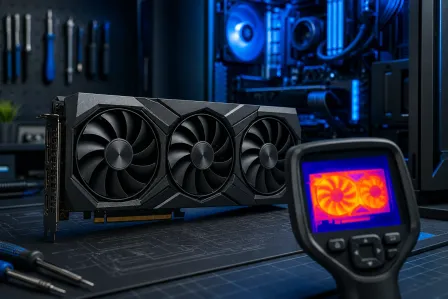
TL;DR: Dropping $400-$700 on a shiny new GPU feels like the ultimate power move - until your frame rates barely budge. If your CPU is ancient, your RAM is running single-channel, or your motherboard predates the last console generation, you might be throwing money into a dead end. This guide helps you diagnose whether your rig is worth saving or whether a full rebuild is the smarter play in 2026.
Why Your GPU Upgrade Might Not Be Worth It
Okay, real talk. You've been eyeing that new GPU for months. You finally pull the trigger, slot it in, fire up your favorite game - and you're still getting the same choppy, stuttery mess you had before. What gives?
Here's the brutal truth: a GPU is only as powerful as the system around it. When the rest of your rig can't keep up, your brand-new graphics card just sits there, starving for data, waiting on a CPU that's been running at 100% since 2016. That's a bottleneck, and it's one of the most expensive mistakes a gamer can make.
Before you ever ask whether a gpu upgrade is worth it, you need to diagnose the whole system. Lucky for you, that's exactly what we're doing today.
What Is a Gaming PC Bottleneck and Why Does It Kill Your Frames?
Think of your PC like a race team. Your GPU is the driver - raw talent, pure speed. But if your CPU is the pit crew chief who can't communicate fast enough, your driver is just sitting in the pits waiting for instructions. No matter how talented that driver is, the team loses.
A gaming PC bottleneck happens when one component is so much slower than the others that it limits the performance of the whole system. The two most common culprits:
CPU Bottleneck - The Silent Frame Killer
Your CPU handles game logic, physics, AI, and feeding draw calls to your GPU. In CPU-bottlenecked scenarios, your GPU usage will sit at 60-70% while your CPU is pegged at 99-100%. You're literally leaving performance on the table. Games like Cyberpunk 2077, Microsoft Flight Simulator, and any open-world title with heavy NPC AI are notorious for exposing weak CPUs. If you're running anything older than a 4th or 5th generation Core i5 or an equivalent Ryzen, this is almost certainly your problem.
RAM Bottleneck - The One Nobody Talks About
Running 8GB of RAM in 2026? That's rough. Running it in single-channel mode? That's a crime against frames. Modern games regularly chew through 12-16GB of RAM, and DDR4 running in single-channel mode can cut your effective memory bandwidth nearly in half compared to dual-channel. This quietly tanks performance in ways that even a monster GPU can't overcome.
You can check your CPU and RAM usage in real time using Microsoft's official guide to checking PC performance in Windows - Task Manager and Resource Monitor are your best friends here.
Gaming PC Bottleneck Diagnosis: The 5-Point Check
Before you spend a single dollar, run through this quick checklist. Be honest with yourself - your wallet will thank you.
1. How Old Is Your CPU?
If your CPU is more than 4-5 generations old, upgrading your GPU without also upgrading your CPU is almost always a waste of money. A modern high-end GPU paired with an ancient quad-core processor is like putting a jet engine on a bicycle. Check your CPU generation and compare it against the GPU specifications database on TechPowerUp to see if your processor can realistically feed the GPU you're eyeing.
2. What's Your RAM Situation?
8GB is the bare minimum for gaming in 2026, and even that's cutting it close in demanding titles. 16GB in dual-channel is the sweet spot. 32GB if you're streaming, running Discord, and have Chrome open with 47 tabs (you know who you are). Check whether your sticks are running in dual-channel by looking at your motherboard slots - they should be installed in matching slots, typically slots 2 and 4.
3. Is Your Motherboard Limiting Your Options?
This is the sneaky one. Maybe your CPU is okay, but your motherboard uses an older socket that doesn't support newer, faster processors. You upgrade the GPU, realize you need a better CPU, and then discover your board won't support it. Suddenly you're replacing the GPU, CPU, and motherboard - at which point you've basically built a new PC anyway, just in the most expensive and frustrating way possible.
4. What Does Your GPU Usage Look Like In-Game?
Fire up MSI Afterburner or any GPU monitoring tool and watch your GPU usage percentage while gaming. If it's consistently below 80-85%, your GPU is being held back by something else in the system. A healthy, properly utilized GPU should be running at 95-100% in most gaming scenarios. Anything less and you've got a bottleneck somewhere upstream.
5. What's Your Storage Situation?
Still running a spinning hard drive as your primary game drive? In 2026, that's genuinely painful. Modern games load massive asset files constantly, and a slow HDD creates stutters and hitching that feel like frame drops even when your GPU is performing fine. An NVMe SSD is a night-and-day difference in load times and in-game streaming.
When a GPU Upgrade IS Worth It
Not every situation is a dead end. Sometimes a GPU upgrade is the exact right call. Here's when it makes sense:
- Your CPU is recent (within 2-3 generations) and your GPU usage is consistently at 95-100% - classic GPU bottleneck, upgrade away.
- You're on 16GB+ of dual-channel RAM and your platform still has upgrade headroom.
- Your current GPU is more than 2-3 generations old and the rest of your build is solid.
- You're moving to a higher resolution or refresh rate monitor and your CPU can handle it.
In these cases, a targeted gpu upgrade is absolutely the move. You'll see real, meaningful gains and your investment won't get choked out by the rest of the system.
Signs You've Hit a Dead End and Need a Full Rebuild
This is the section that might sting a little - but trust me, it's better to know now than after you've spent another $500 on parts that don't fix the problem.
Your Platform Is a Dead End
If your motherboard's CPU socket has no upgrade path to a modern processor, you're stuck. Older Intel LGA1151 boards, for example, max out at 8th or 9th gen chips. AMD AM4 has better longevity, but even that platform is aging. When your motherboard can't support a modern CPU, every other upgrade is just polishing a dead end.
You'd Need to Replace Three or More Components
Here's the math that changes everything: if achieving real gaming performance gains requires a new CPU, motherboard, RAM, and GPU - you've essentially priced out a new build. At that point, a fresh custom build is almost always cheaper, more optimized, and future-proofed in a way that piecemeal upgrades never will be. Our team at Fix My PC Store helps gamers in Palm Beach County run this exact math every week through our gaming PC repair and consultation service.
Your System Struggles With Basic Tasks
If your rig stutters on Windows 11 with a browser open, hitches during game loading screens, or takes three minutes to boot - these are signs of deeper systemic issues. A GPU upgrade won't fix any of that. Sometimes a full performance audit via remote PC support can identify whether you're dealing with software issues, dying hardware, or a build that's simply aged past its prime.
You're Chasing 1440p or 4K on Ancient Hardware
Wanting to push to higher resolutions is a totally valid goal. But if you're trying to run 1440p at high refresh rates on a CPU from 2015, you're going to be disappointed no matter what GPU you throw at it. Higher resolutions and frame rates demand a balanced, modern system - not just a powerful GPU bolted onto old infrastructure.
The Smart Move: Custom PC Builds vs. Endless Upgrades
Here's what nobody tells you about the endless upgrade cycle: it almost always costs more in the long run than just building smart from the start. Buying a GPU, then realizing you need a CPU, then discovering your board won't support it, then replacing RAM for DDR5 compatibility - you've just spent custom build money with none of the optimization benefits.
A purpose-built custom gaming PC means every component is chosen to work together. No bottlenecks, no compatibility nightmares, no buyer's remorse. And in 2026, the value you can get from a well-specced custom build is genuinely incredible.
If you're in Palm Beach County and you're tired of the upgrade treadmill, our team at Fix My PC Store builds custom gaming rigs tailored to your budget and your game library. Whether you're a competitive FPS player chasing 240fps or an open-world explorer who wants maxed-out visuals, we'll spec it right. Check out our custom PC build and repair services to get started.
And hey - if you're not sure whether your current laptop is worth upgrading or replacing, we handle that too. Our laptop repair and upgrade service can help you figure out whether a RAM or storage upgrade saves your machine or whether it's time to move on.
Final Verdict: Stop Guessing, Start Diagnosing
Look, I get it. A new GPU is exciting. The box art is sick, the benchmarks are drool-worthy, and the RGB lighting on some of these cards is genuinely art. But if your system isn't ready for it, that excitement turns into frustration real fast.
The key takeaways:
- Always diagnose before you spend. Check GPU and CPU usage percentages in real gaming scenarios.
- Know your platform's ceiling. If your motherboard has no upgrade path, plan for a rebuild.
- Do the math. Three or more components needed? A fresh build is almost always smarter money.
- Don't ignore RAM and storage. These bottlenecks are sneaky and often overlooked.
- Get expert eyes on it. Sometimes a second opinion saves you hundreds of dollars in wrong-direction upgrades.
Whether you're in West Palm Beach, Boca Raton, Jupiter, or anywhere across Palm Beach County - Fix My PC Store has the hardware knowledge to help you make the right call. GG to dead-end upgrades. Let's build something that actually rips.
Ready to Upgrade Your Gaming Rig?
Get expert gaming PC builds, upgrades, and repairs from Palm Beach County's performance specialists.
Level Up Now