
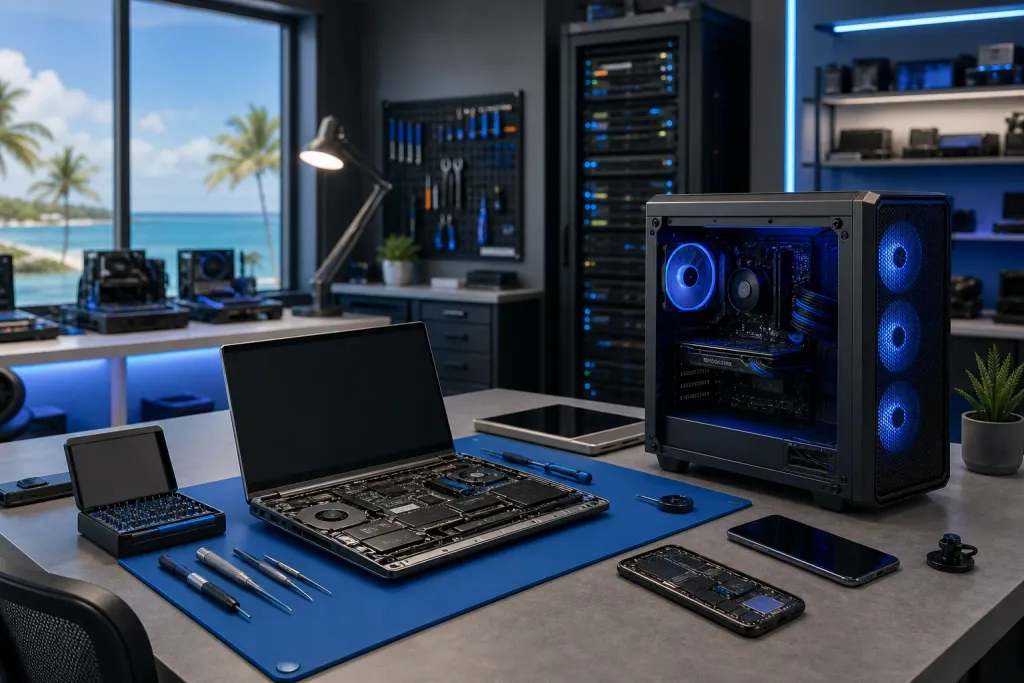
Computer Repair in Boynton Beach: Trusted Local Services
If you're searching for computer repair in Boynton Beach, you're closer to a real fix than you might think. Fix My PC Store in West Palm Beach serves the entire Palm Beach County corridor with fast, honest diagnostics and repairs for PCs, Macs, and laptops.
TL;DR: Fix My PC Store handles computer repair for Boynton Beach residents and businesses. We're a short drive up I-95 in West Palm Beach, we offer remote support when a drive isn't necessary, and we diagnose before we charge. No guesswork, no surprise invoices.
What's Actually Going On With Computer Repair in Boynton Beach
Boynton Beach sits in the middle of one of the most densely populated stretches of South Florida. Plenty of people here need reliable computer repair, and plenty of them end up bouncing between big-box store queues or mail-in services that treat a laptop like a lost package.
Fix My PC Store is different. We're a locally owned shop in West Palm Beach, roughly 12 miles north on I-95, and we've been serving customers across Palm Beach County and the Treasure Coast for years. If you live in Boynton Beach, you're in our regular service area. We see customers from Boynton, Delray, Lake Worth, and Boca every week.
The problems we fix aren't exotic. They're the same handful of issues that account for the vast majority of service calls:
- Slow computers that used to be fast
- Screens that are cracked, dim, or dead
- Machines that won't boot or get stuck in restart loops
- Viruses, ransomware, and malware infections
- Hard drives and SSDs that are failing or already failed
- Charging ports, batteries, and power issues on laptops
- Liquid damage
- Operating system errors and Windows update failures
None of these are flukes. Most are predictable, and most could have been caught earlier. That's worth keeping in mind.
Why It Matters Where You Take Your Computer
Computer repair sounds straightforward until you've watched a technician misdiagnose a failing SSD as a virus infection and charge you for a malware removal that doesn't fix anything. Or had a shop hold your machine for two weeks and return it with the same problem.
Who touches your computer matters because:
Data is on that machine. Passwords, tax documents, family photos, business files. A careless technician or an untracked repair process puts all of it at risk. You want a shop that backs up your data before touching anything, and tells you upfront if a backup isn't possible.
Diagnosis determines everything. A bad diagnosis leads to unnecessary parts, wasted labor, and a problem that comes back. We run structured diagnostics, not guesses. If the hard drive is the issue, we tell you that before quoting a motherboard replacement.
Turnaround time is real money. If your computer is your work computer, every day it's in a shop queue costs you. We offer remote support for issues that don't require physical access, which means some problems get resolved the same day without you leaving Boynton Beach.
Trust compounds. Finding one shop you can rely on for years is worth more than chasing whoever has a Groupon this month. We'd rather tell you a repair isn't worth the cost than collect money for work that won't hold.
Computer acting up? Get a real diagnosis. Book a free diagnostic
What We Don't Know About Your Situation Yet
Here's the honest part. Until we look at your machine, we don't know:
- Whether the repair is worth doing at all. Older machines with failing components sometimes cost more to fix than they're worth. We'll tell you that directly if it's the case.
- Whether data recovery is possible. If a drive has already failed, recovery depends on how and why it failed. Some situations are recoverable. Some aren't. We assess before we promise anything.
- Whether a simple remote session fixes it. Some problems that feel like hardware are actually software. If you're in Boynton Beach and your machine is running but misbehaving, a remote support session might resolve it in an hour without a drive to the shop.
- Whether your problem is isolated. Sometimes one failing component is a symptom of a broader issue. A computer that's randomly shutting down could be a bad battery, overheating, a failing power supply, or a motherboard problem. We trace the cause, not just the symptom.
The best first step is a conversation. Describe what's happening, how long it's been happening, and whether anything changed before it started. That context narrows the diagnosis considerably.
What to Do About It: A Structured Path Forward
Whether you're dealing with a sluggish PC, a cracked laptop screen, a Mac that won't start, or a business machine that's behaving badly, here's how to move through it without wasting time or money.
1. Write Down What's Actually Happening
Before you call or come in, note the following:
- What exactly is the machine doing (or not doing)
- When it started
- Whether anything happened right before it started (update, drop, spill, power outage)
- Any error messages, even partial ones
- What you've already tried
This sounds tedious. It saves time. A technician who gets this information can often narrow the problem to two or three possibilities before touching the machine.
2. Decide: Remote or In-Shop
Not every problem requires a physical visit. If your computer turns on and connects to the internet, there's a reasonable chance a remote support session handles it. Software problems, malware removal, slow performance caused by software bloat, configuration issues, and many Windows errors fall into this category.
If the machine won't boot, has a physical defect, or involves a failing drive, you need in-shop service. We do laptop repair and Mac repair in the shop, along with desktop work, custom builds, and business IT.
3. Back Up Before You Bring It In
If your machine is still functional, back it up before you bring it anywhere. Copy your important files to an external drive or cloud storage. If you don't know how, ask us and we'll walk you through it before you come in.
If the machine is completely non-functional, don't try to force it. Repeated boot attempts on a failing drive can accelerate data loss. Bring it in as-is.
4. Get a Diagnosis Before Authorizing Work
Any reputable shop will give you a diagnosis before billing you for labor. We do. If we find the issue and the repair cost doesn't make sense given the machine's age and value, we'll tell you that too. You make the call with full information.
5. For Business Machines, Think Bigger
If you're a Boynton Beach business owner dealing with recurring computer problems, one-off repairs are a short-term fix. Machines that keep breaking, slow networks, and no backup strategy are infrastructure problems, not isolated incidents.
Our managed IT services are built for small and mid-sized South Florida businesses that want predictable support without an in-house IT department. That includes monitoring, patching, backup management, and cybersecurity that's actually configured and watched, not just installed and forgotten.
We also handle business networking and backups and disaster recovery. If a single machine failure can take your business offline for a day, that's a structural problem worth addressing.
6. Come In or Reach Out
We're at 1645 Palm Beach Lakes Blvd, West Palm Beach. From Boynton Beach, that's a straightforward drive up I-95 to the Belvedere or Palm Beach Lakes exit. We're open Monday through Saturday.
You can also schedule a repair online or reach us through the contact page if you want to describe the problem first. For business inquiries, the business IT page is the right starting point.
No appointment is required for drop-offs, though scheduling ahead guarantees a specific technician is ready for your machine when you arrive.
The short version is this. Computer repair in Boynton Beach doesn't require settling for a chain store queue or a mail-in gamble. Fix My PC Store is close, the diagnostics are honest, and we've seen every problem on the list above enough times to move through them efficiently. If your machine is broken, we'd rather fix it right than fast, but we aim to do both.
Computer acting up? Get a real diagnosis.
Fix My PC Store has repaired thousands of machines across West Palm Beach. Free diagnostics, honest pricing, no upsell games.
Frequently asked questions
Is Fix My PC Store close enough to Boynton Beach to be worth the drive?
Yes. We're in West Palm Beach at 1645 Palm Beach Lakes Blvd, roughly 12 miles north of downtown Boynton Beach via I-95. Most customers from Boynton, Delray, and Lake Worth make the drive regularly. For software issues, we also offer remote support so you may not need to come in at all.
How long does a typical computer repair take?
It depends on the issue and parts availability. Many software repairs, virus removals, and SSD upgrades are completed same-day or next-day. Screen replacements and motherboard-level repairs typically take a few days. We give you a realistic estimate after diagnosis, not before.
Do you charge for the initial diagnosis?
We run diagnostics before quoting repair costs. Our standard practice is to identify the problem and give you a clear estimate before any work is authorized. You're not on the hook for repairs you didn't agree to.
Can you recover data from a computer that won't turn on?
Sometimes, yes. Data recovery depends on why and how the drive failed. Logical failures (software corruption, accidental deletion) are often recoverable. Physical failures involving damaged platters or electronics are more complex. We assess the drive before making any promises, and we'll tell you honestly what's possible.
Do you work on Macs as well as Windows PCs?
Yes. We repair both Mac and Windows machines, including MacBooks with screen damage, battery issues, and software problems. Mac repair has some unique considerations around Apple diagnostics and parts sourcing, but it's a regular part of what we do.
What if my business has multiple computers that keep having problems?
Recurring problems across multiple machines usually signal an infrastructure issue rather than bad luck. Our managed IT services are designed for exactly this situation, providing ongoing monitoring, maintenance, and support for South Florida small businesses so problems get caught before they cause downtime.