USB-C iPhone Port Wear in 2026: Repair vs Cleaning vs Replace
Listen to this article
TL;DR: If your USB-C iPhone cable feels loose, charging is slow, or it only charges when you “hold it just right,” the culprit is usually compacted pocket lint, a worn cable, or light corrosion, not a dying battery. This guide helps you figure out whether you need safe port lint corrosion cleaning, a new charger/cable, or a true usb-c iphone charging port repair (and when an iphone usb-c port replacement is the only sane option).
I see this all the time in the shop. And yes, my retro flip phone collection is judging all of us right now because those things could survive a hurricane and still snap shut with confidence. Meanwhile, modern phones are amazing… but your USB-C port is basically a tiny open garage that lives in your pocket with lint, sand, and South Florida humidity. Let me save you a headache.
Why USB-C iPhone ports feel “loose” (and why it’s usually not the battery)
When customers come in saying “my iPhone is dying” because it won’t charge reliably, the battery is often innocent. The more common reality is one of these:
- Lint compaction: Pocket lint gets packed into the back of the port like it pays rent. The plug can’t seat fully, so it wiggles and disconnects.
- Wear on the port’s internal contacts: USB-C is durable, but repeated side-load stress (charging while yanking the phone around) can wear contact surfaces over time.
- Corrosion: Sweat, humidity, a splash at the pool, or “it was only a little water” can create oxidation that disrupts charging and data.
- Accessory failure: A tired cable or adapter can cause slow charging, intermittent charging, or no fast charge.
So before you assume your phone needs a battery, start with the port and accessories. Especially if you’re dealing with iphone not charging usb-c symptoms that change when you wiggle the cable.
USB-C iPhone charging port repair vs cleaning vs replace: the decision tree
Here’s the simplest way to decide what you need in 2026, without spiraling into a 2-hour forum rabbit hole (your screen time report is already high, look, I’m not judging… okay, maybe a little).
Choose “Cleaning” when the cable won’t click in firmly
If your USB-C plug doesn’t feel like it seats all the way, or it pops out too easily, that screams port lint corrosion cleaning first. Lint at the back of the port prevents full insertion, which creates a loose connection and heat.
Common signs:
- Cable feels “shallow” or doesn’t insert as deeply as it used to
- Charging cuts in and out with tiny bumps
- Fast charging is inconsistent
Choose “Accessory swap” when the port feels fine but charging is flaky
If the plug seats firmly (no wobble), but charging is slow or stops randomly, test with a known-good cable and adapter. USB-C cables fail constantly, especially the ones that have lived a hard life in the car console next to mystery crumbs.
Common signs:
- Charging works with one cable but not another
- iPhone fast charging not working even though it used to
- Data transfer fails on one cable but works on another
Choose “Repair/Replace” when the port is physically damaged or worn
If the port has bent pins, visible corrosion, or the plug rocks side-to-side even after cleaning, you may need usb-c iphone charging port repair or a full iphone usb-c port replacement. Real wear happens. Ports are consumable parts, like tires. Nobody likes it, but reality doesn’t care.
Common signs:
- Charging only works at a specific angle even after cleaning and cable swap
- Plug never feels stable
- Burnt smell, discoloration, or heat at the connector (stop using it)
- Data transfer drops constantly (intermittent USB connection)
DIY checks for “iPhone not charging USB-C” (safe steps first)
Before you attempt any advanced moves, do the basics. This is the phone repair equivalent of “turn it off and on again” and yes, it actually works.
Step 1: Rule out the cable and charger (fast)
- Try a different USB-C cable you trust.
- Try a different USB-C power adapter from a reputable brand.
- Try a different outlet (power strips fail more than people admit).
If you’re using a computer to charge or sync, remember the port on the computer can be the problem too. Microsoft has general USB-C troubleshooting resources here: Microsoft Support USB-C and Windows troubleshooting resources.
Step 2: Check for “charging cable wiggle” symptoms
Plug in the cable and gently test for movement:
- If the cable clicks in firmly and doesn’t wobble much, the port is probably mechanically okay.
- If it feels loose or pops out, assume lint compaction until proven otherwise.
Important: Don’t do aggressive wiggle tests. If the port is already worn, you can finish it off with one enthusiastic “diagnostic jiggle.”
Step 3: Inspect the port (light only, no metal tools)
Use a flashlight and look into the USB-C port. You’re looking for:
- Fuzzy lint packed at the back
- Green/white residue (corrosion)
- Anything that looks bent or broken
Port lint corrosion cleaning: what’s safe, what’s a myth, and what gets phones killed
Let’s bust the big myth: jamming random metal objects into your charging port is not “cleaning.” It’s gambling.
Safe-ish at-home cleaning (if you’re careful)
If the phone is powered off and you see lint, you can try:
- A dry, non-metal pick (plastic or wood) to gently lift lint out
- A soft brush (clean, dry) to loosen debris
- Short bursts of compressed air (keep it controlled, don’t “freeze” the port)
Why this works: Most “loose port” complaints are just lint preventing full seating. Remove the blockage, cable seats correctly, and the connection stabilizes.
What not to do (I’ve rescued phones from worse, but still)
- No paperclips, needles, or SIM tools inside the port. One slip can damage contacts.
- No soaking liquids. Corrosion is not cured by baptizing your phone in mystery fluid.
- No rice. Rice is for dinner, not electronics. (Yes, people still do this.)
When corrosion needs professional cleaning
If you see green/white residue, smell anything burnt, or the phone got wet, stop experimenting. Corrosion can travel and create intermittent failures that look like a port issue today and a board issue tomorrow. That’s when a shop cleaning and inspection is the money-saving move.
Apple also provides official guidance for basic charging troubleshooting here: Apple Support guidance on iPhone charging and what to try when it won’t charge.
Intermittent charging fix: why it charges “only at an angle”
Angle-only charging is the classic “help me, Max” symptom. Here’s what it usually means:
Cause 1: Lint at the back of the port
The cable isn’t fully seated, so the electrical contact area is marginal. A tiny angle shift changes which contacts touch, and charging drops. Cleaning often solves this.
Cause 2: Worn port contacts or internal looseness
If cleaning doesn’t change anything and multiple known-good cables behave the same, the port may be worn. This is where iphone usb-c port replacement becomes the real fix, not a dozen new cables.
Cause 3: Cable strain and side-load damage
Charging while gaming, scrolling, or using the phone as a GPS with the cable bent sideways is rough on any port. If you do this daily, your port is basically doing CrossFit without consent.
Pro tip: Use a longer cable, route it to reduce bending, or use a stand. Your port will last longer.
Why iPhone fast charging is not working (and how the port plays a role)
Fast charging depends on stable communication and low resistance through the cable, charger, and port. When any of those gets sketchy, your phone often falls back to slower charging or disconnects entirely.
Fast-charge troubleshooting checklist
- Try a different quality USB-C cable (some are charge-only, some are worn, some are just bad).
- Try a different USB-C power adapter from a reputable brand.
- Clean lint from the port so the plug seats fully.
- If the phone gets hot at the connector, stop and get it checked.
Why heat matters: Heat at the connector can indicate resistance from a poor connection, corrosion, or damage. That’s how ports and cables get cooked.
What “USB-C iPhone charging port repair” actually involves at a shop
At Fix My PC Store, we treat this like a diagnosis, not a guessing game. (Guessing is expensive. For you.)
Step-by-step: what we check
- Accessory verification: We test with known-good cables/adapters.
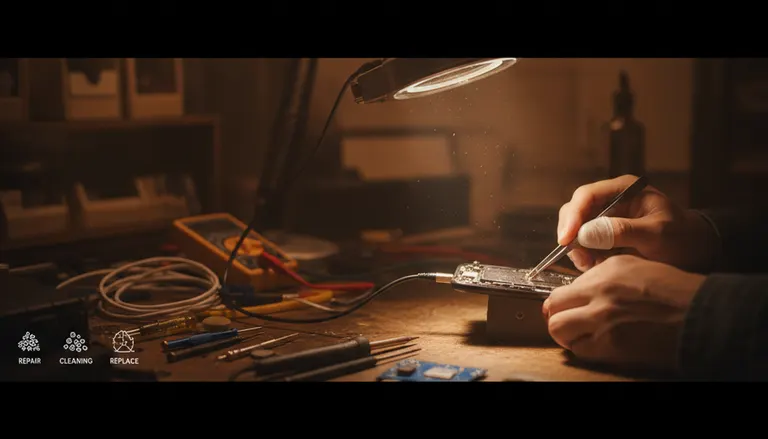
- Port inspection under magnification: Looking for packed lint, bent contacts, and corrosion.
- Charge stability testing: Checking whether power stays consistent when the phone is gently moved.
- Data transfer behavior: If you’re seeing intermittent data drops, we test that too.
Cleaning vs port replacement expectations
- Cleaning: Often same-day, especially if it’s just lint compaction.
- Port replacement: More involved. Turnaround depends on the device and part availability, but we’ll set expectations up front.
Data safety: will you lose anything?
For a straightforward port cleaning or port replacement, your data is usually not the target. But any repair carries risk, especially if the phone has liquid damage or prior repairs. Let me save you a second headache: back up first if you can. If your phone won’t charge at all, we can often help you stabilize power long enough to back up before major work.
Palm Beach County iPhone repair: when to come in (West Palm Beach and nearby)
If you’re in Palm Beach County and dealing with USB-C charging issues, here are the “don’t wait” situations:
- Visible corrosion in the port
- Burning smell, heat, or discoloration at the connector
- Charging only works at a very specific angle after cleaning and cable swaps
- Intermittent charging that’s getting worse week by week
We help customers across Palm Beach County, including West Palm Beach, Palm Beach Gardens, Lake Worth Beach, Wellington, Royal Palm Beach, Jupiter, and Boca Raton. If it’s an iPhone today and your iPad tomorrow, yes, we do that too: iPad repair and charging port troubleshooting.
Quick links: iPhone, iPad, and Samsung repair options
If you want the fastest path to a fix (and fewer “why is this happening” stress Googles), here are the right doors to walk through:
- iPhone repair for USB-C charging port issues
- Smart device repair services (phones, tablets, and the gadgets we all pretend we don’t rely on)
- Samsung repair (Android vs iOS? I’ll fix ’em both. Debate later.)
How to prevent USB-C port wear (so you don’t see me for this again)
Look, I love helping people. But I’d rather you spend your money on literally anything else than repeating the same repair.
Simple habits that extend port life
- Stop pocket-lint farming: Keep your phone out of the lintiest pocket, or clean the port periodically.
- Reduce side stress: Don’t bend the cable hard while using the phone.
- Replace worn cables early: If the connector is loose or the cable sheath is damaged, retire it.
- Use a case (sigh): Not for the port directly, but because drops can misalign internals and worsen port issues.
One more myth to retire: “Overnight charging ruins ports”
Overnight charging is usually not what kills ports. Physical stress, debris, moisture, and cheap cables are the repeat offenders. Overnight charging can contribute to heat if your setup is poor, but the port wear story is mostly mechanical and environmental.
Need Expert Mobile Device Repair?
Get professional iPhone, iPad, and Samsung repair from Palm Beach County's trusted mobile device specialists.
Get Device Help