Qi2.2 Wireless Charging in 2026: Fixing Slow or No-Charge Phones
Listen to this article
TL;DR: If your Qi2.2 wireless charging suddenly got slow (or stopped), it is usually one of five things: alignment, case/metal interference, heat, power negotiation (charger + adapter issues), or a worn/damaged charging coil inside the phone. Let me save you a headache: swapping chargers is a good first step, but it is not the whole story.
I see this all the time. Someone walks in with a phone and says, “Max, it used to snap on and charge fast. Now it just… vibes.” And yes, I will glance at your screen time report while I test it. Not judging. Okay, maybe a little.
What Qi2.2 wireless charging is (and what it is not)
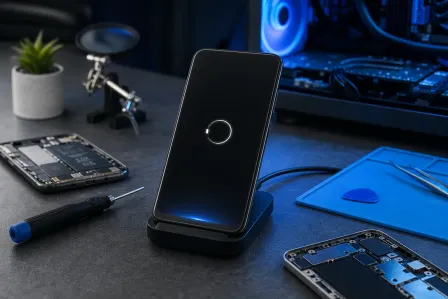
Let’s clear up a myth before it costs you money: Qi2.2 wireless charging is not magic power beaming. It is still inductive charging, meaning your phone’s internal charging coil has to couple efficiently with the charger’s coil. If that coupling is weak, you get slow charging, on-and-off charging, or the classic “connected but not charging” situation.
Qi2 introduced a more consistent magnetic alignment approach (similar in concept to Apple’s MagSafe alignment system). The goal is simple: better alignment equals better efficiency, less heat, and more predictable charging. But in real life, 2026 has brought a wave of “it used to charge fast” complaints because people upgraded accessories, changed cases, added metal rings, or their phone has taken one too many drops (yes, I can tell).
Why Qi2.2 can feel “pickier” than older pads
- Tighter alignment expectations: Better performance depends on better positioning.
- More power means more heat: Heat triggers safety throttling. Your phone slows charging to protect itself.
- Accessory stacking: Cases, wallet attachments, metal rings, and pop grips all mess with coil distance and magnetic alignment.
Qi2.2 wireless charging slow? Start with these quick fixes first
If you’re dealing with a slow wireless charging fix situation, do these before you assume the phone is “dead.” This is the phone repair equivalent of “turn it off and on again” - and it actually works.
1) Check alignment (yes, even with magnets)
Magnetic alignment helps, but it does not guarantee perfection. If the phone is slightly off-center, you can get a weak charge that looks connected but crawls. Try this:
- Remove any wallet attachment or grip accessory.
- Place the phone flat and let the magnet “pull” it into place.
- If it is a stand-style charger, make sure the coil area on the phone lines up with the charger’s coil zone.
Pro tip: If you hear the charging sound, then it stops 10 seconds later, that is often alignment or heat, not a “bad battery.”
2) Remove the case (I know, I know)
Look, I sigh about this daily: thick cases, cases with metal plates, cases with built-in magnets, and cases with “fashion first, physics last” designs are a major reason a phone is not charging wirelessly. Wireless charging hates distance. Every extra millimeter between coils hurts efficiency.
- Test charging with the case off.
- If it works normally without the case, you found your culprit.
3) Verify your power source (adapter + cable) is not the bottleneck
Here is a sneaky one: your wireless pad/puck may be fine, but the wall adapter is underpowered or flaky. Qi-style chargers rely on the input power being stable. If you plug a higher-demand charger into a weak adapter, it can throttle or drop out.
- Try a known-good wall adapter from a reputable brand.
- Try a different outlet (power strips can be drama).
- Try a different cable between the adapter and the charging pad.
4) Let the phone cool down
Wireless charging creates more heat than wired charging because it is less efficient. Add a warm room, a thick case, gaming, navigation, or a video call, and your phone will protect itself by slowing or stopping charging.
- Stop using the phone while charging.
- Remove the case.
- Charge on a hard surface, not a bed or couch.
iPhone MagSafe charging issues: what we see on the repair bench
Apple’s MagSafe experience is usually smooth, which is why it is so annoying when it suddenly is not. If you are seeing iPhone MagSafe charging issues like intermittent charging, slow charging, or no response, here are common repair-side root causes.
Dirty contact surfaces and “invisible” spacing problems
Even though wireless charging does not use exposed charging pins like a cable, the physical surfaces still matter. Lint, grit, or a slightly warped case can stop the phone from sitting flush. Flush matters because coil distance matters.
Heat damage and coil degradation
Over time, repeated heat cycling can stress components. Most phones are built well, but I have opened devices where the wireless charging coil area shows signs of heat exposure or impact damage. A drop can crack or partially detach the coil assembly or damage the flex cable that connects it to the mainboard.
If you suspect internal damage, skip the guesswork and book a diagnostic through our iPhone repair service for wireless charging issues.
Software and power negotiation quirks
Sometimes it is not “broken,” it is confused. A device can get stuck in a weird power negotiation state with a charger. A restart can help. Also, keep iOS updated because charging behavior and thermal management are controlled by software too. Apple’s general charging troubleshooting is worth a look: Apple Support: If your iPhone won't charge.
Android Qi2 charging problems: why Samsung and friends can act different
Android users, come closer. I promise I fix your phones with the same love I give iPhones. I just tease you a little because half of you run beta software and then act shocked when something gets weird.
Android Qi2 charging problems often come down to the same physics: alignment, heat, and coil health. But Android devices can vary more in coil placement and thermal tuning, so one charger that works great for Phone A may be “meh” for Phone B.
Case magnets and metal rings are repeat offenders
Those stick-on metal rings and magnetic mounts? Convenient. Also a frequent reason a phone is not charging wirelessly. Metal can introduce losses and heat, and it can interfere with magnetic alignment. If your phone charges only when you “wiggle it” into a specific spot, suspect interference or misalignment.
If you have a Samsung device acting up, our Samsung repair team can test the phone with known-good Qi chargers and check the internal coil circuit when needed.
Thermal throttling from heavy use
Wireless charging + gaming + max brightness + 5G + a thick case is basically asking your phone to do hot yoga. When the phone heats up, charging slows by design. That is not a defect. That is self-preservation.
Wireless charging alignment: the #1 reason “it used to charge fast”
Let’s talk about alignment like adults. Wireless charging coils are not huge, and the “sweet spot” is smaller than most people think. Magnetic alignment helps, but if your charger stand is designed for a different coil height, or your phone model’s coil sits slightly higher or lower, you can still get weak coupling.
Signs you have an alignment problem
- Charging starts, then stops when you bump the table.
- Charging works only in one exact spot.
- Your phone charges, but it is very warm and the battery percentage barely moves.
What we do in-shop to confirm alignment vs hardware failure
- Test your phone on multiple known-good chargers (pad and stand styles).
- Test your charger with a known-good phone.
- Check for case interference and coil positioning issues.
- Measure input power and look for negotiation drops.
Charging port vs wireless charging: which one should you trust?
People ask me this a lot: “Should I just use the port?” Honestly, wired charging is usually faster and more efficient. Wireless charging is convenient. Both have their place.
When the charging port is the better choice
- You need maximum speed.
- You are using the phone while charging (wireless will heat up more).
- Your wireless setup is finicky due to case or alignment.
When wireless is the better choice
- Your port is worn or contaminated (pocket lint is undefeated).
- You want less cable wear and tear.
- You prefer drop-and-go charging on a desk or nightstand.
And yes, sometimes the port and wireless issues are related because the underlying charging circuitry and power management live on the same ecosystem inside the phone. If you need a full diagnostic, start with our smart device repair service and we will point you to the right fix.
Charging coil repair: when the phone is the problem (not the charger)
If you have tried multiple chargers, multiple adapters, no case, good alignment, cool temperatures, and it still will not charge wirelessly, it is time to talk about the internal hardware. The most common internal culprit is the wireless charging coil or the flex cable and connectors that tie it into the phone.
Common causes of coil failure
- Drop damage: A shock can crack the coil assembly or damage the flex.
- Heat stress: Repeated overheating can degrade components over time.
- Liquid exposure: Yes, even “it was just a little splash.” I have rescued phones from toilet bowls, sinks, and one memorable washing machine incident.
- Prior repairs: If a phone was opened before, a coil connection may be loose or pinched.
How a shop diagnoses coil vs board vs accessory
At the bench, we do not guess. We isolate.
- Accessory validation: Known-good charger + known-good power adapter + known-good cable.
- Device behavior check: Does it detect the charger? Does it start and then throttle? Does it never respond?
- Thermal check: Unusual heat at the coil area can indicate inefficiency or shorting.
- Internal inspection (if needed): Check the coil, flex cable, connectors, and surrounding components for damage.
Depending on the model, charging coil repair may involve replacing the coil/flex assembly, reseating connectors, or addressing related components that manage power and communication.
Palm Beach County wireless charging repair: fast answers without the guessing game
If you are in Palm Beach County and you are tired of buying charger after charger like it is a hobby, bring the phone (and your charger) in. Fix My PC Store in West Palm Beach can quickly test whether your issue is:
- The wireless charger or its power adapter
- Case or accessory interference
- Alignment and coil positioning mismatch
- A failing wireless charging coil or flex cable
- A deeper power management or board-level issue
We help customers across West Palm Beach, Palm Beach Gardens, Lake Worth Beach, Boynton Beach, Jupiter, Wellington, Royal Palm Beach, and surrounding areas. And yes, we fix both iPhone and Android. Android vs iOS? I will fix ’em both. We can debate later.
If your device is an iPad that will not charge on a stand (it happens more than you think), our iPad repair service can help diagnose charging and power issues too.
Quick “bring it with you” checklist
- Your wireless charger (pad/puck/stand)
- The wall adapter and cable you actually use
- The case you keep on the phone
- A short description of symptoms (slow, intermittent, no charge)
Myth-busting: what will NOT fix Qi2.2 wireless charging problems
Let me save you a headache (and a few bucks).
- “Put it in rice”: Rice does not repair electronics. It also gets everywhere. Please stop.
- “A stronger magnet will fix it”: More magnet is not the same as better alignment, and it can introduce interference with accessories.
- “Any cheap adapter is fine”: Unstable power causes dropouts and heat. Use reputable adapters.
If you want official info about the Qi standard and how certified devices/accessories are supposed to behave, the Wireless Power Consortium is the authoritative source.
Need Expert Mobile Device Repair?
Get professional iPhone, iPad, and Samsung repair from Palm Beach County's trusted mobile device specialists.
Get Device Help