Qi2.2 Fast Wireless Charging: Heat, Cases & Repair Risks (2026)
Listen to this article
TL;DR: Qi2.2 fast wireless charging can be awesome, but it is also more sensitive to heat, alignment, and what you have between the charger and the phone (yes, your “tank case”). If your phone overheats, charges slowly, or only charges when you place it just right, you might be dealing with misalignment, a thick case, back-glass damage, or a failing charging coil or flex.
I’m Mobile Max. I fix Androids and iPhones all day, and I see this all the time: wireless charging issues that start as “kinda annoying” and turn into “why is my phone yelling temperature warnings at me?” Let me save you a headache.
What Qi2.2 Fast Wireless Charging Changes (and Why Heat Matters)
Wireless charging has always been a trade: convenience for efficiency. Wired charging is like taking the highway. Wireless is the scenic route with a few stoplights. With Qi2.2 fast wireless charging, the industry is pushing more power through that same basic idea: two coils (one in the charger, one in your phone) transferring energy through an electromagnetic field.
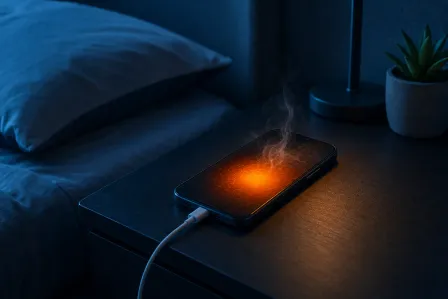
More power can mean more heat, especially when things are not lined up perfectly. Heat is not just a comfort issue. Heat is a wear issue.
Why phones get hot on fast wireless charging
- Misalignment: If the coils are off-center, efficiency drops and heat goes up.
- Thick or “metal-ish” cases: Extra distance and certain materials make the system work harder.
- Background workload: If you are gaming, streaming, or doom-scrolling (look, I’m not judging your screen time report... okay, maybe a little), the phone is generating heat while charging generates more.
- Battery and power management: Modern phones throttle charging to protect the battery. That can look like “slow charging” when it is actually self-defense.
What is normal vs. not normal
Normal: Warm phone, charging speed that tapers as it approaches full, and occasional pauses if the phone gets too hot in a warm room.
Not normal: Repeated overheating warnings, charging starting and stopping every few minutes, needing a very specific placement to charge, or wireless charging failing completely while wired still works.
If you are in West Palm Beach or anywhere around Palm Beach County, heat is a lifestyle. Your phone feels it too. A dashboard and a fast wireless charger is basically a tiny sauna for your battery.
MagSafe-Style Alignment Issues: The #1 Cause of Intermittent Qi Charging
Magnetic alignment (often called “MagSafe-style” alignment generically) helps keep the charging coils lined up. When alignment is good, charging is more efficient and usually cooler. When alignment is bad, you get the classic symptoms: intermittent wireless charging, slow charging, and extra heat.
Common alignment problems I see all the time
- Camera bump tilt: Some phones rock on flat pads because the camera bump lifts one side.
- Cheap stands and pads: A pad that slides around or a stand with the “sweet spot” in the wrong place.
- Case magnets that do not match: Magnetic rings that are slightly off can force misalignment.
Quick alignment test
- Take the case off.
- Place the phone on the charger and note if it locks in reliably.
- Rotate the phone 180 degrees and test again.
- If it only works in one position or only with a “perfect” placement, alignment is your suspect.
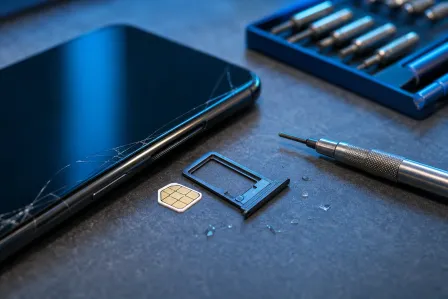
And yes, I sigh a little when I see a phone with no case. Then I see the back glass spiderwebbed and I sigh louder.
Cases and Accessories: When “Protection” Breaks Wireless Charging
Cases are great. I love cases. I also love when cases do not sabotage charging. With Qi2.2 fast wireless charging, case choice matters more because small efficiency losses turn into heat.
Case features that cause wireless charging problems
- Too thick: Extra millimeters can be the difference between stable charging and “connect-disconnect-connect.”
- Metal plates: Those magnetic car-mount plates are wireless charging kryptonite.
- Wallet cases: Cards add thickness, and some card materials can interfere.
- Off-brand magnetic rings: If the ring is not centered, it can force misalignment and heat.
My practical rule
If your phone wirelessly charges fine naked (the phone, not you) but fails with the case on, you do not need a repair. You need a different case or a different charging setup. Start there and save your money.
“iPhone Wireless Charging Not Working” in 2026: What to Check First
When someone tells me, “My iPhone wireless charging not working,” I start with the boring stuff because it fixes a shocking number of phones.
At-home checks (iPhone)
- Try a different wireless charger and power adapter: Some pads are picky about the wall brick.
- Remove the case and any metal accessories: Especially rings, plates, and pop-style grips with metal.
- Clean the back of the phone: Dirt and grit can create a tiny gap and cause slip and heat.
- Restart the iPhone: The phone repair equivalent of “turn it off and on again,” and it actually works.
- Check for heat triggers: Charging on a bed, couch, or in direct sun is asking for throttling.
Apple also has a straightforward overview of wireless charging behavior and basics here: Apple Support guidance on wireless charging and MagSafe basics.
When it is likely hardware on iPhone
- Wireless charging worked before a drop, then got flaky.
- Back glass is cracked (even “just a little”).
- Charging only works if you press the phone down or shift it around.
- NFC features get weird too (tap-to-pay or tag scanning issues), because the NFC coil and wireless charging coil are often part of the same assembly.
If you need hands-on help, start with iPhone repair for wireless charging and back glass issues.
Android Wireless Charging Troubleshooting: Pixels, Galaxy, and the Usual Suspects
Android folks, you are not off the hook. I fix your phones too. Your customization is fun. Your chargers are... a wild ecosystem. If you are searching Android wireless charging troubleshooting, do these checks before you assume the coil is dead.
At-home checks (Android)
- Verify charger compatibility: Not every “fast” pad fast-charges every phone.
- Test with a known-good cable charger: If wired charging is also inconsistent, you may have battery, port, or power management issues.
- Disable battery share (if your phone supports it): Some phones change behavior when reverse wireless charging is enabled.
- Check for overheating conditions: High ambient heat plus fast wireless charging equals throttling.
- Update your OS: Power management bugs happen. Updates can help, even if it pains you to reboot.
For general charging and overheating guidance, this is a solid reference: Google Pixel Help steps for charging and overheating troubleshooting.
Samsung and Pixel specific “repair-ish” clues
- Galaxy devices: After a drop, wireless charging may become position-sensitive due to coil shift or back cover damage. If you need service, see Samsung repair for wireless charging issues.
- Pixel devices: If wireless charging cuts in and out and the phone gets unusually hot, the coil or flex connection may be compromised, especially after impact.
Heat Damage and Repair Risks: What Fast Wireless Charging Can Stress
Let’s bust a myth: wireless charging does not automatically “ruin your battery.” Heat and time do that. Fast wireless charging can create more heat, and heat accelerates battery aging. That is physics, not brand drama.
Parts that can be affected by repeated overheating
- Battery: More heat cycles can reduce long-term capacity.
- Wireless charging coil: Can degrade or become intermittent if the assembly is damaged or shifted.
- NFC coil flex: A tear, crease, or connector issue can cause wireless charging and NFC problems.
- Back glass and adhesive: Cracks and separation can create gaps, movement, and misalignment.
“Phone overheats while charging” - when to stop and investigate
Stop and troubleshoot if you see any of these repeatedly:
- Overheating warnings during wireless charging in a normal indoor room
- Charging percentage barely moves, but the phone gets hot
- Wireless charging only works without a case and only in one exact spot
Also, do not charge on a pillow, blanket, or the passenger seat in the sun. That is not a charging station. That is a heat trap.
When Back Glass Replacement Restores Wireless Charging
Here’s the sneaky one: back glass damage is not just cosmetic. On many phones, the wireless charging coil sits under the back cover and depends on a stable, flat surface and solid adhesive contact. Cracked glass can flex. Flex changes alignment. Alignment changes efficiency. Efficiency changes heat. And then you are back here reading my blog instead of enjoying your day.
Signs you might need back glass repair for wireless charging
- Back glass is cracked near the center area where the coil sits
- You can feel the back panel flex or lift
- Wireless charging fails after a drop, even if the screen looks fine
Why back glass repair is not just “for looks”
Replacing the back glass can restore the correct spacing and stability so the coil sits where it is supposed to. It also reduces the risk of moisture intrusion. And yes, I have rescued phones from toilet bowls, washing machines, and the famous “I only dropped it in the sink for one second” incident. Water loves cracked glass.
If you are not sure what level of repair you need, start here: smart device repair diagnostics and troubleshooting.
Charging Coil Replacement and NFC Coil Flex Repair: What Repairs Actually Fix
If the at-home tests point to hardware, the most common wireless charging repairs involve the coil assembly, the flex cable, or both. Depending on the model, the wireless charging coil replacement may be part of a combined module that also handles NFC.
What we look for during diagnosis
- Impact clues: Dents, back glass fractures, frame bend, or internal shift
- Thermal clues: Hot spots during charging that suggest inefficiency or a failing component
- Connector and flex condition: Tears, creases, or partial disconnections
- Charger behavior: Does it negotiate power normally or constantly reset?
Why DIY is risky here
Wireless charging parts are often layered under adhesive, shields, and back glass. A DIY attempt can turn “intermittent charging” into “now the back won’t seal” or “now NFC is dead too.” If you love tinkering, I respect it. If you need your phone for work tomorrow, maybe let a shop handle it.
And if this is an iPad with charging weirdness or accessory-related issues, yes, tablets can be picky too. We handle those here: iPad repair and diagnostics.
Wireless Charger Compatibility: How to Avoid Buying the Wrong Stuff
Wireless charging should be simple. In reality, it is a mix of standards, profiles, and accessories that may or may not play nicely together.
Compatibility checklist
- Use a reputable charger: Certified or well-reviewed chargers reduce weird behavior.
- Match the power adapter: A weak wall adapter can cause slow or unstable charging.
- Watch for case interference: Especially thick cases and metal accessories.
- Prefer alignment help: Chargers that help position the phone reduce heat and dropouts.
My “save your money” advice
If your phone wirelessly charges inconsistently on three different pads, it is probably the phone. If it charges fine on one pad but not another, it is probably the charger setup. Test before you replace parts.
Palm Beach County Wireless Charging Repair: When to Bring It In
If you are in Palm Beach County (West Palm Beach, Palm Beach Gardens, Lake Worth, Boynton Beach, Wellington, Royal Palm Beach, Jupiter), wireless charging problems tend to show up fast because heat and humidity amplify small issues.
Bring your device in if you have any of these
- Wireless charging not working at all on known-good chargers
- Intermittent charging that depends on pressure or exact placement
- Phone overheats while charging in normal indoor conditions
- Cracked back glass or a recent drop followed by charging issues
- NFC problems (tap-to-pay, access badges, tag scans) plus wireless charging issues
What to do before your visit (and what to bring)
- Bring your wireless charger (and the wall adapter) if possible
- Note when the issue started (after a drop, after a case change, after an update)
- Back up your data if you can
One last friendly reminder from my retro flip phone collection: those things survived because they were basically indestructible bricks with tiny batteries. Your modern glass sandwich is smarter, faster, and way more sensitive. Treat it accordingly.
Need Expert Mobile Device Repair?
Get professional iPhone, iPad, and Samsung repair from Palm Beach County's trusted mobile device specialists.
Get Device Help