Phone Not Charging Repair: Complete Checklist for Ports, Cables & Boards
Listen to this article
TL;DR: Most “phone not charging” cases are not a dead battery or a mysterious motherboard failure. They’re usually a bad cable, a weak adapter, compacted lint in the port, or a port that’s starting to separate from the board. Let me save you a headache with a safe, step-by-step checklist that works for iPhone, Android, and tablets.
I see this all the time: someone swears their phone “just died,” then I pull a fuzzy lint brick out of the charging port and suddenly it’s alive again. Look, I’m not judging your 8-hour screen time report. Okay, maybe a little. But I am judging the fact that you’ve been raw-dogging your phone with no case and a pocket full of beach sand.
Phone not charging repair: Start with the simple stuff (it’s boring, but it works)
Before we talk board-level wizardry, you need to rule out the basics. This is the phone repair equivalent of “turn it off and on again,” and yes, it actually works.
Step 1: Try a known-good cable and adapter (not the mystery gas station one)
- Swap the cable first. Cables fail constantly, especially near the connector where they bend.
- Swap the wall adapter next. Fast charging needs the right wattage and sometimes the right standard (USB Power Delivery for many devices).
- Try a different outlet. The number of “dead phones” saved by a working outlet is… embarrassing.
Insider tip: If your phone charges in the car but not on the wall (or vice versa), that’s a clue the adapter is the problem, not the phone.
Step 2: Check for fast charging not working vs not charging at all
These are different problems:
- Not charging: Battery percentage never increases, no charging icon, no vibration/connection sound.
- Charging slowly: It charges, but painfully slow, or loses battery while plugged in.
- Fast charging not working: It charges, but won’t switch into fast charge anymore.
Slow charging can be caused by weak adapters, cheap cables, heavy app usage, heat, or a dirty/damaged port.
Step 3: Restart and check for heat or moisture warnings
- Restart the phone. Software can hang the charging handshake.
- If the phone is hot: Let it cool. Heat throttles charging to protect the battery.
- If you see a moisture warning: Do not force charge it. Let it dry thoroughly.
Charging port cleaning and USB port lint removal (the #1 fix I do daily)
If your phone only charges at an angle, charges intermittently, or the cable feels “loose,” you’re probably dealing with lint, debris, or port wear. Pocket lint is basically felted concrete once it’s been compressed by a charging plug 500 times.
How to safely clean a charging port (USB-C and Lightning)
Power the device off before you do anything. Then:
- Use a bright light. Look inside the port. If you see fuzz or packed debris, that’s your suspect.
- Use a non-metal tool. A plastic toothpick or a soft anti-static pick is safest. Avoid metal pins that can short contacts.
- Gently lift debris out. Don’t stab downward. You’re trying to pull lint away from contacts, not mash it deeper.
- Optional: A few short bursts of compressed air from a distance can help, but don’t blast moisture into the port.
Do not pour alcohol into the port like you’re seasoning a cast iron pan. If you need cleaning fluid, it should be minimal and controlled. When in doubt, bring it in.
USB-C port repair warning signs (Android and iPad USB-C models)
USB-C is great. Reversible, fast, modern. Also: it takes a beating. Signs you may need USB-C port repair instead of cleaning:
- Cable wobbles excessively or won’t “click” in firmly
- Charging cuts in and out when you barely touch the cable
- Fast charging used to work but now never triggers with multiple known-good chargers
- Port looks bent, cracked, or pushed inward
iPhone Lightning port repair warning signs (yes, lint still wins)
For iPhones with Lightning ports, the same lint problem applies, plus wear on the internal contacts. You might need iPhone lightning port repair if:
- It only charges when the cable is angled or upside down (no, that’s not a “feature”)
- The cable doesn’t seat fully
- You see corrosion or green/white crust inside the port
If you want Apple’s official cleaning do’s and don’ts, here’s a solid reference: Apple’s guidance on cleaning iPhone and accessories.
Android charging issues: Settings and features that can fool you
Android vs iOS? I’ll fix ’em both. But Android does have more manufacturer variations, and that means more ways for charging behavior to look “broken” when it’s actually a setting, a cable standard mismatch, or a battery protection feature.
Battery protection and optimized charging can slow charging on purpose
Many phones slow charging near 80-90% or delay charging overnight to reduce battery wear. That’s normal. If you’re unsure, check your Battery settings for optimized charging or battery protection modes.
Google also has a good general guide here: Google’s Android battery and charging troubleshooting.
Fast charging not working: cable standards matter
Fast charging often requires:
- A charger that supports the right standard (commonly USB Power Delivery)
- A cable rated for higher current (some cheap cables negotiate poorly or overheat)
If you’re using a random old USB-A brick from your drawer of forgotten tech, don’t be shocked when your modern phone crawls from 12% to 13% in 20 minutes.
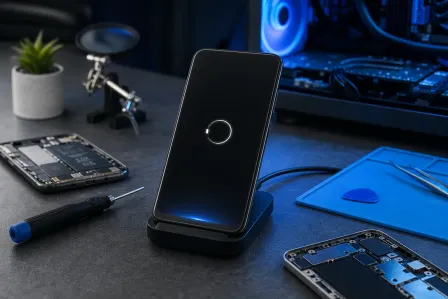
Wireless charging not working: it’s pickier than you think
Wireless charging is convenient, but it’s also the diva of charging methods. If wireless charging not working is your issue, check these:
Alignment, cases, and metal accessories
- Reposition the phone. Coil alignment matters. A few millimeters can be the difference between charging and nothing.
- Remove thick cases. Especially wallet cases or rugged cases.
- Remove metal rings or magnetic plates that aren’t designed for your charging setup.
Heat throttling and dirty pads
- If the phone gets warm, wireless charging may slow or stop.
- Wipe the charging pad and the back of the phone. Oils and dust can reduce efficiency.
Reality check: Wireless charging is usually slower than wired. If you’re doom-scrolling in bed (my flip phone collection is judging you right now), don’t expect miracles.
Liquid damage charging port: what to do (and what not to do)
I’ve rescued phones from rice bags, toilet bowls, and one memorable washing machine incident. Liquid damage is common in Palm Beach County life, because water exists and humans are… optimistic.
Red flags that liquid damage is affecting charging
- Corrosion visible in the port (green/white residue)
- Moisture warnings that keep returning
- Charging works sometimes, then fails randomly
- Phone gets hot while charging or the cable tip gets unusually warm
Do this immediately
- Stop charging. Power + moisture is how small problems become board problems.
- Power off if possible.
- Let it dry in moving air (a fan is good). Avoid heat guns and ovens. Yes, people try ovens.
- Get it inspected. Corrosion spreads and can damage the charging circuit.
Myth bust: Rice is not a repair tool. It’s dinner. Rice can also leave dust and starch in ports. Let’s not.
When “phone not charging” is deeper: battery, flex cable, or motherboard
If you’ve tried known-good accessories and cleaned the port safely, and it still won’t charge (or charges only at an angle), the issue often moves from “easy” to “component-level.” Here’s what that typically means.
Phone charges slowly even with good chargers
Possible causes:
- Degraded battery (higher internal resistance, heat, throttling)
- Charging port flex cable damage (common on many models where the port is part of a replaceable assembly)
- Power management issues on the logic board
Phone only charges at an angle (after cleaning)
This often points to:
- Worn port contacts or a physically damaged port
- Loose solder joints (more common on USB-C ports that take mechanical stress)
- Board flex from drops (yes, that “tiny corner crack” can matter)
Charging IC diagnosis: what shops actually test
When we do charging IC diagnosis, we’re not guessing. A proper workflow usually includes:
- Visual inspection under magnification for bent pins, broken port housings, and corrosion
- Testing with multiple known-good cables, adapters, and charging methods (wired and wireless if supported)
- Measuring charge current draw (is it pulling 0.00A, trickling, or surging and dropping?)
- Checking battery health indicators and temperature sensor behavior
- Isolating whether the fault follows the port assembly/flex or stays with the board
Tristar / Hydra repair (iPhone-specific charging and USB communication chips)
On some iPhones, charging and USB communication issues can be related to a specialized chip commonly referred to in the repair world as Tristar (older generations) or Hydra (newer Lightning-era generations). If that chip is failing, symptoms can include:
- No charge response even with a good port and cable
- Charging that starts and stops
- Computer connection problems over USB (sync issues) alongside charging failures
Important: this is board-level repair. It’s not a “swap the port and call it a day” situation. A reputable shop will confirm the fault with testing before recommending microsoldering.
What to expect from a professional phone charging repair in Palm Beach County
If you’re in West Palm Beach or nearby areas in Palm Beach County, here’s the honest rundown of what a good repair shop should do before selling you a fix.
Typical repair paths (from simplest to spiciest)
- Cleaning and debris removal (fast, inexpensive, often the win)
- Accessory guidance (right charger/cable combo for reliable fast charging)
- Port assembly replacement (common when the port is on a flex cable)
- USB-C port repair (when the port is soldered to the board and physically damaged)
- Battery replacement (when battery health or thermal behavior is limiting charging)
- Board-level repair (charging IC, Tristar/Hydra-related issues, corrosion cleanup)
Devices we see a lot (and yes, we fix both sides of the aisle)
We help with iPhone, Android, and tablets. If you need targeted service, these pages are a good starting point:
- Smart device repair for phones and tablets
- iPhone repair for charging ports, batteries, and board issues
- iPad repair for USB-C and Lightning charging problems
- Samsung repair for USB-C port issues and charging diagnostics
Prevent repeat charging failures (future-you will thank you)
You don’t need a lab coat to avoid charging problems. You just need a few habits that stop wear and contamination.
Use decent cables and stop yanking them like lawnmower cords
- Buy reputable cables rated for charging speed
- Unplug by gripping the connector, not the cable
- Avoid constant sideways stress while charging (gaming + charging + bent cable = port damage)
Keep ports clean and protected
- Don’t store your phone in the same pocket as sand, lint, or mystery crumbs
- Consider a case with a port cover if you work outdoors
- If you’re near water a lot, be extra cautious. Liquid damage is sneaky.
Charge smarter, not harder
Overnight charging is usually fine with modern devices because they manage charging intelligently, but heat is the enemy. If your phone is cooking under a pillow while charging, you’re basically slow-roasting your battery.
Need Expert Mobile Device Repair?
Get professional iPhone, iPad, and Samsung repair from Palm Beach County's trusted mobile device specialists.
Get Device Help