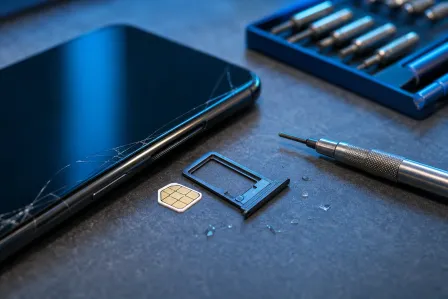
iPhone 17 USB-C Port Repair in 2026: What Changed & How to Prevent Damage
Listen to this article
TL;DR: If your iPhone is “not charging,” “only charges at an angle,” or “won’t connect to CarPlay,” the USB-C port is often the real suspect, not the battery. In 2026, USB-C is everywhere, but the same classic villains keep showing up: compacted pocket lint, worn cables, accidental yanks, and liquid corrosion. Let me save you a headache with safe checks you can do at home and clear signs it is time for a professional port replacement.
First, a tiny reality check from Mobile Max: I am not judging your 8-hour screen time report. Okay, maybe a little. But I am judging the fact that half of you are still raw-dogging your phones with no case and then acting shocked when the charging port starts acting like a moody teenager.
Also, quick factual note because internet myths breed faster than dust bunnies: Apple’s latest publicly available iPhone lineup is iPhone 16 as of today. So when people say “iPhone 17 USB-C port repair,” they usually mean “my newer USB-C iPhone is having port issues.” This article covers the real-world USB-C port failure patterns we see in 2026 and how to handle them safely, whether you are on iPhone 15/16 or another USB-C iPhone. Android vs iOS? I’ll fix ’em both. But we can debate later.
Why “iPhone 17 not charging” often is not a battery problem
I see this all the time: someone comes in convinced their battery is cooked because the phone will not charge, charges slowly, or drops in and out. Then I look in the port and find a tiny felt blanket of lint packed so tight it could qualify for rent in Palm Beach County.
Most common USB-C port failure patterns (what it looks like)
- “Only charges at an angle”: usually compacted debris preventing the plug from fully seating, or a worn plug that no longer fits snug.
- “iPhone intermittent charging”: cable damage, port wear, or contamination on the contacts causing unstable connection.
- “Fast charging issues”: often a non-compliant charger/cable, damaged cable, or port contamination affecting Power Delivery negotiation.
- “Data transfer not working” (or CarPlay fails): data pins not making solid contact due to debris, bent contacts, corrosion, or a damaged cable.
- “It charges wirelessly but not via cable”: strong hint the port or cable is the issue, not the battery.
What changed in 2026 (and what did not)
USB-C adoption is mature now, and the ecosystem is better than the early “mystery cable” days. But here is what has not changed: USB-C ports still hate pocket lint, salt air, sweat, soda, and getting yanked sideways. Your phone does not care that your cable was “premium” if it has been living on the floorboard of your car for six months.
What has changed is user behavior: more people rely on USB-C for everything (charging, CarPlay, file transfers, audio adapters), which means the port gets more insertions, more stress, and more chances to fail. More use equals more wear. Simple math. Your retro flip phone from my collection? That thing could survive a hurricane and still make a call. Modern smartphones are smarter, not tougher.
At-home checks for USB-C port cleaning iPhone (safe, no hero moves)
Before you start ordering parts or blaming the battery, do a few safe checks. The goal is to avoid damaging the connector while figuring out if this is a cable/charger issue, debris issue, or actual port failure.
Step 1: Try a known-good cable and charger (seriously)
This is the phone repair equivalent of “turn it off and on again” and it actually works. Use a cable and charger you trust, not the one that has been twisted like a pretzel in your backpack. If fast charging is flaky, try a different USB-C cable rated for charging and data.
Want a sanity check on charging standards? The USB Implementers Forum explains how USB Power Delivery works here: USB-IF overview of USB Power Delivery. Translation: not all USB-C cables are equal, even if they look identical.
Step 2: Look inside the port with good light
Use a flashlight. Tilt the phone. If you see a fuzzy “mat” at the bottom, that is probably lint. If you see green/white crust, that can be liquid corrosion charging port residue. If you see anything that looks metallic or bent, stop poking.
Step 3: The only cleaning I recommend for normal humans
Let me save you a headache: the USB-C port is not a cereal bowl. Do not blast it with random liquids. Here is the safe approach:
- Power the phone off. Yes, off.
- Use a soft, clean, anti-static brush (or a very soft toothbrush reserved for electronics).
- Gently brush the port opening to loosen lint.
- If you must pick, use a wooden or plastic pick (not metal) and be gentle. You are lifting lint, not scraping contacts.
Avoid: metal tools, needles, paperclips, and “just a quick scrape.” I have fixed too many ports that were “cleaned” into needing a full iPhone charging port replacement.
When cleaning is risky (do not DIY this part)
If you suspect liquid exposure (pool, ocean, bathroom sink, sports drink, sweat) and you see discoloration or crust, cleaning can push corrosion deeper or short something out. Same if the phone gets hot while charging, throws accessory warnings, or the plug feels loose like it is falling out.
In those cases, skip the home experiments and go straight to a diagnostic. Our smart device repair service is built for exactly this kind of “it depends” problem, where guessing costs more than testing.
Symptoms that point to iPhone USB-C connector damage (not just dirt)
Debris is common. Physical damage is also common. And yes, I am going to sigh about cases again. Side-load pressure on a plugged-in cable is one of the fastest ways to wreck a port.
Red flags that usually mean port wear or internal damage
- Intermittent charging with multiple known-good cables
- Plug does not click/seat firmly and falls out easily
- Charging stops when you touch the cable (tiny movements break contact)
- Data transfer not working but charging sometimes works (data pins are pickier)
- CarPlay disconnects randomly even with a good cable
- Burnt smell, heat, or visible scorching (stop using it)
Fast charging issues: cable quality vs port problems
Fast charging is a negotiation between the phone and the charger through the cable. If the cable is damaged, out of spec, or dirty, the phone may fall back to slower charging or refuse to charge reliably. Apple’s general guidance on charging and accessories is worth a read: Apple Support guidance on charging and accessories.
If you have tried a known-good charger and cable and still get dropouts, that is when we start suspecting the port assembly, solder joints, or internal board-level issues. That is not a “toothpick harder” situation.
When an iPhone charging port replacement is the right fix
Sometimes the port is just done. The connector can wear, internal contacts can deform, and corrosion can eat away at metal. If you have persistent issues after safe cleaning and cable testing, a replacement is often the most time- and money-efficient solution.
What a proper USB-C port repair diagnosis looks like
At the bench, we do more than wiggle the cable and hope:
- Visual inspection under magnification for bent contacts, debris compaction, and corrosion
- Charge and data testing with known-good cables and adapters
- Power draw checks to see if the phone is negotiating proper current
- Connector stability testing for mechanical looseness
If it points to the port, we move to repair options. If it points elsewhere (battery, software, accessory, or deeper hardware), we tell you that too. Accurate diagnosis is the whole game.
Port replacement vs “it might be the battery”
Yes, batteries wear out. But a battery problem usually shows up as fast drain, unexpected shutdowns, or poor capacity. A port problem shows up as connection sensitivity: angle charging, disconnects, and data failures. Different symptoms, different fix.
If you want this handled locally, our iPhone repair and charging port diagnostics are a common walk-in request, especially for people who need their phone working for work, school, or, you know, their daily 97 app check-ins.
How to prevent USB-C port damage (and stop feeding my repair bench)
I love helping people, but I would also love for your phone to stop coming in with the same preventable issues. Here is how you keep your USB-C port happy.
1) Stop yanking the cable sideways
Unplug straight out. Do not use the cable like a handle. If you charge in the car, avoid leaving the phone where the cable gets bumped constantly. Side-load stress is a port killer.
2) Replace cables before they become “intermittent art projects”
If your cable only works in one position, it is not “fine.” It is failing. A $15-30 cable replacement beats a port repair every day of the week.
3) Keep the port out of the sand, salt, and soda
Palm Beach County life is great until your phone takes a tour of the beach bag. Salt air and moisture accelerate corrosion. If your phone has been near saltwater, do not charge it until the port is dry. If it got splashed, get it checked sooner rather than later.
4) Use a case (yes, I am saying it again)
A decent case reduces impact flex and can help protect the port area during drops. I know, I know. You like the “naked phone” look. My flip phone collection is judging you right now.
5) Be careful with pocket lint (it is not harmless)
Lint compacts over time like concrete. The plug stops seating fully, then you start angling it, then you wear the port faster. If you live in jeans, do a quick port check every couple of weeks with a flashlight. Low effort, big payoff.
Palm Beach County iPhone repair: when to bring it in
If your phone shows any of these, it is time for a pro:
- Visible corrosion or crust inside the port
- Burnt smell, heat, or charging stops and starts rapidly
- Multiple cables tested and it still will not charge
- Data transfer not working (especially for CarPlay) even after cable swap
Fix My PC Store is based in West Palm Beach and we help customers across Palm Beach County, including nearby areas like Palm Beach Gardens, Lake Worth, Wellington, Royal Palm Beach, and Boynton Beach. If it is an iPhone issue, we can usually tell you quickly whether it is a simple clean-out, a port replacement, or something deeper.
And because people always ask: yes, we also repair other devices. If your tablet is acting up, check our iPad repair services. If your other phone is on Team Android, our Samsung repair options have you covered too. Equal-opportunity fixing. Unequal-opportunity teasing.
Quick FAQ: USB-C port problems in 2026
Why does my phone charge but not connect to my car?
Charging uses different pins and can be more forgiving. CarPlay and data transfer need clean, solid contact on the data lines. Debris, corrosion, or a worn connector can break data while still allowing some charging.
Can compressed air damage a USB-C port?
It can. High-pressure bursts can push debris deeper or introduce moisture if the can spits propellant. If you use air at all, use gentle bursts and keep the can upright. When in doubt, skip it.
Is wireless charging a workaround?
It is a workaround, not a fix. If the port is corroded or damaged, ignoring it can lead to bigger issues later, especially if moisture is involved.
Need Expert Mobile Device Repair?
Get professional iPhone, iPad, and Samsung repair from Palm Beach County's trusted mobile device specialists.
Get Device Help