iPhone 16e Repair Trap: Why DIY Screen Fixes Void Your Warranty
Listen to this article
TL;DR: The iPhone 16e might look like a budget-friendly Apple device, but its internal complexity is anything but simple. Between Apple's aggressive parts-pairing system and the brand-new C1 modem's calibration requirements, a DIY iPhone 16e screen repair can void your warranty, disable key features, and leave you worse off than a cracked display. If you're in Palm Beach County, save yourself the headache and let a professional handle it.
Look, I get it. You dropped your iPhone 16e, the screen cracked, and the first thing you did was hop on YouTube to find a "super easy" repair tutorial. I see this all the time. And every single time, I want to reach through the screen and gently - lovingly - slap that suction cup out of your hand. Not because I don't believe in you as a person. But because Apple has engineered the iPhone 16e in a way that turns well-intentioned DIY repairs into expensive disasters.
Let me save you a headache - and probably a few hundred dollars - by explaining exactly what's going on under that glass.
What Makes iPhone 16e Screen Repair Different in 2026
The iPhone 16e landed as Apple's affordable option in the lineup, but "affordable" doesn't mean "simple." This device packs Apple's first-generation C1 modem, a custom chip that handles all cellular connectivity. That alone changes the repair game significantly. But it's the combination of the C1 modem, the internal layout redesign, and Apple's parts-pairing restrictions that creates a perfect storm for DIY disasters.
Unlike older iPhones where a screen swap was relatively straightforward (I said relatively - I've still seen plenty of botched jobs), the 16e's display assembly is deeply integrated with multiple subsystems. The ambient light sensor, the True Tone calibration data, and even Face ID components are all tied to the specific screen that shipped with your device. Swap in an aftermarket screen without the proper tools and software? Congratulations, you just bought yourself a phone that thinks it's wearing a disguise.
For context, my collection of retro flip phones from the early 2000s? You could swap parts between those things like LEGO bricks. Those days are long gone, friends.
Apple's Parts Pairing: The iPhone 16e's Built-In DIY Deterrent
Here's where things get really fun - and by fun, I mean deeply frustrating if you're trying to fix your own phone. Apple uses a system called parts pairing, which essentially means each major component in your iPhone 16e is serialized and digitally married to the device's logic board. When you replace a part, the phone checks whether the new component is "authorized."
If it isn't? Features start disappearing. Here's what can happen after an unauthorized iPhone 16e screen repair:
- True Tone stops working. That adaptive color temperature you probably didn't even know you loved? Gone. Your screen now looks like a fluorescent office ceiling.
- Auto-brightness gets disabled. Hope you enjoy manually adjusting brightness fifty times a day.
- Battery health reporting goes haywire. The phone may display a "Service" warning for the battery even if it's perfectly fine.
- Persistent "Unknown Part" warnings. Every time you open Settings, Apple will passive-aggressively remind you that your screen isn't original. Forever.
- Face ID may stop functioning entirely. This is the big one. If the TrueDepth camera assembly isn't properly transferred and calibrated, facial recognition is toast.
According to iFixit's deep dive into parts pairing, these restrictions have been expanding with every iPhone generation, and the 16e is no exception. Apple has made it clear: they want repairs done their way or not at all.
Now, I'm not here to debate whether that's fair. (Okay, my flip phone collection and I have opinions.) But I am here to tell you that understanding this system is critical before you touch a single screw on your device.
The Apple C1 Modem Complication: Why the iPhone 16e Is Extra Fragile Inside
Let's talk about that C1 modem, because this is the piece most DIY guides completely ignore. Apple's first in-house cellular modem is a big deal for the company, but it's also a big deal for anyone attempting repairs. The C1 modem's placement and thermal management design inside the iPhone 16e means the internal layout is different from what experienced DIYers might expect based on previous iPhone models.
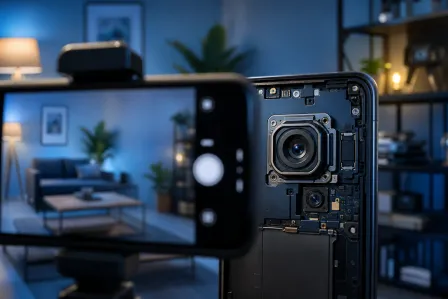
The modem requires specific RF calibration that's tied to the device's antenna lines. When you open up the phone and start disconnecting ribbon cables to get to the display assembly, you're working dangerously close to components that affect cellular signal quality. One wrong move - a slightly over-torqued screw, a pinched cable, a static discharge - and you could compromise not just your screen, but your phone's ability to make calls and connect to data networks.
I've had customers come into our iPhone repair shop in West Palm Beach with phones that had perfect new screens but couldn't hold a cellular signal. Every time, same story: "I followed the YouTube tutorial exactly!" I believe you. But that tutorial didn't account for Apple's C1 modem repair issues or the calibration steps that require proprietary diagnostic software.
iPhone 16e DIY Repair Risks That Nobody Talks About
Warranty Voided Instantly
This is the one that really stings. Apple's warranty terms are explicit: unauthorized repairs void your coverage. And with the iPhone 16e, Apple can tell you've been inside the phone. The parts-pairing system logs component changes, and the serial number mismatch on a replaced screen is a giant red flag. Even if your repair looks flawless, the software knows. It always knows.
According to Apple's official parts and service information, only repairs performed with genuine Apple parts through authorized channels maintain warranty coverage.
The Hidden Cost of "Saving Money"
Let me break down the real math on iPhone 16e DIY repair risks. A typical aftermarket screen kit runs $50-$80. Sounds great compared to professional repair, right? But factor in these common outcomes:
- Aftermarket screen fails within 30 days (no True Tone, poor color accuracy, touch responsiveness issues)
- Damaged ribbon cables require additional parts ($20-$40)
- Stripped screws mean you need a new frame or housing
- Lost or disabled Face ID means a trip to Apple anyway (and they'll charge more once they see the unauthorized repair)
I've seen "$60 DIY repairs" turn into $300+ professional recovery jobs. That's not saving money. That's paying a learn-from-your-mistakes tax.
You Need Tools You Don't Have
And no, a guitar pick and a hair dryer don't count. Proper iPhone 16e screen repair requires pentalobe screwdrivers, calibrated suction tools, anti-static equipment, and - here's the kicker - access to Apple's diagnostics software to complete the parts-pairing handshake after installation. Without that last step, even a genuine Apple replacement screen will trigger warnings.
Why Professional Mobile Device Repair in Palm Beach Is Worth Every Penny
Here's what you get when you bring your iPhone 16e to a professional smart device repair shop like Fix My PC Store in West Palm Beach instead of going the DIY route:
- Proper calibration. We have the tools and software to complete the parts-pairing process correctly, preserving True Tone, auto-brightness, and Face ID functionality.
- Quality parts. We use high-quality replacement screens that meet or exceed OEM specifications.
- Your warranty stays intact. Professional repair through authorized processes protects your coverage.
- C1 modem safety. We know the iPhone 16e's internal layout and work around the modem components without risking your cellular connectivity.
- Real warranty on the repair itself. If something goes wrong after we fix it, we make it right.
Whether you're in West Palm Beach, Boynton Beach, Lake Worth, Jupiter, or anywhere else in Palm Beach County, professional repair is a short drive away. And trust me, that drive is a lot less painful than explaining to Apple why there's a guitar pick mark on your logic board.
What About Samsung and iPad Owners?
While we're on the topic, parts pairing isn't exclusively an Apple problem. Samsung devices are increasingly using similar serialization on displays and batteries. If you've got a Galaxy device with a cracked screen, our Samsung repair team can handle it properly too. Same goes for iPads - those things are even more of a nightmare to open up at home due to the adhesive and thin glass. Our iPad repair service saves people from that particular brand of frustration every week.
Android vs iOS? I'll fix 'em both with equal skill. But I'll judge your screen time on either platform equally too. (Eight hours? Really? My flip phones are shaking their heads.)
The Bottom Line on iPhone 16e Screen Repair
The iPhone 16e is a fantastic phone at a great price point. But Apple built it with the same repair-hostile architecture as its flagship siblings. The C1 modem, the parts-pairing lockdowns, and the calibration requirements all add up to one simple truth: this is not a phone you should crack open on your kitchen table.
I'm not saying this to scare you. I'm saying it because I've literally held the aftermath in my hands - phones with dead Face ID, phones that can't connect to cellular networks, phones with screens that flicker like a haunted house. Every single one started as a "quick DIY fix."
Save your time, save your money, and save your warranty. Bring it to someone who does this every day.
Need Expert Mobile Device Repair?
Get professional iPhone, iPad, and Samsung repair from Palm Beach County's trusted mobile device specialists.
Get Device Help