
How to Choose a Graphics Card for the Games You Play
Buying a GPU without a plan is how you end up overspending on frames you can't even see. Hardware Hank walks you through exactly how to match a graphics card to your monitor, your game library, and your budget so every dollar shows up on screen.
TL;DR: Match your GPU to your monitor's resolution and refresh rate first, then check whether your target games are CPU-heavy or GPU-heavy. Buy the most powerful card your power supply and case can actually support, and don't pay for VRAM you'll never fill.
So you want more frames. Smart move. But walk into Micro Center or start scrolling Newegg without a plan, and you'll either dramatically overspend or buy something that bottlenecks at your own monitor. Neither outcome is fun.
Let me walk you through the process I use when I'm helping someone pick a GPU, whether it's for a brand-new custom gaming build or a mid-cycle upgrade.
What You Need
Before you touch a spec sheet, gather this information about your own setup:
- Your current monitor's resolution (1080p, 1440p, or 4K)
- Your monitor's refresh rate (60 Hz, 144 Hz, 165 Hz, 240 Hz, etc.)
- The specific games you actually play most, not a wish list
- Your PC case size and available PCIe slot space
- Your power supply wattage and the connectors it has
- Your realistic budget
That list is not optional. Every single item on it will affect your final choice. Skip any one of them and you're guessing.
Step 1: Anchor Everything to Your Monitor
Your monitor is the ceiling. A GPU can only deliver what your display can show.
If you're running a 1080p/60 Hz monitor, you do NOT need a flagship GPU. You'd be paying for frames that literally cannot display. A mid-range card will max out that panel with frames to spare in almost any game.
If you're on a 1440p/144 Hz or 1440p/165 Hz monitor, that is the sweet spot where most high-midrange to upper-midrange GPUs really shine. Getting consistent 144+ fps at 1440p in demanding titles is a real target that separates GPU tiers meaningfully.
4K/60 Hz needs real horsepower. 4K/120 Hz or higher is where only top-tier cards apply.
Write down your exact monitor spec. That single number, resolution times refresh rate, determines which GPU tier you're shopping in.
Step 2: Identify Your Game Genre and GPU Workload
Not all games tax the GPU equally. This matters more than most people realize.
Esports titles like Valorant, CS2, Rocket League, and Fortnite (competitive settings) are relatively easy on the GPU. They're designed to run at huge frame rates on modest hardware. If this is your main diet, a mid-range card will absolutely get you to 144+ fps at 1440p without drama.
Open-world and AAA titles like Cyberpunk 2077, Alan Wake 2, Hogwarts Legacy, and Star Wars Outlaws are GPU-hungry beasts. These games regularly use all the VRAM a card offers and push rasterization and ray tracing hard. This is where upper-midrange and high-end cards pay off in actual fps.
Simulation and strategy games are often more CPU-bound than GPU-bound. Something like Microsoft Flight Simulator or a complex city builder may stutter because of processor limits, not the graphics card. Knowing this prevents you from buying a more expensive GPU that still stutters, because the bottleneck was never the GPU in the first place.
Look up the GPU benchmark results for your specific games at your target resolution. Sites like Digital Foundry and TechPowerUp publish granular, game-specific GPU benchmarks. Use them.
Step 3: Understand VRAM and Why It Actually Matters
VRAM is video memory, and running out of it is one of the nastiest performance drops you can experience. When a game tries to load textures that don't fit in VRAM, fps tanks hard and you see stutters that feel worse than a lower average frame rate.
Here is a practical rule of thumb, though these numbers can shift as games get heavier:
- 1080p gaming: 8 GB VRAM is generally fine for most titles right now
- 1440p gaming: 12 GB is a comfortable target, and 16 GB gives you future room
- 4K gaming: 16 GB or more is where you want to be for modern AAA titles
Some newer titles are already pushing into 12-16 GB territory at 4K with max settings. If you plan to keep a GPU for three or four years, sizing up on VRAM is one of the smartest things you can do. You can always lower resolution or settings, but you cannot add VRAM after the fact.
Ready to build a rig that actually rips? Start your build
Step 4: Check Your Power Supply Before You Buy Anything
High-end GPUs draw serious power. A flagship card can pull over 300 watts by itself under full load. Add your CPU, storage, fans, and RGB, and a weak PSU will either throttle your card or just shut the whole system down mid-game.
Check your PSU wattage AND its efficiency rating. A 650W 80+ Bronze unit from five years ago might not actually deliver clean 650W under sustained load. If you're targeting a high-end GPU, a quality 850W or 1000W unit from a reputable brand is not optional, it is load-bearing infrastructure.
Also check your connectors. Modern high-end GPUs use the 16-pin 12VHPWR connector. Many existing PSUs require adapters, and cheap adapters on high-draw cards have caused real problems. Check manufacturer compatibility lists.
If your whole system needs a look before you upgrade, our computer repair team can assess what you're working with before you spend a dollar on new hardware.
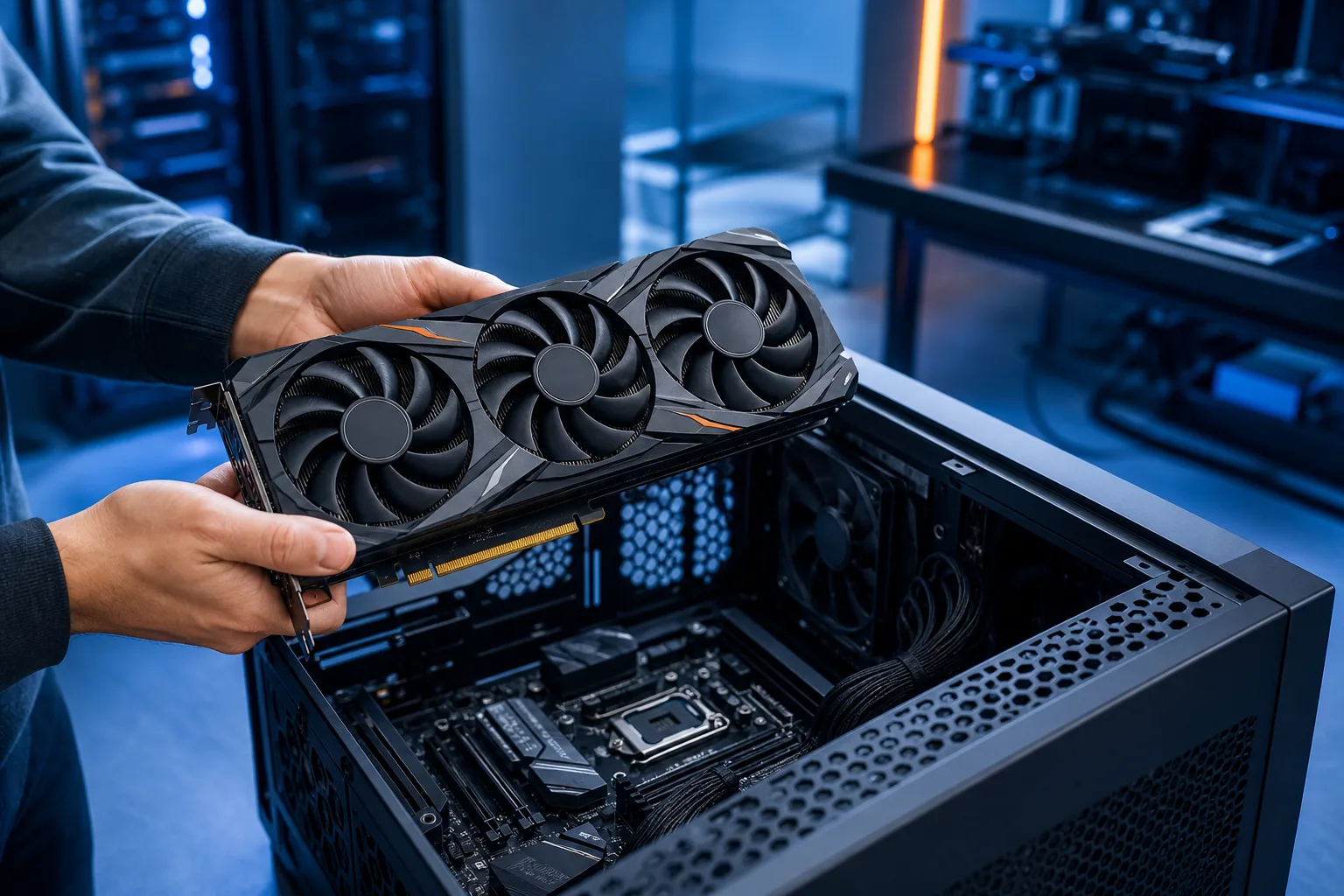
Step 5: Confirm Physical Fit in Your Case
This one catches people constantly. Modern flagship GPUs are MASSIVE. Three-slot coolers with 340mm+ card lengths are the norm at the high end.
Measure your case's GPU clearance before you order. Check:
- Maximum GPU length in your case specs
- Number of PCIe slots the card occupies
- Whether your case has a vertical mount if aesthetics matter to you
If you're in a micro-ATX or mini-ITX build, your GPU options narrow significantly. Some excellent cards exist in shorter form factors but they may run hotter or slightly slower than their full-size equivalents. Plan accordingly.
Want to see how wild a proper large-format build can get? Check out our Times Square Gaming PC build for exactly the kind of case-planning obsession I'm talking about.
Step 6: Map Your Budget to the Right Tier
Here is how I think about GPU tiers relative to gaming targets. I'm intentionally staying general on dollar amounts since prices shift constantly and regional availability in South Florida varies.
Budget tier: Strong 1080p performance, playable at 1440p medium settings, fine for esports at any resolution. Good starting point if you're building your first rig or upgrading from an older mid-range card.
Mid-range tier: Solid 1440p at high to ultra settings in most games. This is where the best price-to-performance tends to live. For most gamers in West Palm Beach who ask me what to get, the answer is usually in this tier.
High-end tier: Consistent 1440p ultra or 4K 60+ fps in demanding AAA titles. Ray tracing becomes actually playable. VRAM is generous. Price premium is real, but the fps-per-dollar math works if your monitor and game library justify it.
Flagship tier: For 4K high-refresh gaming and people who run creative workloads alongside gaming. The fps payoff at 1080p is near zero. Only makes sense with a matching display.
For a deeper look at how builds come together at different price points, take a spin through our custom gaming PC builder.
Also worth watching: our breakdown of a real RTX 4090 upgrade scenario so you can see what that tier of hardware actually looks like in practice.
Common Mistakes
Buying for the games you wish you played. If you genuinely play Valorant and FIFA 80% of the time, a mid-range card is correct. Stop buying for a hypothetical Cyberpunk playthrough you might do once.
Ignoring the CPU. Pairing a flagship GPU with an old quad-core processor will bottleneck you hard in many games. The GPU will sit there at 60% utilization while your CPU chokes. Balance matters.
Skipping the PSU upgrade. The card you want draws more power than your old card. Not upgrading the power supply is how you get crashes, throttling, and in the worst case, hardware damage.
Chasing paper specs over real-world benchmarks. TFLOPS and shader count numbers are marketing. Game-specific fps benchmarks at your target resolution are what matter. Always go to actual benchmarks.
Buying at launch pricing. GPU prices drop meaningfully in the first few months after a new generation launches. If you're not in a rush, waiting two to three months after a new card launches saves real money.
Not accounting for thermals in South Florida. This is a local thing. Our ambient temps and humidity mean your GPU will run hotter than the benchmarks run in air-conditioned review labs up north. Make sure your case has decent airflow and your GPU cooler isn't marginal. We go deep on this kind of thing in our overclocking discussion.
Bottom Line
Choosing a GPU is a matching exercise, not a spec-sheet competition. Anchor to your monitor, know your actual game library, verify your PSU and case before you buy, and don't pay for VRAM or resolution headroom your setup can't use.
Do that process honestly and you will get more fps per dollar than 90% of people who just buy whatever scored highest in a YouTube thumbnail.
If you're in West Palm Beach or anywhere in South Florida and want a second opinion before you spend, we're here. Come by, call us, or book a quick consult and we'll tell you straight what makes sense for your setup. No upsell, no hype. Just the right GPU for the games you actually play.
Ready to build a rig that actually rips?
Custom gaming PCs built and tuned by people who game. Tell us your budget and target frame rate.
Frequently asked questions
Does it matter which GPU brand I choose, AMD or NVIDIA?
Both AMD and NVIDIA make strong cards across every price tier, and the right answer depends on the specific model and price at the time you're buying. NVIDIA's DLSS upscaling and ray tracing performance have historically been advantages in supported games. AMD cards often offer strong rasterization performance per dollar. Check benchmarks for the specific games you play and the specific card models you're comparing, not just the brand.
How do I know if my power supply is strong enough for a new GPU?
Check your GPU manufacturer's recommended PSU wattage for the card you want, then add roughly 150-200 watts for the rest of your system. If your current PSU is below that number or is an older unit with questionable build quality, upgrading it before installing a high-draw GPU is the right call. A good 80+ Gold rated unit from a reputable brand is worth the investment.
Is 8 GB of VRAM still enough for gaming in 2025 and beyond?
For 1080p gaming, 8 GB VRAM is still workable for most titles today, but some newer AAA games are already pushing that limit at high texture settings. At 1440p, 12 GB is a more comfortable target if you plan to keep the card for several years. If you're buying new right now and plan to hold the card for three or more years, leaning toward 12 GB or more is a reasonable hedge against future game requirements.
Can I just drop a new GPU into my existing PC without upgrading anything else?
Sometimes yes, but you need to verify a few things first. Check that your PSU has enough wattage and the right connectors for the new card. Confirm the card physically fits in your case. Make sure your CPU is not dramatically weaker than the GPU you're adding, or you'll be bottlenecked before the GPU can do its job. If you're unsure, bring your PC in and we can assess compatibility before you buy.
Does running high temperatures in South Florida's heat affect GPU performance?
It can. GPUs throttle their clock speeds when they hit thermal limits, which reduces performance. Higher ambient temperatures in South Florida mean your GPU baseline temperature starts higher than in a climate-controlled lab environment. Good case airflow, clean intake filters, and a GPU with a solid cooler are more important here than they are in cooler climates. Keeping your PC away from direct sunlight and ensuring good room ventilation helps too.
When is it worth paying for a flagship GPU versus a high-end mid-range card?
Flagship cards make the most sense if you have a 4K high-refresh monitor and play demanding AAA titles, or if you also use your PC for GPU-accelerated creative work like 3D rendering or video production. For 1440p gaming, even the most demanding titles, a high-end mid-range card typically delivers excellent performance at a significantly lower cost. The fps-per-dollar math almost never favors flagship hardware at 1080p or 1440p.