CrowdStrike Falcon Update Residual Issues: Fix Lingering PC Problems in 2026
Listen to this article
TL;DR: The infamous CrowdStrike Falcon update disaster of 2024 is still haunting PCs in 2026. Orphaned kernel drivers, corrupted recovery environments, and remnant sensor files are causing BSODs, boot loops, and random crashes - especially after recent Windows 11 cumulative updates. Here's your complete guide to diagnosing and fixing these lingering issues, and knowing when it's time to call in the pros.
Alright, squad, let me hit you with something that's been driving me absolutely BONKERS lately. You'd think by 2026 we'd be done talking about the CrowdStrike Falcon update fiasco, right? That massive outage in 2024 that bricked millions of PCs worldwide? Yeah, well - GG to anyone who thought that saga was over, because we're seeing a whole new wave of PCs rolling into our shop here in West Palm Beach with the exact same blue screens and boot failures. And let me tell you, tracking down a crowdstrike falcon update pc fix in 2026 is like debugging a ghost in the machine. These remnant files have been dormant for almost two years, just waiting to cause chaos.
But don't worry - your boy Hardware Hank has got the playbook. Let's get your rig back to running butter-smooth.
Why CrowdStrike Residual Driver Issues Are Resurfacing in 2026
Here's the deal. When the original CrowdStrike Falcon sensor update went sideways in 2024, the fix was supposed to be straightforward: boot into Safe Mode, delete the problematic channel file (C-00000291*.sys), and reboot. Simple, right? Well, not exactly.
A LOT of remediation attempts - whether done by IT departments under pressure or well-meaning DIY users - were incomplete. They removed the obvious bad file but left behind:
- Orphaned kernel-level drivers that the Falcon sensor registered with Windows
- Corrupted Windows Recovery Environment (WinRE) configurations from repeated forced shutdowns during the crisis
- Leftover registry entries pointing to driver files that no longer exist (or exist in a broken state)
- Partial Falcon sensor installations that were never fully uninstalled or reinstalled cleanly
These remnants sat quietly for months - maybe even over a year. Your PC seemed fine. You were gaming, working, living your best life. But then recent Windows 11 servicing stack updates in 2026 changed how the kernel validates and loads third-party drivers at boot time. And BOOM - those dormant conflicts woke up like a final boss you forgot about.
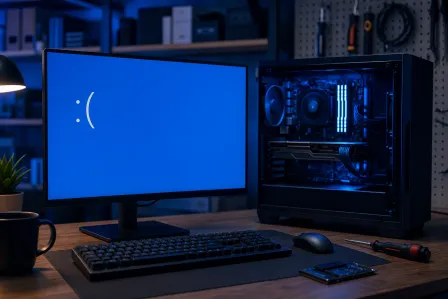
The result? Intermittent BSODs after CrowdStrike update remnants clash with the updated Windows kernel, boot loops that trap you in Safe Mode, and system instability that makes your rig feel like it's running on vibes and prayers instead of actual stable drivers.
How to Diagnose a BSOD After CrowdStrike Update Remnants
Before we start ripping things out, we need to confirm that CrowdStrike remnants are actually the culprit. Because let's be real - blue screens can come from a ton of different sources. Bad RAM, failing storage, overheating GPUs - the usual suspects. But CrowdStrike residual driver issues in 2026 have some very specific fingerprints.
Step 1: Check Your BSOD Stop Codes
When you get a blue screen, Windows gives you a stop code. The ones commonly associated with CrowdStrike remnant conflicts include:
- SYSTEM_THREAD_EXCEPTION_NOT_HANDLED - often pointing to csagent.sys or similar Falcon sensor driver files
- KERNEL_MODE_HEAP_CORRUPTION - caused by orphaned drivers trying to access memory regions they shouldn't
- PAGE_FAULT_IN_NONPAGED_AREA - frequently linked to leftover kernel filter drivers
- CRITICAL_PROCESS_DIED - when remnant services fail during the boot sequence
If you're seeing any of these, especially after a recent Windows 11 update, CrowdStrike remnants just jumped to the top of our suspect list.
Step 2: Use Event Viewer and Driver Verifier
Open Event Viewer (type eventvwr.msc in the Start menu) and check Windows Logs > System. Look for errors referencing CSAgent, CrowdStrike, or csfalcon services around the time of your crashes. These entries are the smoking gun.
You can also run Driver Verifier (verifier.exe) to stress-test loaded drivers and identify which one is causing the crash. Fair warning though - Driver Verifier is aggressive. It WILL cause additional BSODs if a bad driver is present, but it'll tell you exactly which driver is the problem. That's clutch information.
Step 3: Check for Orphaned CrowdStrike Files
Navigate to these locations and look for any remaining CrowdStrike-related files:
C:\Windows\System32\drivers\CrowdStrike\C:\Program Files\CrowdStrike\C:\Windows\System32\drivers\(look for csagent.sys, CSFalconDriver.sys, or similar)
If CrowdStrike Falcon is no longer supposed to be on your system and you're finding files in any of these locations - congratulations, you've found your ghosts.
DIY CrowdStrike Remnant File Removal Guide
Okay, this is where the magic happens. If you've confirmed that leftover Falcon sensor files are causing your blue screen CrowdStrike fix headaches, here's the step-by-step cleanup process. But listen - I need you to promise me something first: back up your data before you touch anything. Seriously. We're messing with kernel-level drivers and registry entries here. One wrong move and you could be looking at a full reinstall. If your data isn't backed up and something goes wrong, our data recovery team can help, but prevention is always better than cure.
Boot Into Safe Mode
If your PC is stuck in a boot loop from CrowdStrike remnants, you'll need to get into Safe Mode first. Here's the move:
- Force-restart your PC three times in a row (power on, wait for Windows logo, hold power button to shut down). This triggers the Windows Recovery Environment.
- Select Troubleshoot > Advanced Options > Startup Settings > Restart
- Press F4 for Safe Mode or F5 for Safe Mode with Networking
If your WinRE is corrupted (another common CrowdStrike aftermath issue), you may need to boot from a Windows 11 installation USB instead. Check Microsoft's official guide to booting into Safe Mode for alternative methods.
Remove Orphaned Driver Files
Once in Safe Mode:
- Navigate to
C:\Windows\System32\drivers\CrowdStrike\and delete the entire folder if it exists - Check
C:\Program Files\CrowdStrike\and remove it completely - In
C:\Windows\System32\drivers\, search for and remove anycsagent.sys,CSFalconDriver.sys, or similar CrowdStrike driver files
Clean Up the Registry
WARNING: Editing the registry incorrectly can break Windows. Export a backup of each key before deleting anything.
- Open Registry Editor (
regedit.exe) - Navigate to
HKEY_LOCAL_MACHINE\SYSTEM\CurrentControlSet\Services\ - Look for entries named CSAgent, CSFalconService, or CrowdStrike-related service keys
- Right-click each one, export it as a backup, then delete it
- Also check
HKEY_LOCAL_MACHINE\SOFTWARE\CrowdStrike\and remove any leftover entries
Repair the Windows Boot Configuration
If the orphaned drivers were loading at boot and causing your windows kernel driver crash repair nightmare, you may need to rebuild the boot configuration:
- Open Command Prompt as Administrator
- Run
sfc /scannowto repair corrupted system files - Run
DISM /Online /Cleanup-Image /RestoreHealthto fix the Windows image - If WinRE is broken, run
reagentc /disablefollowed byreagentc /enableto reset it
Reboot normally. If you did everything right, those BSODs should be GONE. GG ez.
When to Call in Professional Help for CrowdStrike Boot Loop Issues
Look, I love a good DIY fix as much as the next hardware enthusiast. There's nothing more satisfying than squashing a bug yourself. But some of these CrowdStrike residual driver issues in 2026 are genuinely nasty, and here's when you should bring in the experts:
- Your PC won't boot into Safe Mode at all - If WinRE is completely corrupted and you can't even get to a recovery screen, you need someone with the right tools and a clean Windows environment to work from.
- BSODs persist after cleanup - Sometimes the damage goes deeper than leftover files. Corrupted system files, damaged boot sectors, or even hardware issues triggered by repeated hard crashes need professional diagnosis.
- You're not comfortable editing the registry - And honestly? No shame in that. The Windows registry is not a place to experiment. One wrong deletion and you could turn a fixable problem into a "we need to reinstall Windows" situation.
- It's a business machine with critical data - If this is a workstation with important files, client data, or business applications, the risk of a DIY mistake isn't worth it. Period.
Here at Fix My PC Store in West Palm Beach, we've been handling these exact cases all across Palm Beach County - from Jupiter to Boca Raton and everywhere in between. Our computer repair specialists have developed a systematic process for identifying and removing every last trace of CrowdStrike remnants without putting your data at risk. And for laptops that took the hit, our laptop repair team handles the same cleanup with the added care that portable machines require.
Preventing Future Kernel Driver Conflicts on Your PC
Once you've exorcised these CrowdStrike ghosts from your system, let's make sure you're set up to avoid similar nightmares in the future. Because trust me, your future self will thank you for these habits:
- Create regular system restore points - Before any major update, make a restore point. It takes 30 seconds and can save you hours of headaches.
- Keep a Windows 11 bootable USB handy - If you can't boot, this is your lifeline. Every PC owner should have one.
- Monitor your drivers - Use Device Manager periodically to check for unknown devices or drivers with warning icons. These can indicate orphaned or conflicting drivers.
- Run security scans regularly - Leftover security software remnants can sometimes behave similarly to malware. A good scan from a trusted tool can help identify anomalies. The Malwarebytes security blog is an excellent resource for staying informed about these kinds of threats.
- Don't skip Windows updates - I know, I know. Updates can be scary when they've caused you problems before. But keeping your system current actually reduces the chance of old driver conflicts causing new issues.
And if you ever suspect your system has picked up something malicious during all this instability, our virus removal service can do a thorough sweep to make sure your freshly cleaned system stays clean.
The Bottom Line: Don't Let 2024's CrowdStrike Problem Ruin Your 2026 PC Experience
Here's the thing that gets me fired up about this whole situation: these are often perfectly good PCs - absolute beasts with solid specs and plenty of life left in them - that are being held hostage by ghost drivers from a two-year-old incident. That's not acceptable. Whether you're gaming at 144fps, running a business, or just trying to browse the web without random blue screens, you deserve a stable, reliable machine.
The crowdstrike falcon update pc fix process isn't always simple, but it IS solvable. Follow the diagnostic steps above, try the DIY cleanup if you're comfortable, and don't hesitate to reach out to professionals when the situation calls for it. Your PC should be running smooth, fast, and crash-free - and we're here to make sure it does.
GG to everyone who's been battling these issues. Let's put this CrowdStrike chapter to rest once and for all.
Still Battling CrowdStrike BSODs and Boot Loops?
Fix My PC Store in West Palm Beach has helped hundreds of PCs across Palm Beach County recover from CrowdStrike residual issues. Let our experts handle the kernel driver cleanup so you can get back to what matters.
Get Help Today