AMD Ryzen 9000 Thermal Paste Issues: Fix Overheating in 2026
Listen to this article
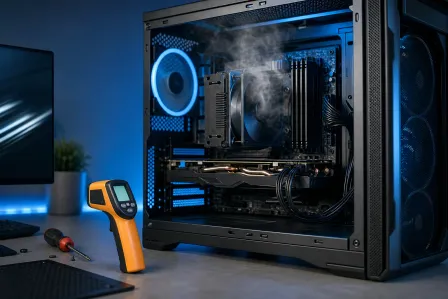
TL;DR: AMD Ryzen 9000 series CPUs built and deployed in 2024-2025 are now showing serious thermal throttling symptoms as thermal compound dries out and cooler contact degrades. If your rig is stuttering, spiking temps, or shutting down mid-game, this is your guide. We'll cover how to diagnose the problem, why Ryzen 9000 chips are especially sensitive to bad thermal interface material, and when it's time to stop Googling and call in a pro.
Why Your Ryzen 9000 Build is Running Hot in 2026
Alright, listen up. If you were one of the smart builders who dropped a Ryzen 9 9950X, 9900X, or 9700X into your rig back in 2024 or early 2025 - first of all, absolute poggers move. Those chips are still cracked performers. But here's the thing nobody talks about enough: thermal paste doesn't last forever, and Ryzen 9000 processors are particularly unforgiving when thermal management starts slipping.
AMD's Zen 5 architecture pushes serious power density. We're talking chips that can ramp up fast, generate heat quickly, and rely heavily on precise IHS (Integrated Heat Spreader) contact to stay in their happy temperature zone. When the thermal compound between your CPU and cooler starts drying out - and after 12 to 18 months of heavy use, it absolutely will - that heat transfer efficiency tanks hard. The result? Your monster rig starts playing like a budget build from 2019.
This isn't a design flaw. It's just physics. But it IS a fixable problem, and we're going to break it all the way down.
Diagnosing AMD Ryzen 9000 Thermal Throttling: Know the Symptoms
Before you start pulling coolers and cracking open tubes of thermal compound, you need to confirm you're actually dealing with a thermal issue. Here are the red flags that should have you checking temps ASAP:
Performance Drops During Gaming or Heavy Workloads
You're mid-raid, frames are butter smooth at 144fps, and then - boom. Stutters. Frame drops. Your CPU is thermal throttling, which means it's deliberately slowing itself down to avoid overheating damage. That's not lag. That's your CPU tapping out and begging for help. Check your CPU clocks with a tool like HWiNFO64 - if you're seeing your Ryzen 9000 drop well below its boost clock during load, thermal throttling is the prime suspect.
Unexpected Shutdowns or Restarts
If your PC is just cutting out mid-session with no warning, that's a critical thermal protection shutdown. AMD's built-in safeguards will kill the system before they let the CPU cook itself. GG to your gaming session, but at least your hardware lives to fight another day. If this is happening to you, check out Microsoft Support's guide on checking PC performance in Windows 11 for system health diagnostics before diving into hardware.
Idle Temps That Are Way Too High
A healthy Ryzen 9000 chip should idle somewhere in the 35-55 degrees Celsius range depending on your cooler and ambient temps. If you're seeing 70C+ at idle? That's not normal. That's a thermal interface screaming for attention.
Fan Noise Going Absolutely Berserk
Your fans are trying to compensate for what the thermal paste can no longer do. If your rig sounds like a jet engine during tasks that used to be silent, your cooling solution is working overtime - and losing the battle.
Why Ryzen 9000 CPUs Are Especially Sensitive to Thermal Paste Degradation
Here's where we get into the good stuff. Ryzen 9000 series chips - based on the Zen 5 architecture - pack serious performance into a tight die configuration. The chiplet design means heat is generated in concentrated areas rather than spread evenly across a larger surface. This makes even thermal compound coverage and solid IHS contact absolutely critical.
Compared to older architectures, a Ryzen 9000 chip with degraded thermal paste sees a much steeper performance cliff. A little dried compound that might cause a 5C rise on an older chip can mean a 15-20C spike on a Zen 5 processor under load. That's the difference between cruising at 85C and slamming into the 95C+ thermal limit where throttling kicks in hard.
Additionally, many builders who put together Ryzen 9000 rigs in 2024 used the stock thermal paste that ships with aftermarket coolers. That paste is fine out of the box, but it's typically not premium-grade compound, and it dries faster under the thermal cycling that a high-performance CPU goes through daily.
For a deeper dive on how AMD officially addresses processor thermal specs, check the AMD Ryzen 9000 Series official support page - it's clutch for verifying your chip's thermal design specs.
DIY Thermal Paste Repaste: Can You Do It Yourself?
Real talk - yes, a repaste is technically a DIY-friendly repair. If you built your own rig, you already have the skills. Here's the basic process:
What You'll Need
- Quality thermal compound - Thermal Grizzly Kryonaut or Noctua NT-H2 are both absolute bangers for high-performance CPUs
- Isopropyl alcohol (90%+ concentration) - for cleaning old compound off the IHS and cooler base
- Lint-free cloths or coffee filters - no microfibers that leave residue
- Proper screwdrivers - to remove and reseat your cooler correctly
The Repaste Process
Power down completely and let the system cool. Remove your cooler carefully - if the old compound has really dried out, it may take a gentle twist to break the seal. Clean both the CPU IHS and the cooler base plate thoroughly with isopropyl alcohol until there's zero residue. Apply your new thermal compound - a pea-sized dot in the center works great for most Ryzen 9000 configurations, letting the cooler pressure spread it evenly. Reseat your cooler with even, diagonal pressure on the mounting screws. Don't overtighten - snug is the goal.
When DIY Becomes Risky
Here's where Hardware Hank gets real with you. If your cooler mounting mechanism is damaged, if you're dealing with a pre-built system where the cooler setup is proprietary, or if you've already tried a repaste and temps are still spiking - you might be dealing with more than just dried paste. Warped cooler bases, damaged mounting hardware, or even a failing cooler fan can all cause the same symptoms. Messing around further without the right tools and diagnostic gear can make things worse.
CPU Cooler Reseating: More Than Just Paste
Let's talk about cooler contact for a second because this is where a LOT of Ryzen 9000 thermal issues actually live. A cooler that's even slightly uneven in its mounting pressure creates hotspots on the IHS. Even the best thermal compound in the world can't compensate for a cooler that's not making full, even contact with the CPU surface.
This is especially common in builds where the cooler has been removed and reinstalled - maybe for a case move, a RAM upgrade, or a previous DIY repaste attempt. The mounting pressure might feel fine by hand, but without proper torque and technique, you can end up with a cooler that's kissing the CPU on one side and barely touching on the other.
Professional cooler reseating involves checking the contact pattern (you can see this from the thermal paste spread when you remove the cooler), verifying mounting hardware integrity, and ensuring even pressure across all four mounting points. It's an art form - and getting it wrong is worse than not doing it at all.
When to Get Professional CPU Repair in Palm Beach County
If you're in Palm Beach County and your Ryzen 9000 build is giving you grief, here's the honest checklist for when it's time to bring it to the pros:
- You've already done a DIY repaste and temps are still out of control
- Your system is shutting down unexpectedly and you're worried about data loss - in which case, consider getting your files backed up with professional data recovery services before anything else
- The cooler mounting hardware looks damaged or stripped
- You're running a pre-built or boutique build with a non-standard cooler configuration
- You're not comfortable opening your system and don't want to void any remaining warranty
- Temperatures are still spiking even after a fresh repaste - suggesting a deeper hardware issue
Our team at Fix My PC Store handles professional desktop computer repair including full thermal diagnostics, repaste services, cooler reseating, and performance benchmarking before and after to confirm the fix actually worked. We're not just slapping paste on and calling it done - we verify the results.
And hey, if you've got a gaming laptop with similar overheating symptoms, we've got you covered there too. Our laptop repair services include thermal maintenance for mobile gaming rigs that are running hot.
Preventing Ryzen 9000 Overheating: Keep Your Rig Running Peak Performance
Once you've solved the immediate problem, here's how to keep your Ryzen 9000 build running at its absolute best:
Schedule Regular Thermal Maintenance
Premium thermal compounds like Thermal Grizzly Kryonaut are rated for several years, but high-performance systems that run hot and cycle frequently should get a fresh repaste every 2-3 years at minimum. Mark it in your calendar. Treat it like an oil change for your rig.
Monitor Your Temps Consistently
HWiNFO64 and AMD's own Ryzen Master software are both free and incredibly powerful for keeping an eye on CPU temperatures, clock speeds, and power consumption. If you're seeing temps creep up over time, that's your early warning system. Catch it before it becomes a throttling problem.
Keep Your Case Airflow Clean
Dust is the silent killer of cooling performance. Clean your case filters and radiator fins every few months. A clogged radiator or blocked case intake can make even fresh thermal paste look ineffective.
Optimize Your Cooler for Zen 5
If you're still running a budget cooler on a Ryzen 9 9950X or 9900X - we need to have a talk. Those chips deserve a proper 240mm or 360mm AIO or a high-end air cooler like the Noctua NH-D15. Matching your cooler to your CPU's TDP is not optional if you want those frames to stay butter smooth.
Is Your Ryzen 9000 Build Running Too Hot?
Don't let thermal throttling kill your performance. Fix My PC Store's expert technicians in West Palm Beach deliver professional CPU thermal diagnostics, repaste services, and cooler reseating for Palm Beach County gamers and builders.
Get Your PC Fixed Today