After a Phone Drop: Hidden Damage Checklist
Listen to this article
TL;DR: Your phone hit the ground and the screen didn't shatter - congratulations. But before you breathe that sigh of relief, know this: some of the worst phone damage I see is the kind you can't see right away. This phone drop damage checklist walks you through every test you should run immediately after a drop, the warning signs that mean trouble is brewing, and exactly when it's time to stop DIY-ing and bring your device to a professional.
I see this all the time. Someone drops their phone, picks it up, checks the screen, and says, "Oh, it's fine!" Then two weeks later, they're in our shop in West Palm Beach with a phone that won't charge, a camera that can't focus, or - my personal favorite - a device that's so hot you could fry an egg on it. Let me save you a headache (and a much bigger repair bill) by walking you through what to actually check after your phone takes a tumble.
Why Your "Fine" Phone Might Not Be Fine: Hidden Phone Damage Symptoms
Here's the thing about modern smartphones - whether you're rocking an iPhone 16 or a Galaxy S25, these devices are engineering marvels packed into impossibly thin bodies. That also means there are dozens of tiny connectors, ribbon cables, sensors, and components that can shift, loosen, or crack on impact without leaving a single visible mark on the outside.
I've been repairing phones for years, and the cases that hurt the most (for your wallet) are always the ones where someone ignored early warning signs. A micro-crack in the screen spreads. A loosened battery connector causes overheating. A slightly shifted camera module gets worse with every subsequent bump. The damage compounds.
Think of it like this: if you twisted your ankle but could still walk, you wouldn't run a marathon the next day, right? Same logic applies here. Take five minutes to run through this checklist. Your phone (and your bank account) will thank you.
The Complete Phone Drop Damage Checklist
Grab your phone and work through these checks in order. I've organized them from the most obvious to the sneakiest hidden damage symptoms. Got a pen? Good. (Or just bookmark this page - I know you're reading it on the phone you just dropped.)
1. Screen Impact Damage - Beyond the Obvious Cracks
Yes, check for cracks. But don't stop there. Here's what most people miss:
- Micro-cracks: Hold your phone under bright light at different angles. Tiny hairline fractures can be nearly invisible head-on but catch light from the side. These will spread over time, especially with temperature changes - something we deal with constantly here in Palm Beach County where your phone goes from air-conditioned bliss to Florida heat in seconds.
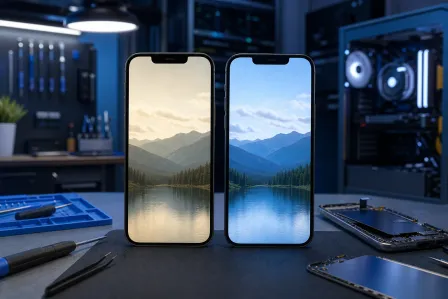
- Dead pixels or discoloration: Open a pure white image (just search "white screen test" in your browser) and look for dark spots, color blotches, or lines. Then do the same with a pure black image on full brightness - look for light bleed or bright spots.
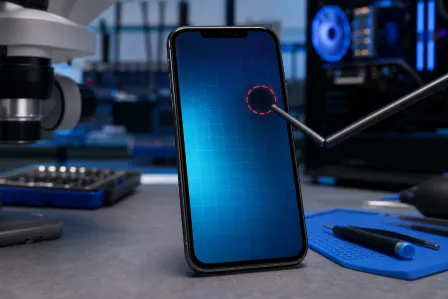
- Touch responsiveness: Open a drawing or note app and slowly drag your finger across every area of the screen. If there are spots where the line skips, stutters, or doesn't register, the digitizer (the touch-sensing layer) may be damaged.
- OLED bleeding: If you have an OLED screen (most flagship iPhones and Samsung Galaxy devices), look for green or purple tinting, especially along the edges. This indicates panel damage that will only get worse.
If you notice any of these, it's time to consider a professional iPhone screen repair or Samsung device repair before that micro-crack turns into a full-blown spider web.
2. Frame Bend Check - The Silent Killer
This one is sneaky. Place your phone on a flat surface (a table, a countertop - not your bed, that doesn't count). Does it wobble? Can you see any light between the phone and the surface? Pick it up and look at it edge-on from each side. Is the frame perfectly straight?
Even a slight bend can:
- Compromise the water resistance seal
- Put pressure on the battery (which is a safety concern - swollen batteries are no joke)
- Cause the screen to separate from the frame over time
- Create gaps where dust and moisture get inside
I once had someone bring in a phone with a frame bend so subtle they couldn't see it. But the battery had been slowly swelling for weeks from the pressure. That's the kind of hidden phone damage that goes from "minor repair" to "we need to replace the battery and the screen" real fast. And yes, I sighed deeply about the lack of a case. Again.
3. Camera Focus Issues After Drop
Your phone's camera modules are held in place by delicate brackets and connected by ribbon cables thinner than a piece of spaghetti. A good drop can shift them just enough to cause problems.
Test this:
- Open the camera and try to focus on something close (like text on a page), then something far away. Does it hunt for focus or refuse to lock on?
- Switch between all your lenses - wide, ultrawide, telephoto (if you have one). Do they all work?
- Take a photo in a well-lit area and zoom in. Is it sharp, or is there a strange blur or haze?
- Check for optical image stabilization (OIS) - record a video while walking. If the footage is way shakier than usual, the OIS mechanism may be damaged.
- Look at the camera lens from the outside. Any cracks, chips, or signs that the lens has shifted in its housing?
Camera repairs can get expensive fast, especially on multi-lens systems. Catching a shifted module early can sometimes mean a simple realignment rather than a full camera replacement.
4. Face ID and Touch ID Problems After Drop
Biometric sensors are precision instruments. The Face ID dot projector on iPhones, the under-display fingerprint sensors on Samsung devices - these components are calibrated to extremely tight tolerances.
After a drop:
- Face ID (iPhone): Test it in good lighting and poor lighting. Try it at different angles. If it's suddenly failing where it used to work, the TrueDepth camera system may have shifted.
- Touch ID (iPhone with home button): Test with multiple registered fingers. If recognition rates have dropped, the sensor may be damaged.
- Fingerprint sensor (Android): Whether it's under-display, side-mounted, or rear-mounted, test it multiple times. Inconsistent reads after a drop are a red flag.
Here's the frustrating part: Face ID on iPhones is particularly sensitive to impact damage, and Apple ties it to the logic board. If Face ID stops working after a drop, that's not a DIY fix. That's a "bring it to someone who knows what they're doing" situation. Check out Apple's official guide to checking your iPhone hardware for additional diagnostic steps.
5. Speaker and Microphone Test After Drop
This is the one people forget about until they're on a phone call and the other person says, "You sound like you're underwater."
- Speakers: Play music at various volumes. Listen for crackling, buzzing, distortion, or one speaker being quieter than the other. Test both the earpiece speaker and the bottom-firing speaker.
- Microphones: Record a voice memo. Speak at normal volume, then whisper. Play it back. Does it sound clear? Most phones have multiple microphones (bottom, top, rear) - try a video recording too, since that often uses a different mic.
- Call quality: Make an actual phone call. I know, I know - nobody actually calls people anymore. But do it anyway. Ask the other person if you sound normal.
6. SIM and No Service Issues After Drop
Dropped your phone and now you're getting "No Service" or "Searching" intermittently? The SIM card tray or eSIM antenna connection may have been affected.
- Check your signal strength in an area where you normally have good reception
- If you have a physical SIM, eject the tray and reseat the card
- Toggle Airplane Mode on and off
- Try making a call and sending a text
- Check if Wi-Fi and Bluetooth are working normally - antenna damage sometimes affects all wireless connections
If your signal issues persist after reseating the SIM and restarting, the antenna cable or connector inside may have come loose. That's an internal repair job.
7. Phone Overheating After Drop
This is the one that scares me the most, honestly. If your phone is getting noticeably warmer than usual after a drop - especially when it's idle or doing light tasks - stop using it and pay attention.
Possible causes:
- Battery damage: Impact can compromise lithium-ion battery cells. A damaged battery can overheat, swell, and in extreme cases, become a fire hazard. This is not me being dramatic. This is physics.
- Short circuits: Loosened connectors or cracked circuit board traces can cause electrical shorts that generate heat.
- Processor overwork: If the drop caused software-level issues (corrupted files, sensor malfunctions), your processor might be working overtime trying to compensate.
If your phone is hot to the touch after a drop, power it down. Don't charge it. Don't put it in the freezer (please, I'm begging you). Bring it to a professional smart device repair shop as soon as possible.
8. Charging Port and Wireless Charging Test
Plug in your charger. Does it:
- Connect on the first try, or do you have to wiggle it?
- Charge at normal speed? (Check your battery percentage over 10 minutes)
- Stay connected, or does it intermittently disconnect?
If your phone supports wireless charging, test that too. A bent frame or shifted internal coil can kill wireless charging even if wired charging still works.
Immediate Steps: What to Do Right After Dropping Your Phone
Okay, you've run through the checklist. Here's your action plan based on what you found:
If Everything Passed: Back Up Your Phone Anyway
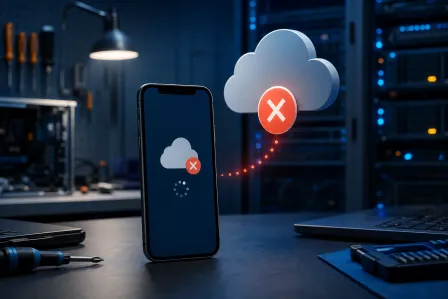
I cannot stress this enough - backup your phone after a drop, even if everything seems perfect. Some damage is progressive. Micro-cracks spread. Loose connectors work themselves free. If your phone dies unexpectedly two weeks from now, you'll want that backup.
For iPhone: Make sure your iCloud backup is current, or back up to a computer. For Android: Check that your Google account backup is enabled and run a manual backup. For Samsung devices, Samsung Cloud is another option. Do it now. Right now. I'll wait.
Also - and I say this with love - please put a case on your phone. My retro flip phone collection doesn't need cases because those things were built like tanks. Your glass-and-aluminum smartphone is not a tank. It's a very expensive, very fragile rectangle. Protect it.
If You Found Minor Issues: Monitor and Schedule a Repair
Small screen cracks, slightly inconsistent biometrics, or a speaker that's a little crackly? These aren't emergencies, but they're not "wait and see" situations either. Schedule a repair before the damage compounds. A screen micro-crack today is a shattered display next month.
If You Found Major Issues: Stop Using the Device
Overheating, visible frame bend, no service, or a screen that's glitching out? Power down and get professional help. Continuing to use a phone with internal damage can turn a $100 repair into a $400 one - or worse, make the device unrepairable. For more diagnostic guidance, iFixit's phone troubleshooting resources are a solid reference.
When to Replace Your Phone Screen vs. Repair the Motherboard
This is the question I get asked most at our West Palm Beach shop. Here's my honest take:
Screen replacement makes sense when: The damage is limited to the display and digitizer, the frame is straight, and everything else on the checklist passed. Screen repairs are one of the most common and cost-effective fixes we do.
Motherboard repair or replacement is needed when: You're seeing multiple system failures - Face ID gone, cameras not working, overheating, charging issues. When several things break at once after a drop, it often points to board-level damage. These repairs require micro-soldering skills and proper diagnostics.
Full replacement makes sense when: The repair cost exceeds 60-70% of the device's current value, or the phone was already aging and struggling before the drop. Sometimes a drop is just the universe telling you it's upgrade time.
Not sure which category you fall into? That's literally what we're here for. Bring it in, and we'll give you an honest assessment - no pressure, no upselling.
Palm Beach County Phone Repair You Can Trust
Look, I get it. Dropping your phone is that stomach-dropping moment (pun intended) where time slows down and you watch your $1,000+ device tumble toward the pavement. I'm not judging - okay, maybe I'm judging a little if you weren't using a case. But whether you're in West Palm Beach, Boynton Beach, Lake Worth, or anywhere in Palm Beach County, Fix My PC Store has your back.
We handle everything from cracked screen replacements to complex motherboard repairs on both iPhones and Samsung devices. Android vs iOS? I'll fix 'em both with equal skill. But we can debate which is better while you wait for your repair.
The bottom line: don't ignore the signs. Run through this checklist, back up your data, and if anything feels off, bring it in before a small problem becomes a big one. Your phone might be tougher than my beloved retro flip phones, but it's definitely not invincible.
Dropped Your Phone? Don't Wait for the Damage to Spread.
Get a professional inspection and expert iPhone, Samsung, and Android repair from Palm Beach County's trusted mobile device specialists at Fix My PC Store.
Get Your Phone Checked Now