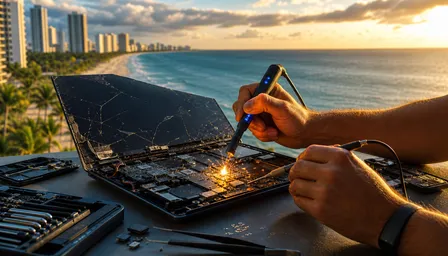
Samsung Galaxy S25 Edge Screen Repair: Thin Body, Big Risk (2026)
Listen to this article
TL;DR: The Samsung Galaxy S25 Edge is one of the most beautiful - and most repair-hostile - Android phones released in 2026. Its 5.8mm ultra-thin chassis makes screen replacement a high-stakes, high-cost procedure that takes a professional 2 to 4 hours and can run between $280 and $450. If you're in Palm Beach County and your S25 Edge screen is cracked, read this before you touch a single pry tool.
Look, I'm not going to sugarcoat this one. I've fixed a lot of phones. A lot of phones. My retro flip phone collection stares down at me from the shelf every single day as a reminder of simpler times - when phones were basically indestructible and repair meant swapping a battery with your bare hands. The Samsung Galaxy S25 Edge is the polar opposite of that era, and I mean that in the most technically impressive, genuinely terrifying way possible.
Samsung pushed the boundaries of industrial design with the S25 Edge. Five-point-eight millimeters thin. That's not a phone profile, that's practically a credit card with ambitions. And while that engineering achievement is legitimately impressive, it creates a cascade of repair challenges that every Palm Beach County Android user needs to understand before that inevitable drop happens. (And it will happen. I see it every week.)
This guide walks you through exactly what makes samsung galaxy s25 edge screen repair so uniquely risky in 2026, what the process looks like when done correctly, what it's going to cost you, and why your kitchen counter and a YouTube tutorial is not the answer here. Let's get into it.
What You Will Need to Understand Before Any Galaxy S25 Edge Repair
Before we talk process, let's talk prerequisites. This isn't your grandma's Galaxy S7 where you could swap a screen with moderate confidence and a steady hand. Here's what's actually involved in a proper S25 Edge screen replacement.
- Skill level required: Advanced professional - not enthusiast, not intermediate. Professional.
- Specialized tools: Precision heating station calibrated for ultra-thin chassis, micro pry tools, vacuum suction cups rated for flush-glass designs, UV-cure adhesive, and anti-static mat with grounding strap.
- Parts availability: Genuine Samsung AMOLED display assemblies for the S25 Edge are not widely stocked at generic parts distributors in 2026. Sourcing takes time.
- Time investment: 2 to 4 hours for a professional. Longer if complications arise during disassembly.
- Cost range: $280 to $450 depending on damage scope and parts sourcing.
- Warranty status check: Know whether you have Samsung Care Plus active before booking any third-party repair.
If you want the short version of what to do with this information: bring it to a certified Samsung repair specialist and save yourself the headache. But I know some of you want to understand the full picture first - and honestly, that's smart. Let me walk you through exactly what happens during a proper repair.
Step 1: Assess the Damage Before Assuming It's Just the Screen
Here's something I see all the time that costs people extra money: they assume a cracked screen is just a cracked screen. With the Galaxy S25 Edge, the ultra-thin construction means that a hard enough drop to crack the display may have also stressed the chassis, displaced internal components, or compromised the battery. I've opened up slim flagship phones and found bent motherboard connectors that were completely invisible from the outside.
What a proper damage assessment looks like
A technician should power on the device first if possible and test touchscreen responsiveness, display color uniformity, and any dead zones. They should check for chassis flex or warping by gently holding the phone at both ends. They should listen - yes, listen - for any rattling that suggests internal component displacement. They should also check for any signs of battery swelling, which in a 5.8mm phone can manifest as almost imperceptible screen lift at the edges.
Success looks like: A clear repair scope with a documented list of what needs replacing and what's confirmed intact. Never let anyone start a repair without this assessment step completed first.
Step 2: Source the Correct Galaxy S25 Edge Display Assembly
This is where ultra-thin phone screen replacement gets complicated fast. Samsung's S25 Edge uses a Dynamic AMOLED 2X display that is bonded to a structural layer that also serves as part of the chassis rigidity system. In plain English: you usually can't just replace the glass. You're often replacing the entire display assembly as a unit.
OEM versus aftermarket parts - what you need to know
Genuine Samsung OEM display assemblies for the S25 Edge maintain the phone's IP68 water resistance rating and HDR10+ calibration. Aftermarket alternatives exist, but in 2026 the quality gap for ultra-thin flagship displays is significant. A cheaper aftermarket panel may show color inaccuracies, reduced brightness, or touch latency issues that you'll notice immediately on a phone this premium. According to iFixit's repairability scoring methodology, tightly bonded display assemblies on ultra-thin phones consistently score lower on repairability precisely because part substitution is more complex.
Success looks like: A confirmed parts order with a clear ETA, verified compatibility with your specific S25 Edge model variant, and a written quote that specifies OEM or quality-tier aftermarket parts before any work begins.
Step 3: Prepare the Work Environment Properly
I genuinely sigh every time someone tells me they tried to fix their phone on a kitchen counter. Not because I'm judging you - okay, maybe a little - but because the Galaxy S25 Edge demands a controlled environment in a way that most phones simply don't.
Why environment matters more on ultra-thin flagships
The S25 Edge's 5.8mm chassis has almost no thermal buffer. When you apply heat to loosen the display adhesive - which you absolutely must do - you have a much narrower temperature window before you risk damaging the battery or the motherboard components sitting directly beneath. A professional repair station with calibrated heat control is not optional here. It's the difference between a successful repair and a $800 paperweight. Additionally, static discharge from an ungrounded work surface can kill the S25 Edge's display driver IC, which is a separate repair cost on top of everything else.
Success looks like: Anti-static mat in use, grounding strap on the technician's wrist, heat station calibrated to the correct temperature range for Samsung's adhesive specification, and good lighting with magnification available.
Step 4: Perform the Disassembly with Ultra-Thin Chassis Protocol
Here's where things get genuinely nerve-wracking even for experienced technicians. Standard phone disassembly techniques that work fine on a Galaxy S24 or even the S25 standard model can be catastrophically wrong on the S25 Edge.
The specific risks of the 5.8mm chassis during disassembly
Pry tools need to be thinner and the insertion angle shallower than on any previous Samsung flagship. The gap between the display assembly and the chassis is minimal, and the adhesive bond is strong. Rushing this step - or using tools designed for thicker phones - can crack the chassis itself, which turns a screen repair into a chassis replacement situation. The flex cables connecting the display to the motherboard are also shorter than on thicker phones, meaning there's less slack when you lift the display. Pulling up too quickly or too far tears the cable. I've seen it happen. It is not a fun conversation to have with a customer.
Success looks like: Display assembly separated cleanly from the chassis with all flex cable connectors intact and no chassis deformation. This step alone can take 45 minutes when done correctly on the S25 Edge.
Step 5: Disconnect and Protect Internal Components
Once the display is free, a technician needs to properly disconnect the battery before touching anything else. This sounds obvious but I see it skipped constantly in rushed repair environments. On a phone this thin, the battery sits extremely close to the display assembly, and any accidental short during the swap can cause thermal runaway. That's a fire risk. On a 5.8mm phone with a tightly packed cell, it's not theoretical - it's a real concern that professional technicians take seriously.
Protecting the motherboard and antenna lines
The S25 Edge's antenna flex lines run along the chassis perimeter in a pattern that's different from previous Samsung flagships, specifically to accommodate the thinner profile. During disassembly and reassembly, these lines need to be carefully repositioned. Pinching or misrouting an antenna flex during reassembly gives you a phone with degraded cellular performance - and that's a problem that won't show up until you're trying to make a call in West Palm Beach and wondering why your signal is terrible.
Success looks like: Battery disconnected, all flex connectors properly labeled or photographed before removal, and antenna lines documented for correct reassembly routing.
Step 6: Install the New Display Assembly
The new display goes in essentially the reverse of how the old one came out, but with fresh adhesive applied correctly. This is another step where the S25 Edge's thinness creates unique challenges. The adhesive strips used in ultra-thin flagship phones are thinner than those in standard models, which means alignment during installation needs to be precise on the first attempt. You don't get many chances to reposition before the adhesive sets.
Calibration after display installation
Samsung's AMOLED displays sometimes require a software calibration step after replacement, particularly if the replacement panel is from a different production batch than the original. A technician should run display diagnostics after installation to verify color temperature, brightness uniformity, and touch sensitivity across the full screen area - including the edges, which on the S25 Edge are particularly important given the curved display design.
Success looks like: Display seated flush with no visible gaps, all touch zones responsive, no dead pixels or backlight bleeding, and display brightness matching expected specifications for the S25 Edge panel.
Step 7: Reassemble, Test, and Verify Water Resistance
Final reassembly on the S25 Edge includes re-applying the chassis adhesive to restore the IP68 water resistance rating. This is a step that many DIY repair attempts skip entirely because it requires UV-cure adhesive and proper application technique. Skipping it leaves your phone vulnerable to water ingress at the display seam - and given that the S25 Edge's thin chassis leaves almost no room for error, even minor water exposure can reach critical components faster than on a thicker phone.
Post-repair testing checklist
A complete post-repair test should cover: full touchscreen responsiveness, front camera function, proximity sensor, earpiece speaker, Face ID or fingerprint recognition depending on your unlock method, cellular signal strength, Wi-Fi and Bluetooth connectivity, and a visual inspection under good lighting for any adhesive squeeze-out or alignment issues. Check out our related guide on Samsung Galaxy S25 Edge Screen Repair in 2026 for a deeper dive into post-repair verification steps specific to this model.
Success looks like: All functions operational, chassis sealed correctly, and a 30-day repair warranty provided in writing by your technician.
Common Pitfalls and Troubleshooting After Galaxy S25 Edge Screen Repair
Even when a repair goes well, there are a few things that can surface afterward. Let me save you a headache by covering the most common ones I see in the shop.
- Touch sensitivity feels different: This can happen with aftermarket display panels. If it persists beyond 24 hours of normal use, the panel may need recalibration or replacement with an OEM unit.
- Cellular signal dropped after repair: Almost always an antenna flex cable that was pinched or misrouted during reassembly. Requires reopening the device to correct.
- Screen lifts at one edge: Adhesive wasn't applied correctly or the chassis wasn't cleaned properly before installation. This also compromises water resistance and needs immediate attention.
- Display shows green tint in dark mode: Known issue with some aftermarket AMOLED panels. OEM replacement resolves this.
- Phone runs warmer than before: Could indicate the thermal interface between the display assembly and chassis wasn't properly restored. Worth having a technician check.
For more context on what technicians are seeing with slim Android flagships right now, our post on Samsung Galaxy S25 Edge Screen Repair 2026 covers additional real-world repair scenarios from the shop floor.
Galaxy S25 Edge Display Damage: When to Call a Pro Instead of DIY
I want to be real with you here. There's a version of this guide that pretends DIY is a viable option if you're careful enough and watch enough videos. I'm not going to write that version, because with the Galaxy S25 Edge, it isn't true for the vast majority of people.
Here's my honest breakdown. Call a professional if:
- You've never repaired a flagship smartphone before. Full stop.
- You don't own a calibrated heat station. Your heat gun from the hardware store runs too hot and too imprecise for this chassis.
- The phone has any signs of battery swelling, chassis damage, or water exposure in addition to the cracked screen.
- You're not prepared to potentially spend more than the repair cost if something goes wrong.
- You need the phone back and working within a specific timeframe.
The Galaxy S25 Edge is not a forgiving phone. Its ultra-thin repairability score is genuinely one of the lowest in the current Android flagship lineup. According to Samsung's official support page, warranty repairs on the S25 Edge should go through authorized service centers specifically because of the specialized tooling requirements.
Here in Palm Beach County, our Samsung repair service handles S25 Edge screen replacements with the proper tools, genuine parts, and the experience to do it right the first time. We also handle iPhone screen repairs and iPad display replacements if you've got multiple broken devices sitting in a pile - and yes, I've seen that pile. You know who you are.
If you want to understand how ultra-thin device repair challenges extend beyond phones to newer laptops, our team has also been tracking Snapdragon X Elite laptop repair in 2026 - where similar thin-and-light engineering is creating comparable repair complexity on the PC side.
The bottom line on slim phone repairability in 2026: beautiful design and easy repairability are fundamentally in tension with each other. Samsung chose beauty and performance with the S25 Edge. That's a legitimate choice. It just means repair needs to be handled by someone who does this professionally, with the right tools, and ideally with a warranty on the work.
Our full smart device repair service covers everything from screen replacements to water damage recovery across Android and iOS devices throughout Palm Beach County, including West Palm Beach, Boca Raton, Boynton Beach, Lake Worth, and surrounding areas. Bring it in, let us take a look, and let's get your phone back to looking as good as Samsung intended.
Need Expert Mobile Device Repair?
Get professional iPhone, iPad, and Samsung repair from Palm Beach County's trusted mobile device specialists.
Get Device Help