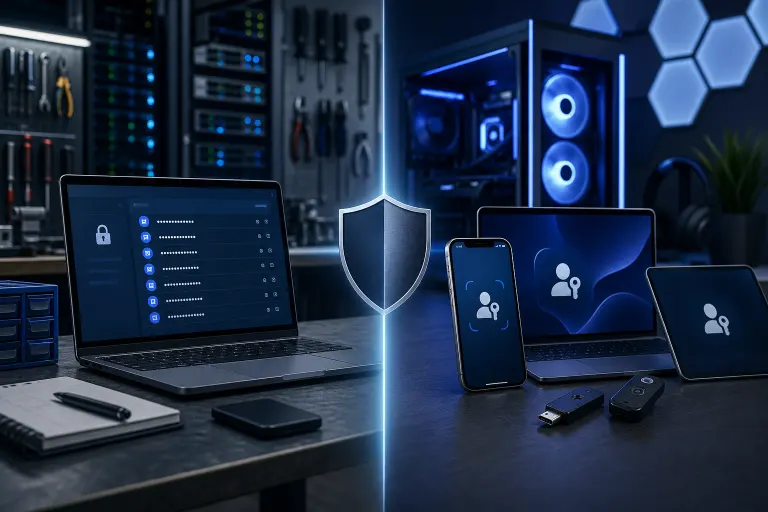
Password Managers vs Passkeys: What to Use in 2026
TL;DR: A password manager helps create unique passwords where they are still required. Passkeys offer phishing-resistant sign-in on supported accounts, but sync, recovery, and fallback methods matter. Use the method each service supports, and plan account recovery before relying on a single device.
At a Glance
| Password manager | Passkey | |
|---|---|---|
| Main job | Creates, stores, and fills unique passwords for accounts that need them | Uses a site-bound cryptographic credential for accounts that support it |
| Phishing | Matching the correct site helps, but a user can still type a password into a fake site | The passkey sign-in itself resists phishing through site binding; password fallback remains a risk |
| Device loss | Recovery depends on the manager and your account setup | Synced and device-bound passkeys have different recovery paths |
| Availability | Works wherever passwords are accepted | Depends on each service and its configuration |
| Price | Varies by provider and plan | Varies by provider; the site may offer enrollment without a separate fee |
There is no universal winner. A practical setup uses unique passwords for services that require them, passkeys where supported, and documented recovery options for both. See the FIDO Alliance overview.
How Password Managers Actually Work
A password manager is a secure vault. You create one strong master password, and the app handles everything else. It generates long, random passwords for every site you use, stores them encrypted, and autofills them when you log in.
The big win here is that you stop reusing passwords. Password reuse is one of the most common ways accounts get compromised. When one site gets breached, attackers try those credentials everywhere. A manager can greatly reduce that risk if you actually use a different generated password for every account.
Many managers support several devices and browsers, but features, availability, and prices change. Compare current vendor documentation, recovery methods, and organizational controls before choosing one.
For a business, a manager with controlled team sharing can replace insecure password spreadsheets or email. Set permissions and an offboarding process rather than sharing one master account. If your business needs help building out that kind of structure, our cybersecurity services are a good starting point.
Where password managers fall short: They rely on you actually using a strong, unique password on every site. If you manually type in a weak password or ignore the generator, the manager cannot save you. And autofill, while helpful, does not fully prevent phishing. A convincing fake login page can still trick some users into submitting credentials.

How Passkeys Actually Work
A passkey is a public-key credential for a particular website or app. The service gets the public key; a passkey provider holds the corresponding private credential and uses it to respond to a sign-in challenge. You normally unlock the provider with a device PIN, face, or fingerprint. The biometric itself is not sent to the website. FIDO Alliance explains the distinction between passkeys stored on a device, a security key, or a provider that syncs encrypted credentials across devices.
That distinction corrects a common oversimplification: a device-bound private key remains on its authenticator, while a synced passkey may be encrypted and synchronized through the chosen provider. Neither means the website receives the private key. The sign-in is bound to the legitimate site, so a lookalike domain cannot use that passkey for the real domain. This protects the passkey flow against phishing; it does not make the whole account immune if a weaker password or recovery path remains available.
Passkey support varies by service, browser, operating system, and organizational policy. Before replacing a password method, enroll a recovery method and test sign-in on the devices you actually use. A passkey stored only on one device needs a different contingency plan from a synced one. The FIDO Alliance guidance and the account provider’s current help pages should guide setup.
The Phishing-Resistance Difference Is Real
A password manager’s domain matching can warn you when a lookalike site does not receive autofill. That is useful, but someone can still manually enter a password into the false page. A passkey uses cryptographic site binding: a credential for one site is not accepted by a different site. FIDO describes this as phishing-resistant authentication.
The account’s overall security still depends on its other sign-in and recovery methods. For example, Google says adding a passkey does not remove existing authentication or recovery factors. Review those paths, enable the strongest available MFA for remaining password logins, and avoid assuming one enrolled passkey closes every takeover route. Businesses can discuss these controls through our managed IT services.
What About Business Accounts and Microsoft 365?
Microsoft supports FIDO2 passkeys in Entra ID, but a business account does not automatically become passkey-ready simply because it uses Microsoft 365. An administrator must enable and scope the Entra authentication method policy, decide which passkey types to allow, and plan registration and recovery. Windows Hello for Business is a related passwordless sign-in method, but it is not interchangeable with every passkey and website flow.
Inventory the applications employees actually use. Some may support passkeys, some may require passwords, and some may have federation or policy limits. Use a password manager with appropriate access controls for password-based apps while piloting passkeys on supported accounts. Consider lost-device recovery, employee offboarding, and fallback methods before a broad rollout. Our Microsoft 365 services can help evaluate the tenant’s actual configuration.
Device Loss and Recovery: A Practical Concern
Recovery depends on where the passkey is stored. A synced provider may make a credential available on a new approved device after its account-recovery requirements are met. A device-bound credential on a security key or single phone does not simply reappear after loss. Apple documents specific iCloud Keychain recovery steps; access is not guaranteed merely by typing a cloud password. Google documents alternative sign-in choices and removing passkeys from lost devices.
A password-manager vault also has provider-specific recovery requirements. A master password, MFA, emergency contact, or recovery code may be needed; one cloud login is not enough to describe every product. Before a device is lost, document where your credentials live, configure recovery contacts or codes offered by each provider, and keep them in a secure separate place. For business accounts, ensure at least one authorized administrator can recover access according to policy.
Credential recovery and file backup solve different problems. If you store important business files, maintain a tested backup and disaster recovery plan as well.
For Everyday Users in West Palm Beach and South Florida
- Choose a reputable password manager that fits your devices, recovery needs, and budget. Make its master password long and unique, and enable the strongest MFA it supports.
- Give every password-based account a different generated password. Review any old reused passwords as you add accounts.
- On a service that supports passkeys, check where its passkey will be stored and test your recovery method before relying on it alone. Prioritize high-value accounts such as primary email, but inspect password fallback and recovery settings too.
- Keep MFA enabled where passwords remain. CISA recommends phishing-resistant methods where available; an authenticator app is generally preferable to SMS when stronger options are unavailable.
You may be able to store passwords and passkeys in the same provider; compare its current features rather than assuming separate apps are required. If you want help checking your devices and account recovery, remote support may be an option.
Verdict
In 2026, many people still need a password manager for accounts that require passwords. A passkey can give a simpler, phishing-resistant sign-in on accounts that support it, but availability and recovery vary. You can use both; some managers can store both credential types.
Make the decision account by account. Keep unique passwords and appropriate MFA where passkeys are unavailable, add passkeys where the service and your devices support them, and document recovery before a loss. For a business, check tenant policies and fallback methods rather than assuming every Microsoft or Google account has the same setup. Contact our West Palm Beach team if you want help reviewing the configuration.
Worried your business is one click from a breach?
Ask our local team to review your security setup and response options.