Cracked Phone Screen: Repair, Replace, or Live With It
TL;DR: Cracked phone glass deserves a safety check, even when touch and display still work. Back up data if the device is safe to operate, then compare repair cost, coverage, and device condition. Stop using a device with sharp glass, swelling, heat, or exposed components and ask for service.
What You Need
Before you do anything else, gather the following:
- A bright light source (flashlight or direct sunlight)
- A soft, lint-free cloth
- Your phone's model number (Settings > About Phone / About This iPhone)
- An idea of your phone's current market value (check eBay sold listings or Apple's trade-in estimator)
- Your most recent backup date (iCloud, Google One, or a local backup)
- Your carrier upgrade eligibility status, if applicable
You do not need to book a repair or buy anything yet. Assessment comes first.
Step 1: Classify the Damage Honestly
Not all cracks are equal. Spend two minutes doing a proper inspection before catastrophizing or dismissing the problem.
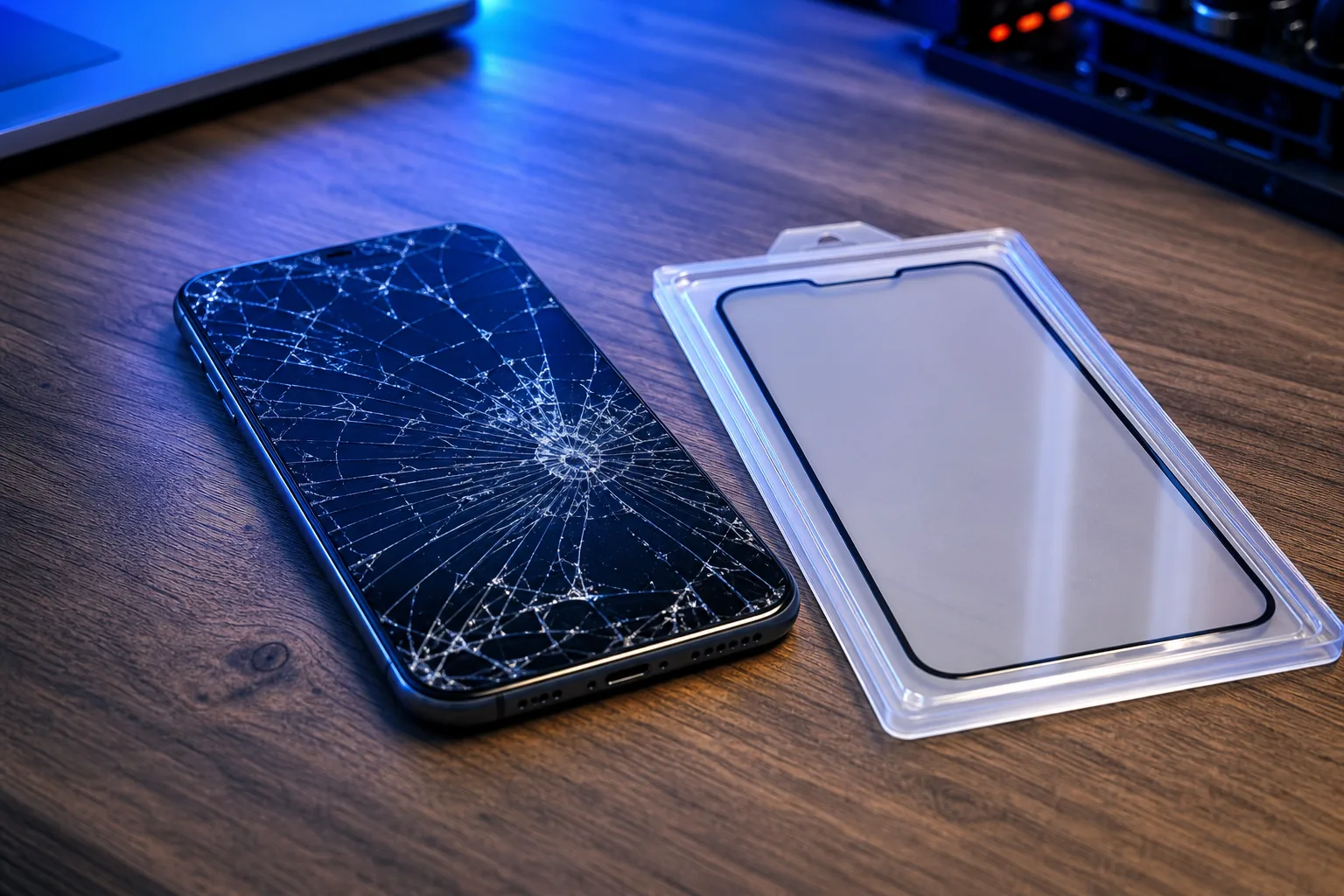
Surface-only cracks (glass only, display intact): The screen still lights up evenly. Touch response is normal everywhere. Colors look correct. You can see the crack when the screen is off, but the display itself is fine. This is the best-case scenario.
Display damage (LCD or OLED affected): Look for dark splotches, color bleed, dead zones where touch does not register, or sections of the screen that are black or purple. If you see any of these, the digitizer or display panel is compromised, not just the outer glass.
Structural damage: The phone frame is bent. The back is cracked all the way through. The battery cover is separating. These cases introduce risks beyond the screen.
Safety check: Do not run a finger along broken glass. Apple advises against using an iPhone with cracked glass, which can cause injury. If the phone is hot, swollen, separating, or visibly damaged near the battery, stop use and seek trained service.
Step 2: Back Up Your Data Right Now
This is not optional and it is not something to defer until after the repair decision.
A cracked screen that seems functional today can fail completely tomorrow. Moisture gets under the glass. Pressure from a pocket flexes the already-compromised panel. Touch stops working entirely, which means you lose access to everything before you can authorize a backup.
For iPhone: Go to Settings > [Your Name] > iCloud > iCloud Backup > Back Up Now. Confirm the backup completes fully before continuing.
For Android: Go to Settings > Google > Backup > Back Up Now. Also manually sync photos to Google Photos if you have not already.
If the screen is already too damaged to navigate, stop. A data recovery situation is now part of your problem. In that case, contact us before doing anything else, because touch-screen failures require specialized tools to extract data safely.
Step 3: Get a Realistic Repair Cost Estimate
Repair pricing varies significantly by device model, whether you use OEM or aftermarket parts, and where you go. Here is a general framework for thinking about it.
Screen replacement cost drivers:
- OLED displays (some iPhone models, most flagship Androids) cost more than LCD panels
- Older devices have cheaper parts but sometimes require more labor due to availability
- Apple Authorized Service Providers and Apple stores use OEM panels; pricing reflects that
- Independent shops like ours often carry quality aftermarket displays that are meaningfully cheaper while still performing well for most users
Compare the total costs: Put the actual repair quote beside a suitable replacement price, remaining software support, battery condition, trade-in value, and your budget. There is no universal 50% cutoff for the right decision.
For iPhones and iPads specifically, you can check our iPhone and iPad repair page for service options. We serve customers throughout West Palm Beach and the surrounding South Florida area, and we can give you a specific quote before you commit to anything.
Cracked screen or a phone that won't hold a charge? Get a repair quote
Step 4: Factor In Device Age and Software Support
A repair that costs the same amount can make perfect sense on a two-year-old phone and no sense at all on a five-year-old one.
Questions to ask:
Check whether your exact model still receives security updates from its manufacturer. Support periods vary by model and vendor; do not assume a universal five- or six-year iPhone window.
Is anything else wrong with the phone? A degraded battery, sluggish performance, or failing cameras change the equation. Fixing the screen does not fix those.
Are you already eligible for an upgrade through your carrier? If so, a screen repair might just be delaying an inevitable replacement by a few months. That may or may not be worth the cost depending on your budget situation.
Step 5: Evaluate the "Live With It" Option Honestly
Sometimes the right answer is to do nothing, at least temporarily. But be clear-eyed about what that means.
If you defer repair: Avoid handling cracked glass directly. Ask a qualified technician whether the damage affects safety, water resistance, or battery protection; a case or protector does not restore the seal. Back up data while the device is safe to operate.
When living with it is not reasonable:
- Touch accuracy is degraded anywhere on the screen
- You can see bleed or discoloration
- The crack is expanding (check it against a reference photo over two or three days)
- The phone is used for work, two-factor authentication, or anything where reliability matters
For business users especially, a malfunctioning device is not just inconvenient. It is a gap in your workflow. If your team relies on mobile devices as part of a managed environment, that is worth a conversation with whoever handles your business IT setup.
Step 6: Choose Your Repair Path
You have three realistic options. Here is what each involves.
Option A: Professional In-Store Repair
Ask for a model-specific quote, the part type, expected turnaround, and written repair terms. Same-day service and warranty coverage depend on parts, the device, and the shop’s terms. Screen replacement can affect water resistance or biometric features; ask how those will be tested.
Option B: Mail-In or Remote Diagnosis
If the screen still works well enough to navigate, a remote support session can help you assess software issues that might be complicating the picture, like a crash loop or data backup that is not completing correctly. For the physical repair itself, you will still need to bring the device somewhere.
Option C: Manufacturer or Insurance Claim
If you have AppleCare Plus or a carrier insurance plan, run the numbers on your deductible versus an independent repair quote. Insurance deductibles for screen repairs are sometimes comparable to or even higher than local shop pricing. Check before assuming insurance is automatically cheaper.
Common Mistakes
Waiting too long after the display starts bleeding. Liquid crystal spread is not reversible. Once it starts, the affected area only grows. A repair that costs one amount today may require a larger display assembly replacement next week.
Using a screen protector as a permanent fix for structural damage. A protector over a cracked screen is a short-term safety measure, not a repair. It does not fix touch accuracy, bleed, or underlying hardware stress.
Skipping the backup and going straight to a repair shop. If the technician needs to power cycle the device or the screen fails during disassembly, you want your data already secured.
Choosing a repair shop based on price alone. The cheapest screen replacement is often using the lowest-tier aftermarket panel, which can mean washed-out colors, poor outdoor visibility, or touch lag. Ask what parts are being used.
Ignoring a cracked back glass on a wireless-charging phone. Back glass damage can interfere with wireless charging coil alignment and, on some models, affects signal reception. It is rarely urgent, but it is not always just cosmetic.
Assuming a new phone means your data transfers automatically. It often does, but only if your backup is current. If your last backup was four months ago and you upgrade, four months of photos, messages, and app data may be gone.
Bottom Line
A repair decision depends on glass safety, display function, battery and frame condition, software support, and a model-specific quote. Do not assume that a small crack is safe to ignore or that every damaged screen is economical to repair.
Back up data while the device is safe to use, and verify the backup. If it is unsafe or unusable, ask about recovery options before further handling.
If you are in West Palm Beach or anywhere in Palm Beach or the Treasure Coast area and you want a straight answer on whether your device is worth repairing, book a diagnostic or stop by. We look at the device, give you a quote, and tell you exactly what we think, including when we think replacement makes more sense than repair.
Cracked screen or a phone that won't hold a charge?
Bring it in for a model-specific quote. Timing and parts availability vary by device and repair.