5 Things to Check Before Picking a Laptop Repair Shop
TL;DR: When you search "laptop repair near me," you get a long list and zero guarantees. Before you pick anyone, verify their diagnostic process, data handling policy, turnaround time, pricing transparency, and local reputation. These five questions help you compare repair terms and data protection.
Your laptop dies at the worst possible moment. Of course it does. So you type "laptop repair near me" into Google, get a wall of results, and now you have to figure out who to trust with a device that holds your work, your photos, your passwords, and possibly your entire livelihood.
This is not a decision to make by picking whoever shows up first or whoever has the flashiest ad. Some shops are great. Prices and policies vary. Ask for a written estimate and a clear plan for protecting your files.
Here are five specific things to check before you commit to anyone.
1. Do They Diagnose Before They Quote? (This Is the Big One)
Many repairs need diagnosis before a final price; some standard services can have a set price. Ask what a quote includes and what could change it.
If someone on the phone gives you a firm repair price before they have even looked at your machine, that is a red flag. A phone quote may be preliminary until the model and fault are confirmed.
A real diagnostic process looks at the actual hardware, not just the symptom you described. A laptop that "won't turn on" could be a dead battery, a failed power jack, a bad motherboard, a fried charging IC, or a half-dozen other things. The fix for each is completely different, and so is the cost.
Ask directly: "Do you charge for diagnostics, and will you give me a written estimate before doing any work?" Ask what the diagnostic costs, whether it is credited toward repair, and when a written repair estimate will be provided. Both models are fine. What is not fine is a shop that just starts working without your approval.
At Fix My PC Store, initial checks are free for most standard in-store repairs; advanced diagnostics may have a disclosed fee. You can see what that looks like by booking a repair online before you even walk in.
2. What Is Their Policy on Your Data?
This one matters more than almost anything else, and most people forget to ask.
When you drop off a laptop for repair, the technician may need some device access; agree on what is necessary before work begins. Your bank login is probably saved in your browser. Your tax docs are in a folder somewhere. Your photos go back years.
Ask the shop what files or accounts it needs to access, whether it copies data, and how it handles temporary copies. Request those terms in writing if the data is sensitive.
You should also ask whether they back up your data before touching anything. Hardware repairs can go sideways. A drive that was limping along can fail completely when moved or stressed. Do not assume a repair includes backup. Make your own backup when possible, or ask whether the shop offers a separate backup or recovery service.
Speak up before the repair, not after. Ask: "Do you back up customer data before starting, and what is your privacy policy on personal files?"
If they fumble the answer or look surprised you asked, walk.
And yes, you should also have your own backup. If you do not, that is a separate conversation. Backups and disaster recovery matter for businesses especially, but honestly for everyone.
3. Are They Transparent About Parts and Pricing?
The laptop repair industry has a murky reputation partly because pricing varies wildly and not always for good reasons.
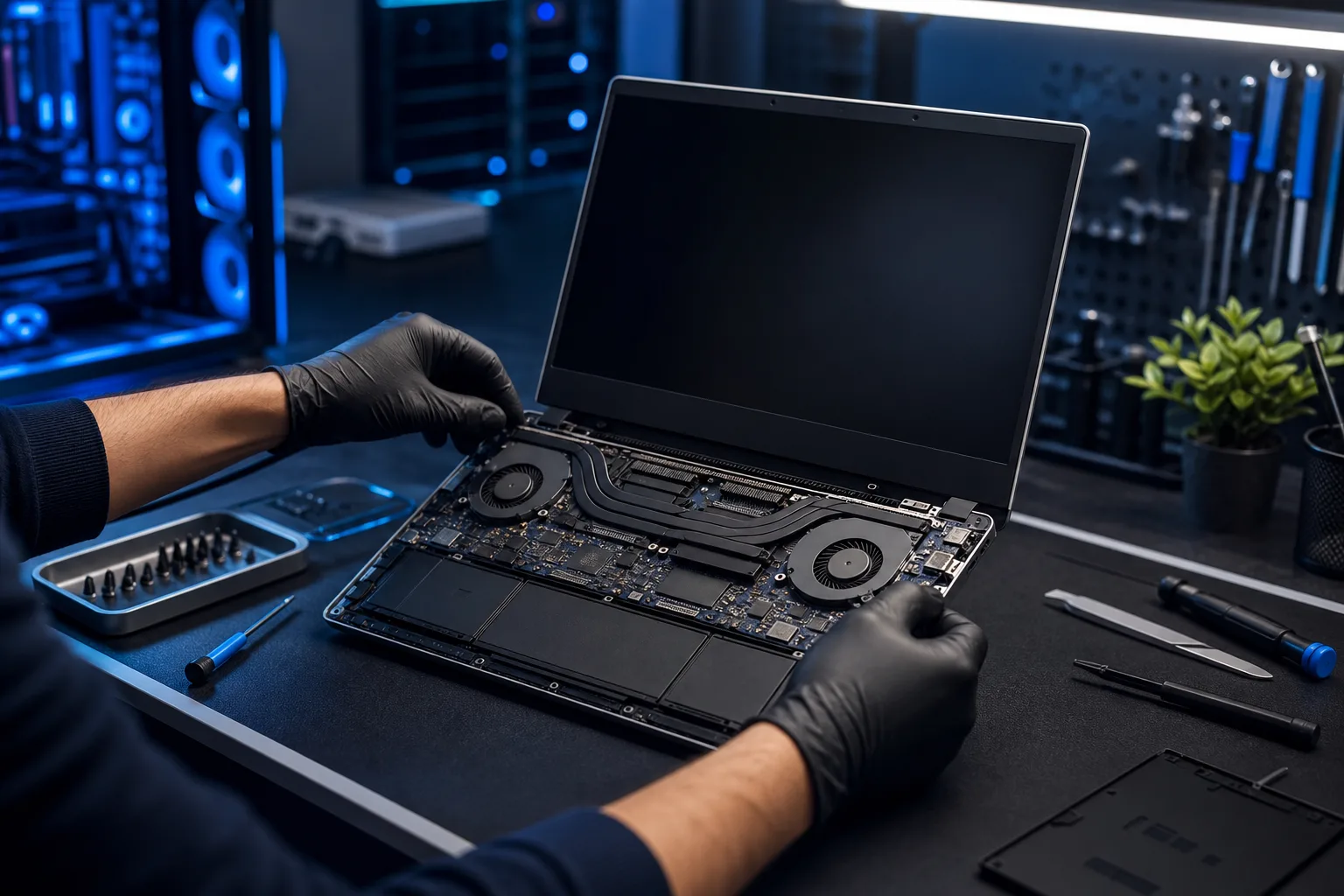
Parts and labor can vary substantially. Ask which part will be used, whether labor is included, and how price changes are approved.
Here is what to ask: Do they use original manufacturer parts or third-party replacements? If third-party, are they quality-tested? What does the labor cost look like separately from parts? Is the estimate a cap, or can it change?
A good shop is not defensive about these questions. They explain the difference between OEM and aftermarket parts clearly, tell you the tradeoffs, and let you decide. Screen replacements are a good example. A genuine OEM display versus a compatible replacement can be a significant price difference, and each has pros and cons. You deserve to know both before you sign anything.
Transparency also means written estimates. Verbal quotes are easy to walk back. Get it in writing.
If a shop balks at putting the estimate in writing before starting work, that tells you everything.
Cracked screen or a phone that won't hold a charge? Get a repair quote
4. What Is Their Realistic Turnaround Time?
"Laptop repair near me" often means you need this done fast. You need to know if the shop can actually deliver on that.
Turnaround depends on the device, diagnosis, part availability, and workload. Ask for a model-specific estimate and updates if it changes.
Get the estimated completion date and ask how the shop will communicate delays. That is frustrating and, if you are a business owner, it can be genuinely costly.
Ask specifically: "What is the realistic turnaround for my type of repair?" If they cannot give you even a rough window, that is worth noting. A shop that does high volume should know their parts pipeline and can usually tell you whether a screen for your specific model is in stock locally or has to ship.
Also ask whether they will contact you if something changes, like if they open it up and find additional damage. You do not want surprises on pickup day.
For folks running a business and worried about downtime, remote support can sometimes keep you operational while the hardware is in the shop. Worth asking about.
5. Do They Have a Real Local Reputation You Can Verify?
This is the easiest check and somehow the one people skip most often.
Google reviews, Yelp, Facebook, even NextDoor. Look at the actual content of the reviews, not just the star rating. A shop with 80 reviews averaging 4.8 stars is saying something different than a shop with 12 reviews averaging 4.2. Also look at how the shop responds to negative reviews. A defensive, dismissive response to a complaint tells you something. A calm, constructive reply tells you something better.
Look for reviews that mention specific things: was the estimate accurate, did they explain the problem clearly, was the repair done in the promised timeframe, did anything go wrong and how did they handle it.
For South Florida specifically, you want someone who understands the local context. Heat, humidity, and dust can affect electronics, but the cause of a particular failure requires diagnosis. Ask about the technician’s experience with your model and symptoms.
You can read more about who we are and how we work on our about page. Local roots, real people, no franchise playbook.
Also, if your search for laptop repair near me turns up a shop with no physical address listed, no photos of an actual location, and reviews that all sound like they were written by the same enthusiastic robot, trust that instinct telling you to keep scrolling.
A Quick Note on Mac vs. PC
The five checks above apply to both, but Mac repair has a few extra wrinkles. Mac service procedures and parts vary by model; ask whether the shop has experience with your exact device and what parts it can source. Make sure any shop you consider for a Mac has specific experience with Apple hardware, not just "we fix everything."
We handle both at Fix My PC Store. Mac repair and PC and laptop repair are different animals, and we treat them that way.
Bottom Line
The next time you search for laptop repair near me and get overwhelmed by options, run through this list before you call anyone.
Do they diagnose before quoting? Do they have a clear data policy? Are parts and pricing transparent? Can they give you a realistic timeline? Do they have a verifiable local reputation?
Five questions. Clear answers and written terms help you compare providers; also consider experience with your model and independent reviews.
If you are in West Palm Beach, Palm Beach County, or anywhere up the Treasure Coast, we would rather you come in informed and ask us the hard questions than hand your machine to someone who will not answer them at all. Schedule your repair or reach out to us and we will start with a straight answer.
Cracked screen or a phone that won't hold a charge?
Bring it in. Ask for the current repair-time estimate and part warranty for your device.