iPhone 16 Battery Degradation: When to Replace in 2026
Listen to this article
TL;DR: If your iPhone 16 battery health has dropped below 80%, you're shutting down unexpectedly, or your phone feels warm to the touch more often than not, it is time to stop Googling and start replacing. Here's everything you need to know about iPhone 16 battery degradation in 2026, straight from someone who has seen more swollen batteries than he ever wanted to.
Why iPhone 16 Battery Health Is a Big Deal in 2026
Early adopters who grabbed the iPhone 16 at launch are now hitting a wall. We're talking real, measurable battery degradation showing up in daily use. If you were one of those people camping outside the Apple Store - respect, honestly - your battery has been through a lot. Daily charges, streaming, social media, and let's be real, whatever your screen time report is showing (I won't ask, but my flip phone collection is silently judging you).
Lithium-ion batteries, the kind inside every modern smartphone including your iPhone 16, degrade with every charge cycle. Apple officially defines a charge cycle as using 100% of your battery capacity, which doesn't have to happen in one sitting. Over time, that capacity shrinks. Apple's own benchmark is that a battery should retain 80% of its original capacity after 500 complete charge cycles. Sounds like a lot. It goes faster than you think.
For Palm Beach County residents specifically, I want to be upfront: South Florida heat is genuinely accelerating your battery degradation. Heat is the number one enemy of lithium-ion batteries. Sitting in a hot car, leaving your phone on a sunny dashboard, or even just carrying it in your pocket during a humid August afternoon in West Palm Beach - all of that compounds wear. I see this all the time at our shop, and it's not a myth.
How to Check Your iPhone 16 Battery Health Using iOS 18
Finding Your Battery Health Percentage
iOS 18 made battery diagnostics more accessible than ever, which I genuinely appreciate. Here's how to check your numbers right now:
- Open Settings
- Tap Battery
- Select Battery Health and Charging
You'll see your maximum capacity percentage and a condition status. iOS 18 also gives you more detailed cycle count information than older iOS versions did, which is helpful for understanding where you actually stand.
What Your Battery Cycle Count Is Telling You
Your battery cycle count iPhone data is now more visible in iOS 18 through the battery settings and through the device analytics reports. To dig deeper, go to Settings > Privacy and Security > Analytics and Improvements > Analytics Data and look for files starting with "Analytics" - these contain detailed battery cycle data.
A battery cycle count approaching or exceeding 500 on your iPhone 16 is a signal worth taking seriously, especially if your health percentage is also declining. Both numbers together tell the real story. According to Apple's official battery service guidelines, batteries that fall below 80% maximum capacity are eligible for replacement service.
iPhone 16 Battery Draining Fast: What's Actually Going On
Look, not every case of iPhone battery draining fast is a degraded battery. Let me save you a headache and walk through the real culprits before you panic.
Software vs. Hardware Battery Drain
Sometimes a rogue app or a bad iOS update is tanking your battery life. Before assuming your battery is shot, check your battery usage breakdown in Settings. If one app is consuming 40% of your battery and it's not something you actively use, that's a software problem, not a hardware one.
That said, if your battery health is already below 85% and you're also seeing fast drain, it's probably both. Software issues on a degraded battery hit harder.
Signs Your iPhone 16 Battery Actually Needs Replacing
Here's the honest checklist I walk every customer through:
- Battery health below 80% - This is Apple's own threshold for "significant degradation"
- Unexpected shutdowns - Phone dies at 20%, 30%, or even 40% charge remaining
- Performance throttling warnings - iOS will tell you if it's limiting performance to protect the battery
- Excessive heat during normal use - Not just during gaming, but during basic tasks
- Charging takes significantly longer than it used to - Or stops at certain percentages
- The phone feels physically thicker or the screen is slightly raised - More on this in a moment
iPhone Battery Swollen: The Warning You Cannot Ignore
Okay, I need to get serious for a second. A swollen iPhone battery is not a cosmetic inconvenience. It is a safety issue, full stop.
If your iPhone 16 screen looks like it's being pushed up from underneath, if the back glass feels raised, or if the phone no longer sits flat on a table, you may have a swollen battery. In South Florida's heat, this is more common than people realize. A battery that gets repeatedly hot and then cools down can swell over time as gases build up inside the cell.
Do not put a swollen phone in your pocket. Do not charge it overnight. Do not try to pop it open yourself with a YouTube tutorial and a guitar pick. Swollen lithium-ion batteries can rupture, catch fire, or release toxic gases. Bring it in to our iPhone repair service and let a professional handle it safely. I am not being dramatic here - this is the one area where I will not crack a single joke.
Third Party Battery Repair vs. Apple Service: The Real Talk
Here's where I know I'll ruffle some feathers, but you're getting the honest version because that's the only version I do.
The Problem With DIY Battery Kits
I see this all the time: someone buys a $20 battery kit off an online marketplace, watches a 12-minute video, and then shows up at our shop with a phone that won't turn on and a cracked back panel. The iPhone 16 uses adhesive and internal layouts that punish inexperienced hands. One wrong move near the display connector or the Face ID components and you've turned a $80 battery job into a $300 repair.
Beyond the risk of physical damage, third-party batteries that aren't sourced from reputable suppliers can fail to communicate properly with iOS 18's battery management system. You might end up with a phone that shows inaccurate battery percentages, won't charge past 80%, or throws persistent warnings. Not worth it.
Why Professional iPhone Battery Service Is Worth It
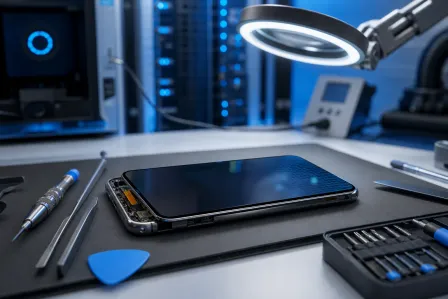
A professional iPhone battery replacement done right means your iOS 18 battery health reporting works correctly, your warranty on the repair is backed by someone you can actually walk back in and talk to, and the job is done with tools designed for the task. Our smart device repair team at Fix My PC Store handles iPhone battery replacements regularly, and we're right here in West Palm Beach for Palm Beach County residents who don't want to ship their phone somewhere or wait weeks for an appointment.
For context on what proper battery replacement involves, iFixit's iPhone 16 battery guide gives a clear picture of the complexity involved - which is exactly why most people are better off leaving it to professionals with the right tools and experience.
iPhone Battery Replacement: What to Expect in 2026
How Long Does It Take?
A professional iPhone 16 battery replacement typically takes between 45 minutes and 90 minutes depending on the shop and whether there are any complications. It's a same-day service in most cases. Bring your phone in, grab a coffee, and you're back in business.
Will It Reset My Battery Health to 100%?
Yes - with a genuine or high-quality replacement battery and proper installation, your iOS 18 battery health reporting should reflect the new battery. You'll be back to that satisfying 100% reading and, more importantly, back to a full day of battery life.
What About iPad and Samsung Batteries Too?
While we're on the subject - if your iPad is also showing its age in the battery department, our iPad repair service covers battery replacements as well. And for the Android folks in the room (I see you, and I respect you), our Samsung repair service handles Galaxy battery replacements with the same professionalism. Android vs. iOS? I fix them both. We can debate which is better over the counter while I swap your battery.
Keeping Your iPhone 16 Battery Healthy Longer
Before I send you off, a few genuinely useful tips that will slow down degradation going forward:
- Keep it between 20% and 80% when possible - iOS 18's Optimized Battery Charging helps with this automatically
- Avoid extreme heat - Especially in South Florida summers. Don't leave it in a hot car. Ever.
- Use a quality charger - Cheap third-party chargers can deliver inconsistent power and stress the battery
- Turn on Clean Energy Charging if available in your region - It's a small thing but part of Apple's battery longevity toolkit
- Get a case - I know, I know. But a case helps regulate temperature slightly and protects against the drops that lead to battery damage. Please. For my sake.
Need Expert Mobile Device Repair?
Get professional iPhone, iPad, and Samsung repair from Palm Beach County's trusted mobile device specialists.
Get Device Help