Reparación de computadoras: cuándo hacerlo tú mismo o llamar a un técnico
Resumen: Reparar tú mismo o acudir a un técnico depende de la falla, instrucciones del modelo, herramientas, experiencia y valor de los datos. Empieza por revisiones reversibles. Detente antes de desmontar algo riesgoso, intentar recuperar un disco dañado o cambiar ajustes de seguridad que no entiendes. Un diagnóstico profesional puede ayudar cuando la causa no está clara.
Determina qué está en juego
Antes de abrir la carcasa o instalar un supuesto arreglo, pregunta: ¿hay garantía o plan de servicio?, ¿tienes respaldos que puedes restaurar?, ¿es un equipo de trabajo o contiene datos sensibles? Las respuestas cambian el camino seguro. Guarda mensajes de error y modelo. Si aún funciona, respalda archivos importantes antes de cambiar piezas o reinstalar software.
La Comisión Federal de Comercio advierte contra afirmaciones generales de que abrir un equipo o acudir a un reparador independiente anula automáticamente una garantía estadounidense. Eso no obliga a cubrir daños que causes. Lee condiciones escritas y manual de servicio. Algunos equipos permiten acceso al usuario; otros exigen herramientas o pasos especiales.
En una computadora laboral, consulta a TI antes de cambiar seguridad, almacenamiento o acceso de un proveedor externo. La empresa puede gestionar claves de cifrado, datos y talleres autorizados. Aun así, un empleado capacitado puede hacer revisiones básicas aprobadas; ser un equipo empresarial no prohíbe todo trabajo propio.
Revisiones poco riesgosas para empezar
Anota cuándo ocurre la falla y el error exacto. Comprueba energía, entrada del monitor, cables y red. Si responde, reinicia normalmente. Revisa actualizaciones compatibles, espacio libre y aplicaciones desconocidas que consuman recursos. En Windows, Microsoft recomienda herramientas incorporadas de rendimiento y almacenamiento. Quita software que reconozcas como innecesario; no borres carpetas ni instales una herramienta aleatoria de “arreglar todo”.
Si sospechas malware, usa seguridad confiable ya instalada. Seguridad de Windows ofrece análisis rápido, completo, personalizado y sin conexión. Un análisis no demuestra que equipo y cuentas estén limpios. Si hay archivos cifrados, rescate o posible exposición de credenciales empresariales, desconecta según tu proceso de incidentes y consulta a TI o respuesta especializada. No borres pruebas ni entres a cuentas sensibles desde un dispositivo posiblemente comprometido.
Estas revisiones suelen ser reversibles, aunque hay excepciones. Si un disco mecánico hace clic o el equipo se apaga repetidamente, encender una y otra vez puede complicar recuperar archivos. Conserva datos y pide ayuda antes de más pruebas.
Abrir un equipo depende del modelo
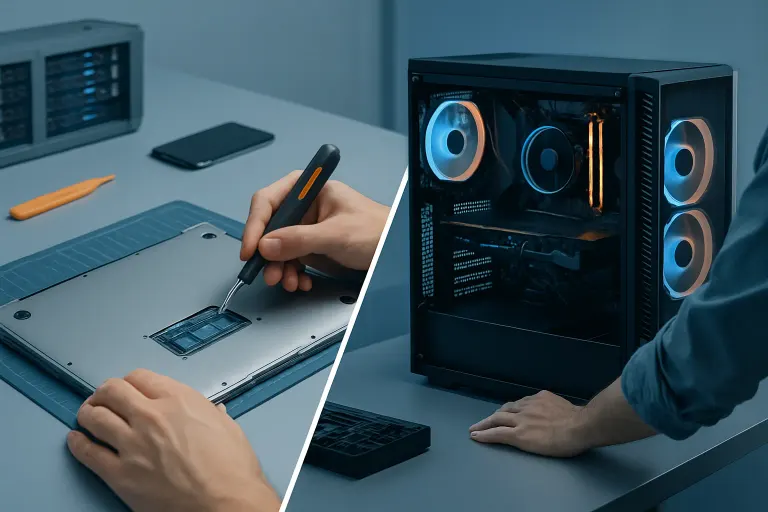
Mejorar RAM o almacenamiento en escritorio puede estar a tu alcance si el modelo lo permite, la pieza es compatible y sigues el manual del fabricante. Desconecta el equipo y atiende instrucciones contra estática. Nunca abras una fuente de alimentación: desenchufarla no elimina cargas peligrosas internas. Ordena tornillos y conectores. Una laptop o todo-en-uno puede usar adhesivo, cables delicados o memoria soldada; no sigas un video genérico de escritorio.
Limpiar rejillas exteriores puede ser adecuado si sigues la guía del fabricante. Limpiar ventiladores internos y cambiar pasta térmica son procedimientos distintos. La guía Dell sobre ventiladores explica revisión de rejillas y limpieza. No inviertas la lata de aire, fuerces un ventilador a girar ni rocíes líquido. No retires el disipador solo por edad; comprueba ventilador, polvo, carga y contacto primero.
Pantallas rotas, puertos de carga y placas dañadas por líquido dependen mucho del modelo. Algunas personas con experiencia pueden sustituir una pieza documentada. Otras se enfrentarán a cables frágiles, batería o corrosión oculta. Compara costo de pieza y herramientas con un presupuesto escrito. Si entró líquido en un equipo encendido, desconecta la energía externa si es seguro, deja de usarlo y busca guía del modelo; no lo enciendas repetidamente “para probar”.
Separa recuperar datos de reparar el equipo
Una computadora que no inicia no necesariamente tiene el disco averiado. Puede fallar pantalla, batería, firmware o sistema. Por otro lado, un disco que hace clic, desaparece o informa errores graves quizá necesite atención prioritaria a datos. Si los archivos son irremplazables y el disco podría estar fallando físicamente, detén su uso y consulta a especialistas. Instalar recuperación sobre ese mismo disco puede sobrescribir datos. Nadie puede prometer recuperación antes del diagnóstico.
Si cuentas con respaldo, reemplazar el disco es otra decisión. Pregunta si se ha probado restaurarlo y si se necesitan claves, contraseñas o licencias. Un plan de respaldos reduce riesgos tanto para reparación propia como profesional.
Qué puede y no puede hacer el soporte remoto
El soporte remoto ayuda si el equipo arranca y establece conexión confiable. Puede revisar ajustes, errores, actualizaciones o el siguiente paso. No puede cambiar físicamente un ventilador ni evaluar corrosión por líquido. Algunos síntomas se comentan a distancia, pero el diagnóstico puede requerir inspección. Confirma identidad y método de sesión antes de conceder acceso, especialmente si alguien te llamó sin que lo pidieras.
Si necesitas un taller, pregunta qué incluye el diagnóstico, cargos, alcance escrito y si el trabajo puede borrar datos. Averigua quién maneja el disco reemplazado y si la laptop saldrá del local. En Fix My PC Store, la revisión inicial es gratuita para la mayoría de reparaciones habituales en tienda; diagnóstico avanzado y recuperación de datos pueden tener cargos informados. Confirma la política de tu caso antes de autorizar.
Compara costo, tiempo y riesgo
Hacerlo tú mismo no es automáticamente más barato; acudir a un técnico no es siempre más rápido. Suma piezas, herramientas, envío, tiempo, riesgo de daños y tiempo inactivo. Una cotización debe decir falla diagnosticada, pieza, trabajo, plazo tras confirmar existencias y garantía. Si hay incertidumbre, pregunta qué se probará antes de pagar un cambio costoso.
En un negocio, incluye productividad y obligaciones respecto a datos. Una revisión simple aprobada puede resolverse internamente; fallas de placa o seguridad inciertas quizá requieren especialista. Para uso doméstico, confianza y valor de los archivos importan tanto como el precio aparente de una pieza.
Preguntas frecuentes
¿Agregar RAM siempre es seguro para hacerlo yo mismo?
No. Verifica que el modelo admita mejora, compatibilidad de memoria e instrucciones de servicio. Algunas memorias están soldadas o son difíciles de alcanzar.
¿Abrir mi laptop anula la garantía?
No automáticamente en Estados Unidos. Lee términos e instrucciones; los daños causados por tu trabajo pueden tratarse de otra forma.
¿Debo usar software de recuperación en un disco que hace clic?
Evita seguir usándolo si puede fallar físicamente y los datos importan. Consulta a un proveedor de recuperación por un plan centrado en los archivos.
¿El soporte remoto puede arreglar un equipo que no inicia?
Normalmente necesita que el equipo arranque y se conecte. Pueden orientarte por teléfono, pero quizá haga falta revisión presencial.
¿Cuándo debo detenerme?
Detente si faltan instrucciones exactas, la pieza no encaja, hay riesgo para los datos, daño por agua o energía, o los síntomas cambian inesperadamente.
Contacta a Fix My PC Store si necesitas decidir el siguiente paso seguro para una computadora concreta.
El diagnóstico de computadora cuesta $60 y se acredita a su reparación. Los clientes nuevos pueden obtenerlo gratis con nuestro cupón por correo electrónico (formulario en inglés).