Qi2 2.0 Charging Problems in 2026: Fix Fast, Avoid Damage
Listen to this article
Qi2 magnetic wireless charging is everywhere in 2026, and I see this all the time: you slap your phone on a MagSafe-style puck, expect a nice clean charge, and instead you get slow charging, overheating, or that lovely little dance where it connects, disconnects, reconnects, and basically ruins your nightstand routine.
Look, I am not judging your 8-hour screen time report. Okay, maybe a little. But I am judging the part where your phone is cooking itself on a charger like it is trying to become a tiny pocket toaster.
This guide breaks down the most common Qi2 2.0 charging problems, how to troubleshoot safely for both iPhone and Android, when to stop using a charger to prevent damage, and when it is time to bring it in for real diagnostics here in Palm Beach County.
Why Qi2 2.0 charging problems happen (and why magnets are not magic)
Qi2 is based on the Qi standard and adds a magnetic alignment approach similar to Apple’s MagSafe concept. The goal is simple: better alignment, more consistent charging, and fewer “why is my phone at 12%?” mornings.
But magnets do not fix everything. Wireless charging is still a balancing act between:
- Alignment (coil-to-coil positioning)
- Heat (wireless charging is less efficient than wired)
- Power negotiation (charger, cable, and adapter quality matters)
- Device condition (battery health, coil integrity, internal connectors)
- Case and accessories (thickness, metal rings, wallet attachments)
So if your wireless charging is not working or your phone gets hot on a wireless charger, it is usually not “Qi2 is broken.” It is something specific and fixable.
Qi2 2.0 charging issues checklist: fix the easy stuff first
Let me save you a headache. Before we talk repairs, do these steps in order. They solve a huge chunk of real-world Qi2 charging issues.
1) Ditch the thick case (yes, I sighed)
Cases are great. Thick cases with metal plates, magnetic rings, or chunky camera bump geometry are… less great. If the charging coils are too far apart, the charger compensates with inefficiency, which becomes slow charging and extra heat.
- Test with no case for 5-10 minutes.
- Remove wallet attachments and magnetic grips.
- If it works fine naked, your case is the issue. I know. Shocking.
2) Check alignment like you actually mean it
Magnetic alignment helps, but it is not foolproof across every case and every phone. A slightly off-center snap can cause intermittent charging or slow speeds.
iPhone Qi2 case alignment tip: If your case has a magnetic ring, make sure it is designed for magnetic wireless charging and sits correctly around the coil area. Cheap rings can be mispositioned by a few millimeters, which is enough to cause problems.
Android Qi2 compatibility tip: Some Android phones support Qi2-style magnetic alignment via cases or accessories, while others support Qi wireless charging without magnets. If your phone relies on a magnetic case for alignment, a poorly placed ring can mess with coil positioning.
3) Clean the contact surfaces (wireless still hates dirt)
Wireless charging does not have exposed pins like a port, but it still hates debris. Dust between the phone and puck can create micro-gaps that reduce efficiency and increase heat.
- Wipe the charger face and phone back with a microfiber cloth.
- If there is sticky residue, use a tiny bit of 70% isopropyl alcohol on the cloth (not poured onto the device).
4) Verify the power brick and cable are not the weak link
Here is a myth I love: “It is wireless, so the cable does not matter.” Wrong. The puck still needs stable power. A tired adapter or bargain-bin cable can cause the charger to brown out, especially at higher loads, which looks like intermittent charging.
- Try a different wall adapter from a reputable brand.
- Try a different USB-C cable (if your charger uses one).
- Avoid daisy-chaining through sketchy hubs for bedside charging.
Supporting image suggestion: Place "usb-c-port-vs-wireless-charging-diagnosis.jpg" after this section to visually explain power testing and comparison.
MagSafe-style charger overheating: when heat is normal vs when it is a problem
Some warmth is normal. Wireless charging wastes energy as heat. But there is a line between “warm” and “this feels like a hand warmer.”
Normal heat
- Phone is mildly warm, still charging steadily
- Charging speed tapers as it nears full (this is normal battery management)
- No charging interruptions
Not normal: stop using that charger (seriously)
If you hit any of these, stop charging and troubleshoot. Continuing can accelerate battery wear and, in worst cases, contribute to battery swelling or board-level stress.
- Phone gets hot on wireless charger to the point it is uncomfortable to hold
- Charging repeatedly starts and stops
- Phone shows a temperature warning or pauses charging
- Charger puck is unusually hot
- Back glass area looks lifted or the screen is separating (possible swelling)
For iPhone users, Apple’s guidance on heat management is worth a read: Apple Support: If your iPhone or iPad is overheating or feels too warm. Heat is the silent battery killer, and it does not care if you are Team iOS or Team Android.
Quick cooling steps (safe ones)
- Remove the case and get the phone off the charger
- Move it to a cooler surface (not your bed, not under a pillow, not in a sock drawer)
- Do not put it in the fridge or freezer (condensation is a villain)
- Close heavy apps and let it cool before charging again
Slow wireless charging fix: what actually speeds Qi2 charging up
If your phone is charging but crawling, here is the truth: wireless charging speed depends on alignment, thermals, and the device’s charging logic. Your phone will slow down on purpose if it detects heat or inefficiency.
Step-by-step speed improvements
- Align perfectly: Center it and let the magnets settle naturally.
- Charge in a cooler spot: Heat throttling is real.
- Use a certified charger: For Qi and Qi2 info, check the Wireless Power Consortium.
- Avoid charging while gaming or video calling: You are adding heat while trying to charge. Physics will win.
- Turn off Optimized Charging only if you understand it: Some devices learn your habits and slow or pause near full to reduce wear. That is not a “bug.”
Nightstand reality check
Wireless is about convenience, not maximum speed. If you need fast power before you run out the door, wired charging is still king. Which brings us to a super useful diagnostic trick.
USB-C port vs wireless diagnosis: how to tell what is really failing
When someone tells me “wireless charging not working,” my next question is: How does it behave on a cable? Comparing wired vs wireless narrows the problem fast.
If wired charging is fast and stable
- Likely a wireless-side issue: alignment, case, charger, or the phone’s charging coil
- Could still be battery health, but less likely if wired is strong
If wired charging is also slow or flaky
- Battery health may be degraded
- Charging circuitry may be struggling
- Port contamination or damage (especially USB-C) could be involved
DIY port check (do not get brave with metal tools)
- Use a flashlight to look into the USB-C port
- If you see lint packed in, that can prevent a full connection
- If you are not confident, stop. Port pins are delicate.
If you want us to diagnose it properly, our smartphone diagnostics and repair service process is built around isolating the failure point first, not guessing and swapping parts.
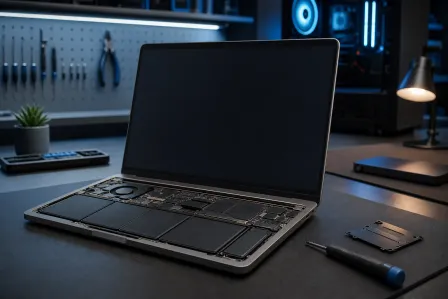
When the problem is inside the phone: charging coil repair and battery issues
Sometimes the charger is fine, your alignment is fine, and your case is not the problem. That is when we start suspecting internal components.
Signs you might need charging coil repair
- Wireless charging only works at a specific angle or only if you press the phone down
- Charging cuts out when you tap the back glass
- Phone heats up unusually fast on wireless but not on wired
- History of drops (yes, even with a case) that can shift or damage internal alignment
The wireless charging coil and its connections can be damaged by impact, liquid exposure, or internal stress. I have rescued phones from toilet bowls, washing machines, and one legendary “it fell in the pool but it is fine” situation. Water and wireless charging components do not stay friends for long.
Signs the battery is the real culprit
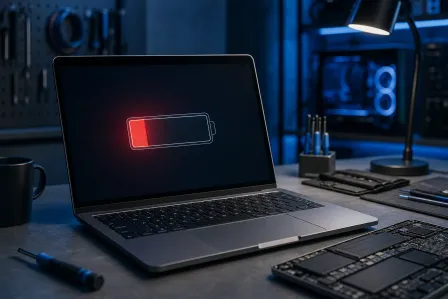
- Phone gets hot during any charging method
- Battery drains fast even when you are not using it much
- Unexpected shutdowns at 20-40%
- Back swelling, screen lift, or creaking frame (stop using it)
Wireless charging can expose a weak battery faster because it adds heat. If the battery is already worn, Qi2 charging can feel worse than wired, even when nothing else is broken.
Supporting image suggestion: Place "wireless-charging-coil-inspection-repair.jpg" around here to show what coil inspection looks like.
Intermittent Qi2 charging: the sneaky causes people miss
Intermittent charging is the most annoying version because it looks like it is working until it is not. Here are the common “gotchas” I see at the counter.
Camera bump wobble
Big camera bumps can prevent the phone from sitting flat on certain pads. The magnets may connect, but the coil spacing is wrong. Try a puck-style charger or a stand that supports the phone evenly.
Accessory stacking
Magnetic wallets, grips, and rings are convenient. They also add distance and misalignment. If you must use them, remove them while charging.
Heat throttling that looks like a disconnect
Some phones reduce or pause charging when they get too warm. Users interpret that as “the charger is broken,” when it is actually the phone protecting itself.
Palm Beach County Qi2 repair help: when to bring it in
If you have tried the basics and your Qi2 2.0 charging problems keep coming back, it is time for a real inspection. In Palm Beach County, we regularly help customers from West Palm Beach, Palm Beach Gardens, Lake Worth, Boynton Beach, and Wellington who are dealing with:
- Wireless charging not working after a drop
- Overheating on MagSafe-style chargers
- Slow wireless charging that is actually battery wear
- USB-C port issues that confuse the diagnosis
And because Fix My PC Store is also an IT and repair shop, we can help when your “phone problem” turns into a “my laptop will not sync, my backups failed, and my life is on this device” problem. If you need help recovering photos, contacts, or files from a damaged phone, check out our smart device repair services which include data recovery options.
If your charging issues stem from hardware problems (bad USB ports, sketchy hubs, power issues), our smartphone repair specialists can help you stop the chaos at the source. And if your “charging problem” is actually your PC acting haunted, iPhone and Android repair services exist for a reason.
Quick do-not-do list (because I like your phone un-fried)
- Do not keep charging through overheating warnings
- Do not use metal objects to dig out ports
- Do not stack chargers on soft surfaces like beds or couches
- Do not assume every magnetic case ring is aligned correctly
- Do not trust random ultra-cheap chargers with no certification info
My retro flip phone collection is judging you right now, but it also wants you to keep your modern phone alive. So we are calling it tough love.
Need Expert Mobile Device Repair?
Get professional iPhone, iPad, and Samsung repair from Palm Beach County's trusted mobile device specialists.
Get Device Help