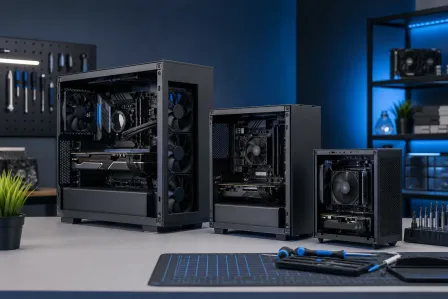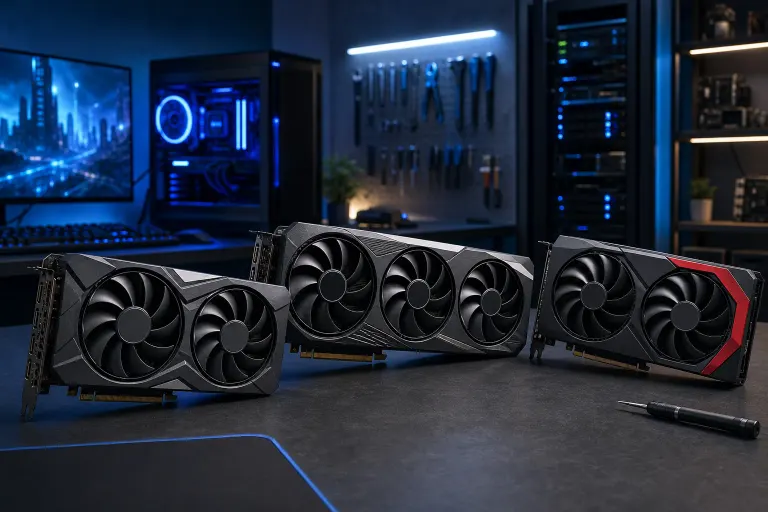
Three gaming GPUs displayed on a dark desk in a blue-lit PC workshop, with a gaming PC and tools in the background.

    Best Value GPUs for 1440p Gaming Right Now

    gaming pc
    gpu
    1440p
    graphics card
    custom build
    hardware
    Author: Hardware Hank, Gaming PC & Custom Build SpecialistPublished: 6/20/2026Last Updated: 6/20/2026
    Reviewed by Andrew Harris, President

    1440p gaming is the sweet spot right now, sharp visuals, high refresh rates, and GPUs that don't cost as much as a used car. Hardware Hank breaks down the best value graphics cards delivering real fps payoff at QHD resolution.

    TL;DR: The GPU market has actually gotten competitive again, and 1440p is the resolution where most of these cards absolutely shine. Whether you're team red, green, or blue, there's a strong value pick right now. Skip the budget basement and skip the flagship stratosphere, the middle tier is where the magic lives.

    1440p (2560x1440) has become THE battleground resolution for PC gamers. It's sharper than 1080p but nowhere near as punishing as 4K, which means a mid-range GPU can actually push 100+ fps in demanding titles. That's the sweet spot: enough pixels to look incredible, light enough that your card isn't sweating through every frame.

    If you're in West Palm Beach or anywhere up the Treasure Coast and you're thinking about dropping cash on a GPU upgrade or a whole new rig, this breakdown is for you. No fluff, just the cards worth your money right now and why they earn that spot.


    1. AMD Radeon RX 7600 XT, Overachiever at Its Price Class

    AMD quietly made 1440p accessible with the RX 7600 XT. This card runs on the RDNA 3 architecture, which brings real ray-tracing improvements and FSR 3 support. FSR 3 (FidelityFX Super Resolution 3) is AMD's upscaling tech, similar in concept to NVIDIA's DLSS. It lets the card render at a lower internal resolution and reconstruct a sharper image, which means MORE frames without tanking visual quality.

    At 1440p in less demanding titles you're looking at very strong performance, and even in heavier AAA games the card holds its own when you flip FSR to Quality or Balanced mode. It also has 16GB of VRAM, which is honestly ridiculous for its price tier. VRAM matters for modded games, texture-heavy open worlds, and future-proofing.

    Why it earns the spot: 16GB VRAM at a low price tier is rare. If you're a modder, a Unreal Engine tinkerer, or you just want breathing room for the next few years, this card punches well above its weight.

    Overclocking note: RDNA 3 cards respond well to undervolting and mild overclocking. A few tweaks in AMD Software Adrenalin Edition can squeeze out an extra 5-8% performance headroom without adding much heat. Worth doing.


    2. NVIDIA GeForce RTX 4060, DLSS 3 Changes Everything

    The RTX 4060 is the card NVIDIA fans in a tighter budget love to debate, and honestly, the debate is valid. Raw rasterization performance is not its strongest suit compared to same-generation AMD competition. But then DLSS 3 Frame Generation enters the chat.

    DLSS 3 (Deep Learning Super Sampling 3) uses the card's dedicated Tensor cores to generate entirely new frames using AI. In supported titles, this can effectively DOUBLE your frame output. A game running at 60fps natively can push past 120fps with DLSS 3 Frame Generation on. That is a real, tangible fps payoff, not a marketing slide.

    For 1440p at high settings in current titles, the RTX 4060 is genuinely comfortable. It's also power-efficient, pulling well under 200W, which matters in a Florida summer when your room is already fighting the AC.

    Why it earns the spot: If you play in the NVIDIA ecosystem and care about ray tracing or DLSS, this is the entry point where those features actually deliver results you'll notice every session.

    Caveat: The 8GB VRAM is the legitimate criticism. Some newer titles are pushing up against that limit at 1440p with max textures. It won't hold you back today, but keep it in mind as a long-term consideration.


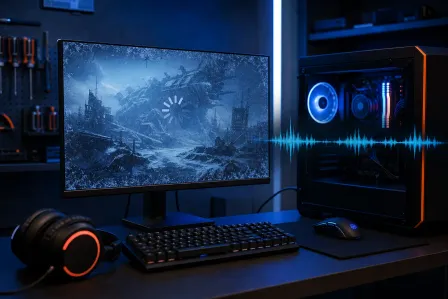
    Gaming PC with blue RGB lighting and visible triple-fan GPU beside a monitor showing a fantasy landscape with a warrior figure.
    A mid-range GPU setup built for 1440p gaming — where performance meets value.

    3. AMD Radeon RX 7700 XT, The Quiet 1440p Monster

    This is the card that doesn't get enough hype, and Hardware Hank is here to fix that. The RX 7700 XT is RDNA 3 with more Compute Units, more cache, and a wider memory bus than the 7600 XT. At 1440p, this card hits the resolution's sweet spot hard.

    In demanding games like Cyberpunk 2077, Hogwarts Legacy, and Alan Wake 2, the 7700 XT delivers smooth, playable framerates at high settings with FSR doing the heavy lifting when needed. Without FSR, native 1440p at High settings in most titles runs well above 60fps, and many will push above 100fps.

    It also carries 12GB of VRAM, which is a solid middle ground between the 7600 XT's generous 16GB and some of the tighter NVIDIA options at similar prices.

    Why it earns the spot: Pure 1440p performance per dollar is strong here. If you want native rendering without leaning heavily on upscaling, this card is the most capable in its price neighborhood without jumping to true high-end territory.

    RGB and cooling: Many AIB (Add-In Board) partner versions from Sapphire, PowerColor, and XFX come with solid triple-fan coolers and addressable RGB. You CAN have both performance AND the aesthetic. Yes, you need both.


    4. NVIDIA GeForce RTX 4070, The No-Compromise 1440p Card

    Okay, stepping up in price. The RTX 4070 is where you stop worrying about 1440p entirely. This card will run virtually every current title at 1440p High or Ultra settings above 60fps natively, and many above 100fps. Turn DLSS Quality on and you're chasing your monitor's refresh rate ceiling in almost everything.

    The Ada Lovelace architecture powering the 4070 also handles ray tracing much better than last-gen cards. If you've ever wanted to see path-traced lighting in Cyberpunk 2077 or the Portal RTX tech demo, this is the card where those modes stop being a slideshow.

    It's power-efficient for its performance class, and the build quality options from AIB partners are excellent. NVIDIA's own Founders Edition cards are clean and understated if you prefer that look, or go full RGB triple-fan if you want the WOW factor in a windowed case.

    Why it earns the spot: The RTX 4070 is the card where 1440p stops being a stretch goal and becomes a guaranteed comfortable experience. If you're building for the next 3-4 years and don't want to touch GPU settings obsessively, this is your ceiling-to-floor answer.

    Overclocking headroom: The 4070 has a healthy power limit headroom. Bumping the power limit and tuning the core clock in MSI Afterburner can push another 100-150MHz of stable boost, translating to 5-10 extra fps in GPU-limited scenarios. Easy gains.


    Ready to build a rig that actually rips? Start your build

    5. Intel Arc B580, The Wildcard Worth Watching

    Hardware Hank wouldn't be doing the job without mentioning Intel Arc B580. Intel's Battlemage architecture, released late 2024, genuinely surprised the market. The B580 delivers respectable 1440p performance and carries 12GB of VRAM at a price point that undercuts similarly performing NVIDIA and AMD options.

    Intel XeSS (Xe Super Sampling) is the upscaling tech here and it has improved significantly. XeSS 2 with frame generation support in compatible titles means the B580 can stretch its legs further than its raw hardware suggests.

    The caveat: Driver maturity. Intel Arc is still maturing. Older DX9 and DX11 titles sometimes have compatibility quirks. If your game library is primarily current or modern DX12 titles, the B580 is a real option. If you play a lot of older titles or live in emulators, check compatibility first.

    Why it earns the spot: 12GB VRAM at a low price, improving driver support, and genuine competitive performance at 1440p. It's the underdog story that's actually delivering, and it deserves a spot on this list.


    6. AMD Radeon RX 7800 XT, When You Want Headroom Without Going Flagship

    The RX 7800 XT is the card that sits just below the high-end and makes a strong argument for itself. It has 16GB of VRAM (again, AMD being generous here), a wide 256-bit memory bus, and strong compute performance that scales well in Vulkan and DX12 titles.

    At 1440p this card is genuinely fast. You're hitting 100+ fps natively in most titles at High settings, and the headroom to push Ultra is real in many games. It also handles 4K in a pinch with FSR, which means if you ever grab a 4K monitor down the road, you're not immediately shopping for another GPU.

    Why it earns the spot: The combination of 16GB VRAM, strong 1440p native performance, and reasonable 4K capability makes this one of the best future-proofed value picks on the list. You're paying more than the 7700 XT but buying a longer effective lifespan.

    If you want to see what real hardware looks like in a finished build, check out some of the custom gaming PC builds the team here has put together. Seeing parts in context makes the GPU decision much easier.


    What to Actually Think About Before Buying

    The GPU is the headline but it's not the whole story. A few quick reminders before you click buy:

    Your CPU matters. If you're pairing an RTX 4070 with an older quad-core CPU, you're leaving frames on the table. CPU bottlenecks at 1440p are real, especially above 100fps. Ryzen 5 5600X or better, or Intel Core i5-12400 or better, are solid pairing floors for these cards.

    Your PSU matters. Modern GPUs spike their power draw hard on load. Check your power supply unit wattage and its 12V rail stability. An 80+ Gold 650W unit covers everything on this list except perhaps the 4070 Super and above, where 750W is the comfortable floor.

    Your monitor matters. There's zero point buying a GPU that pushes 144fps at 1440p if your monitor caps at 60Hz. A 1440p 144Hz or 165Hz IPS panel is the target display for these cards to shine. If you haven't made that monitor upgrade yet, it's as important as the GPU itself.

    If you want us to spec out a full build around any of these cards, hit up our custom gaming PC builder. It walks through components and helps you avoid bottlenecks before you spend anything.

    And if you've already got a rig that needs a GPU swap or a general tune-up, the computer repair team at Fix My PC Store handles hardware installs and diagnostics for West Palm Beach and surrounding areas. Drop by or book a time online.

    Want to see an actual $5,000 PC get an RTX 4090 upgrade? We documented it. Check out the RTX 4090 upgrade video to see what a real high-end GPU install looks like in the shop.


    Bottom Line

    1440p is the resolution where mid-range GPUs stop apologizing and start performing. The RX 7600 XT and Intel Arc B580 are the budget heroes with surprising VRAM depth. The RX 7700 XT and RTX 4060 are the sweet-spot daily drivers. The RX 7800 XT and RTX 4070 are for players who want to buy once and stop thinking about it for years.

    FSR, DLSS, and XeSS have all matured to the point where using them on Quality mode is not a compromise. It's a smart play. Turn them on, stop leaving frames in the tank.

    Whatever card you land on, make sure the rest of your build can keep up with it. A GPU upgrade inside a bottlenecked system is a waste of good silicon. Need help figuring out what your current rig can handle before you buy? Reach out via remote support and we can diagnose your setup without you having to leave the house.


    Ready to build a rig that actually rips?

    Custom gaming PCs built and tuned by people who game. Tell us your budget and target frame rate.

    Start your build

    Frequently asked questions

    Is 1440p worth it over 1080p for gaming right now?

    Yes, and the GPU market makes it more accessible than ever. At 1440p you get noticeably sharper visuals, especially on monitors 27 inches and larger, without the brutal performance cost of 4K. Mid-range cards like the RX 7700 XT and RTX 4060 handle 1440p comfortably, which means you're not paying flagship prices to enjoy the resolution.

    How much VRAM do I need for 1440p gaming?

    8GB is the functional minimum right now, but some newer AAA titles are pushing against that ceiling at max texture settings. 12GB is the comfortable target for 1440p in 2025, and 16GB gives you genuine future-proofing for modded games and texture-heavy titles. Cards like the RX 7600 XT and RX 7800 XT offer 16GB at relatively reasonable prices.

    Does DLSS or FSR make a big difference at 1440p?

    Absolutely. Both technologies have matured significantly. Running DLSS Quality mode on an RTX card or FSR Quality mode on an AMD card at 1440p is nearly indistinguishable from native rendering to most players, while often delivering 20-40% more frames. DLSS 3 Frame Generation on supported NVIDIA cards can go even further by generating entirely new frames through AI.

    Can Fix My PC Store install a new GPU in my existing PC?

    Yes. The team at Fix My PC Store in West Palm Beach handles GPU installs, hardware upgrades, and post-upgrade diagnostics. They can also check whether your current PSU and CPU are up to the job before you buy a card, saving you from compatibility headaches. You can book a repair or consultation at fixmypcstore.com/schedule-repair.

    What CPU should I pair with a 1440p GPU?

    For the GPU tier covered in this article, aim for at least a Ryzen 5 5600X, Ryzen 5 7600, Intel Core i5-12400, or better. Older quad-core processors will bottleneck cards like the RTX 4070 and RX 7800 XT, especially once you're targeting 100fps or higher at 1440p. Balanced builds outperform expensive-GPU-in-a-weak-system builds every time.

    Is the Intel Arc B580 actually reliable for gaming now?

    For modern DX12 and Vulkan titles, yes, the B580 performs well and offers strong value with 12GB of VRAM. Driver support has improved considerably since Intel's first Arc generation. The caution is around older DX9 and DX11 titles, which can still have occasional compatibility issues. If your library is mostly current games, the B580 is a legitimate pick.

    Frequently Asked Questions

    Is 1440p worth it over 1080p for gaming right now?
    Yes, and the GPU market makes it more accessible than ever. At 1440p you get noticeably sharper visuals, especially on monitors 27 inches and larger, without the brutal performance cost of 4K. Mid-range cards like the RX 7700 XT and RTX 4060 handle 1440p comfortably, which means you're not paying flagship prices to enjoy the resolution.
    How much VRAM do I need for 1440p gaming?
    8GB is the functional minimum right now, but some newer AAA titles are pushing against that ceiling at max texture settings. 12GB is the comfortable target for 1440p in 2025, and 16GB gives you genuine future-proofing for modded games and texture-heavy titles. Cards like the RX 7600 XT and RX 7800 XT offer 16GB at relatively reasonable prices.
    Does DLSS or FSR make a big difference at 1440p?
    Absolutely. Both technologies have matured significantly. Running DLSS Quality mode on an RTX card or FSR Quality mode on an AMD card at 1440p is nearly indistinguishable from native rendering to most players, while often delivering 20-40% more frames. DLSS 3 Frame Generation on supported NVIDIA cards can go even further by generating entirely new frames through AI.
    Can Fix My PC Store install a new GPU in my existing PC?
    Yes. The team at Fix My PC Store in West Palm Beach handles GPU installs, hardware upgrades, and post-upgrade diagnostics. They can also check whether your current PSU and CPU are up to the job before you buy a card, saving you from compatibility headaches. You can book a repair or consultation at fixmypcstore.com/schedule-repair.
    What CPU should I pair with a 1440p GPU?
    For the GPU tier covered in this article, aim for at least a Ryzen 5 5600X, Ryzen 5 7600, Intel Core i5-12400, or better. Older quad-core processors will bottleneck cards like the RTX 4070 and RX 7800 XT, especially once you're targeting 100fps or higher at 1440p. Balanced builds outperform expensive-GPU-in-a-weak-system builds every time.
    Is the Intel Arc B580 actually reliable for gaming now?
    For modern DX12 and Vulkan titles, yes, the B580 performs well and offers strong value with 12GB of VRAM. Driver support has improved considerably since Intel's first Arc generation. The caution is around older DX9 and DX11 titles, which can still have occasional compatibility issues. If your library is mostly current games, the B580 is a legitimate pick.

    Share this article

    You May Also Like